
The Sequence Scheduler enables a sequence to be set to run at a repeatable given time. It could be used for automating a batch job which updates a large number of Target records during a low usage period such as evening or at a weekend, for example.
The Sequence Scheduler run frequency can be set to:
- A given time, daily
- On a certain day and time
- Every X amount of hours
- Run once on a selected date and time.
In order to use the Sequence Sequencer it must first be installed from the Store, go to the Store > Sequence Scheduler and click Install.
Once installed either use the Manage New Schedulers button or navigate to the Sequence List.
The scheduler will only apply to sequences that are set to initialise from a trigger condition set to 'sequence run'.
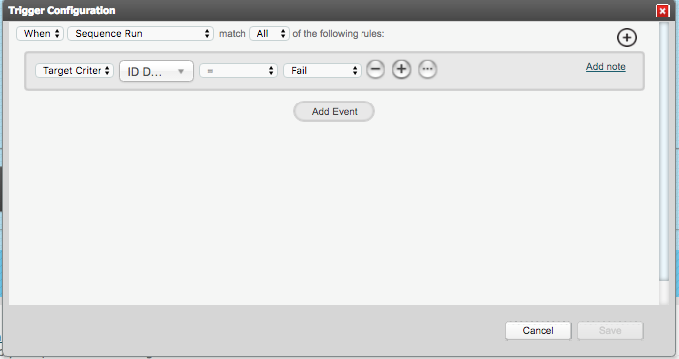
In Admin > Sequences > Sequence List go to the Run settings for the sequence that will be scheduled.
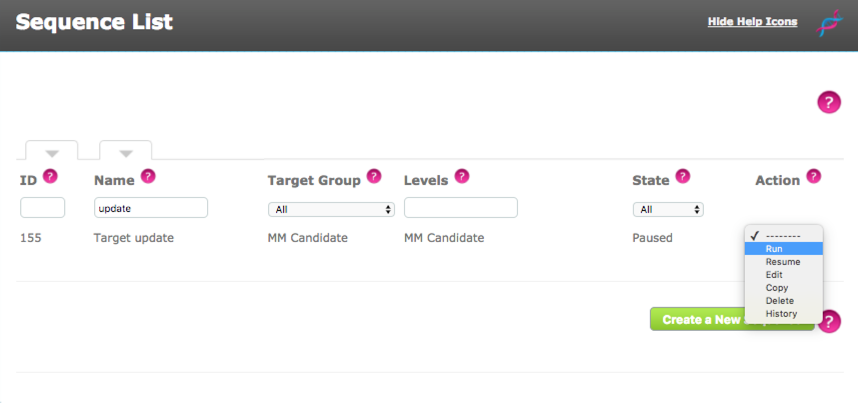
Using theDrop Down in the Action column select Run (The sequence must be paused for the Run option to be listed)
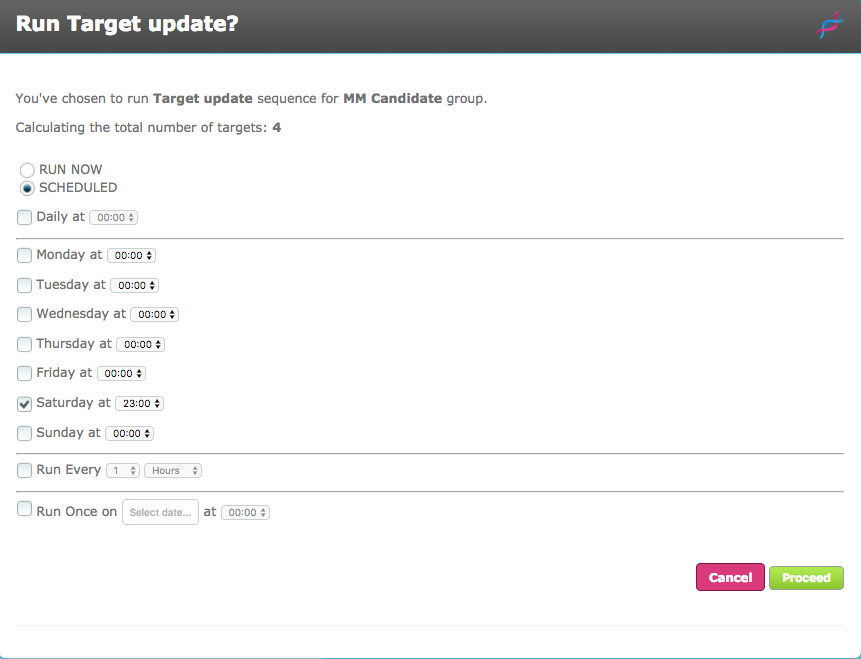
Select the Scheduled toggle and then the schedule interface will display. The horizontal lines indicate groups, only one group can be used, screen validation handles this.
e.g. I could not have a schedule which is set to run Daily at 14:00 but also set to Run Every 1 hour, as there is a conflict.
When the schedule cycle is determined, click Proceed
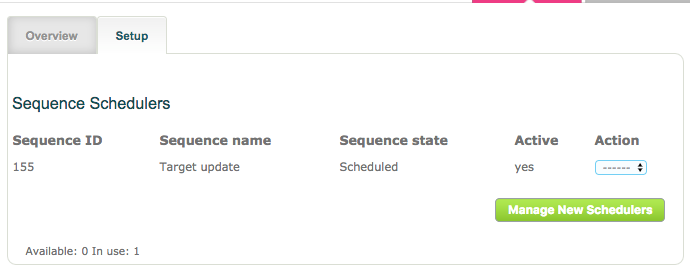
Once the sequence has been scheduled it will list with the state Scheduled in the Sequence List

The Store will also list the Scheduled sequences.
Comments
0 comments
Please sign in to leave a comment.