
In Autologyx, there is the ability to set up ‘ID3 Global Address Check’ into the system. These Address checks can be downloaded from the store and implemented into the system through target fields.
ID3 Global Address Checks are used for validating an address that the target has inputted. It checks that the target lives at the address stated by either matching their forename, surname or date of birth depending on the constraints set in the store.
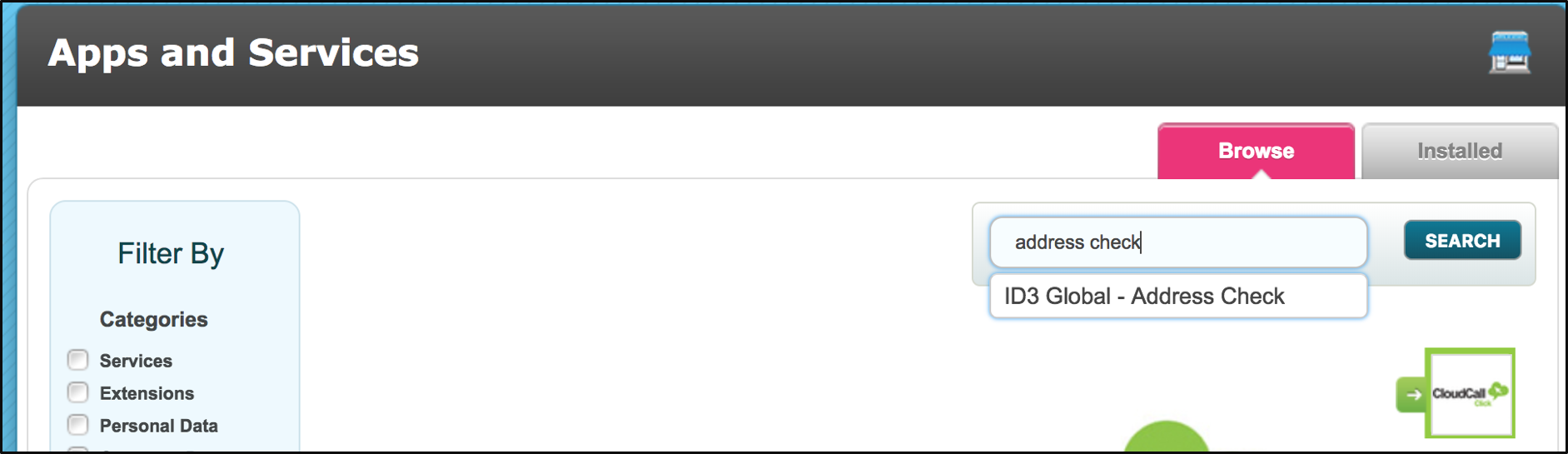
To download the ID3 Global Address Check go to store, and search for Address Check
Once the ID3 Global Address Check is opened click on the setup tab. As seen in the image below, there are two sub-sections; ‘Target Field Mapping’ and ‘Custom Response Options’ this will be explained further along in the article.
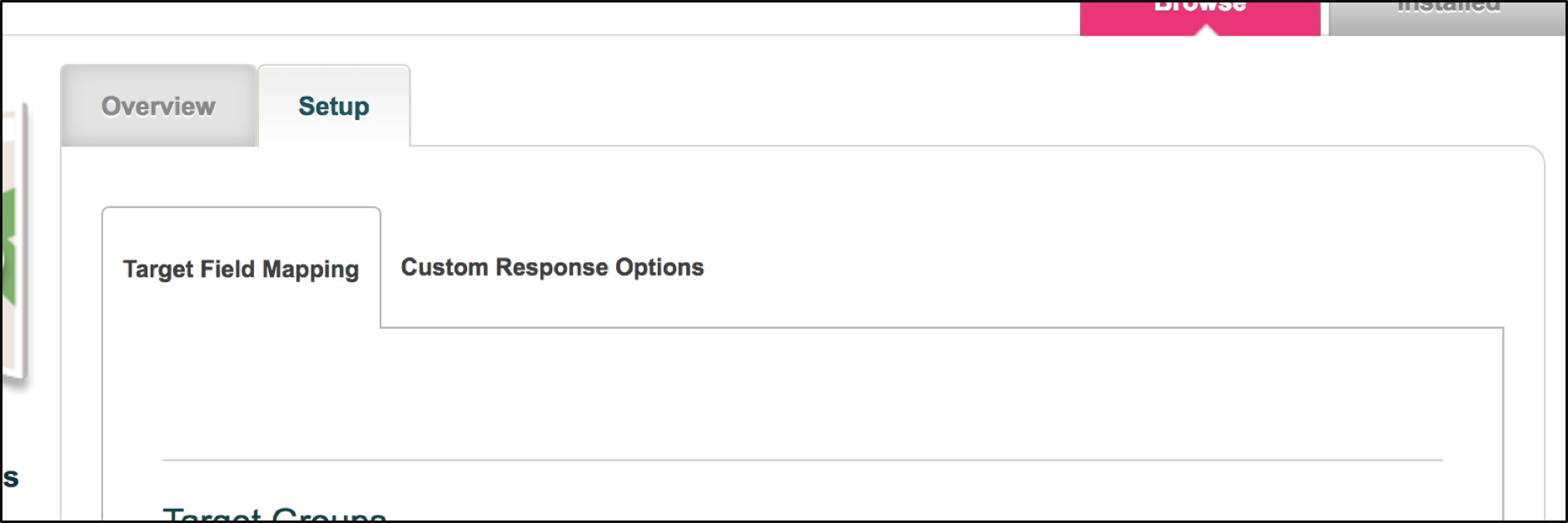
Target Field Mapping
The target field mapping option allows you to choose the target group that the pending address check is in relation to. In this case the target group ‘Candidates_SA’ is utilized. Once the required target group is chosen, the following image should be displayed at the bottom of the page. This allows the target field in your target group to be mapped to the appropriate corresponding service field.
When selecting the drop-down menu, a list of all target fields included in the target group is displayed. Select the target field that you would like to map to the service field.
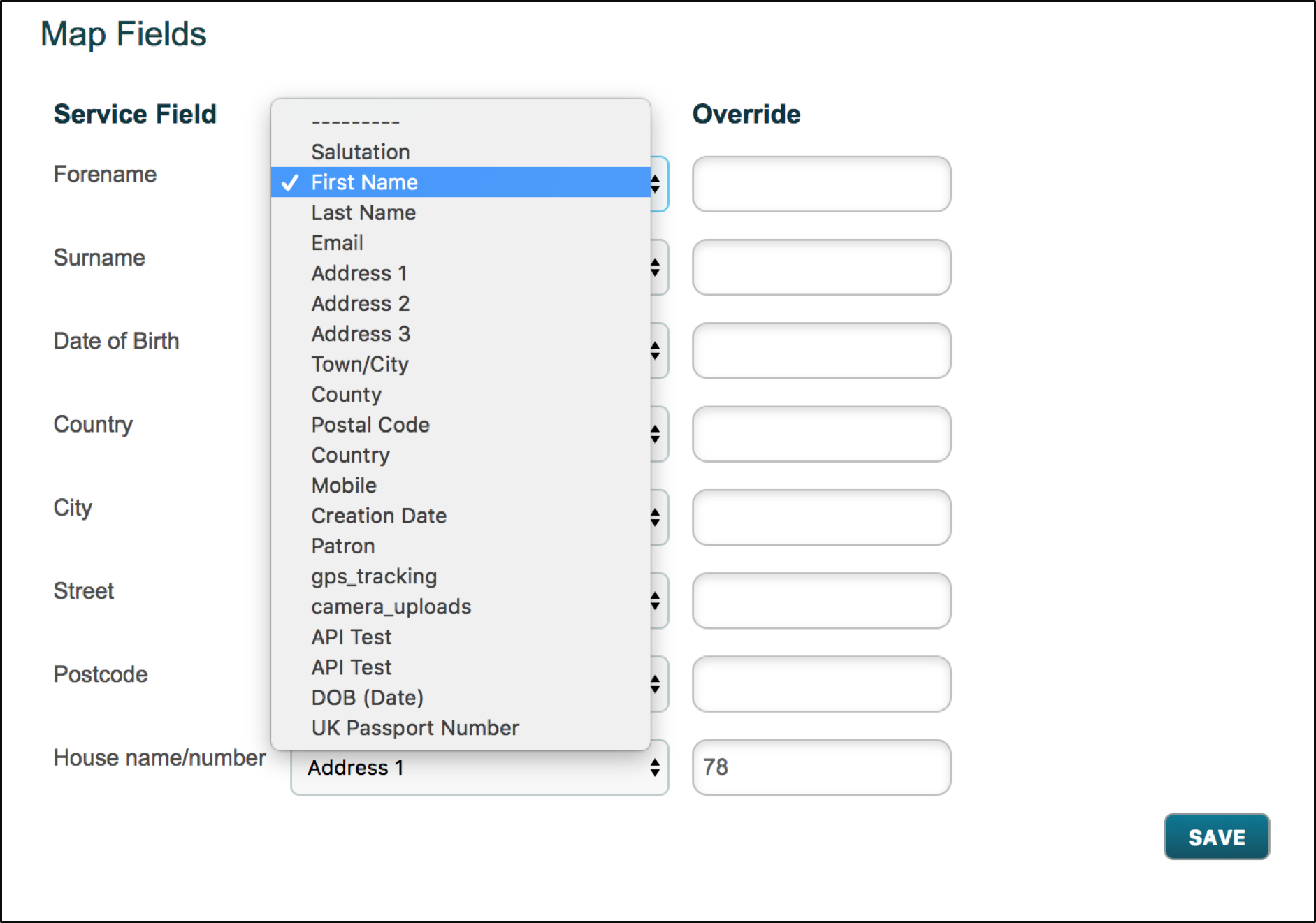
Override – This function sets the target field to the value that is inputted. This ignores what the target inputs and automatically will set the target field ‘Address 1’ to 78 as seen in the example.
When all the fields are completed, click save.
Custom Response Options
The custom response options matches the address to the different components in the box.
The right-hand-side contains the components the system will match to. In this case, it will check the Surname matched for address and Forename matched for address.
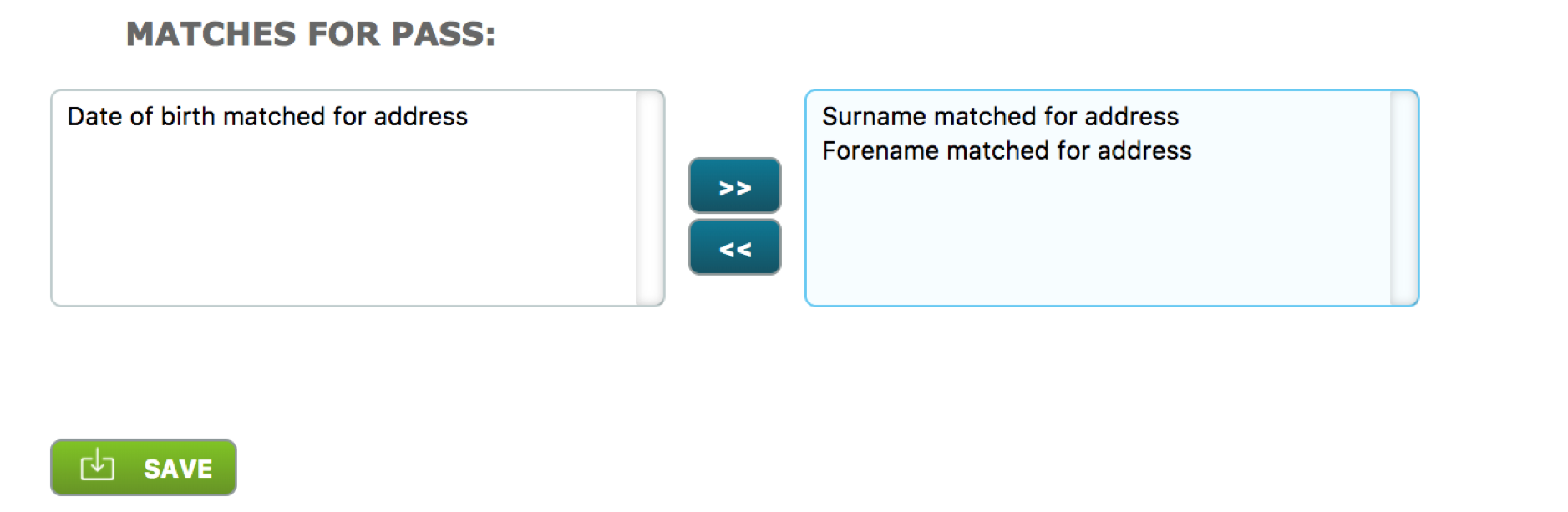 Date of birth matched for address – Checks the date of birth to see if it correlates with the address provided
Surname matched for address – Checks that the surname is registered to the address
Forename matched for address – Checks that the forename is registered to the address
Comments
0 comments
Please sign in to leave a comment.