
Connecting to many third party systems can require a process of authentication which has more than one step eg to acquire a secret key or token and then a redirect URL, for instance.
Traditionally, we have handled this by setting up a number of API calls to go through the appropriate sequence of steps, saving the outputs to variables to be referenced in the next call. The only issue with this is that there can be a number of objects which need to be updated if the authentication password for example has to be changed.
We now have the ability to create an authentication object which contains all the required details to be able to connect to the third party system and which can be referenced in individual API call actors as required. The beauty of this is that it provides one area where the authentication details can be managed.
The first phase of this feature includes support for iManage DMS and RAVN ML as well as MS Exchange IMAP.
Click here for article on how to set up an Authentication Object
Using an Authentication Object in an API Call Actor
Right click on the API call actor and select configure.
Choose your Type, Method and Data Type.
In the Authentication menu select "Auth Object".
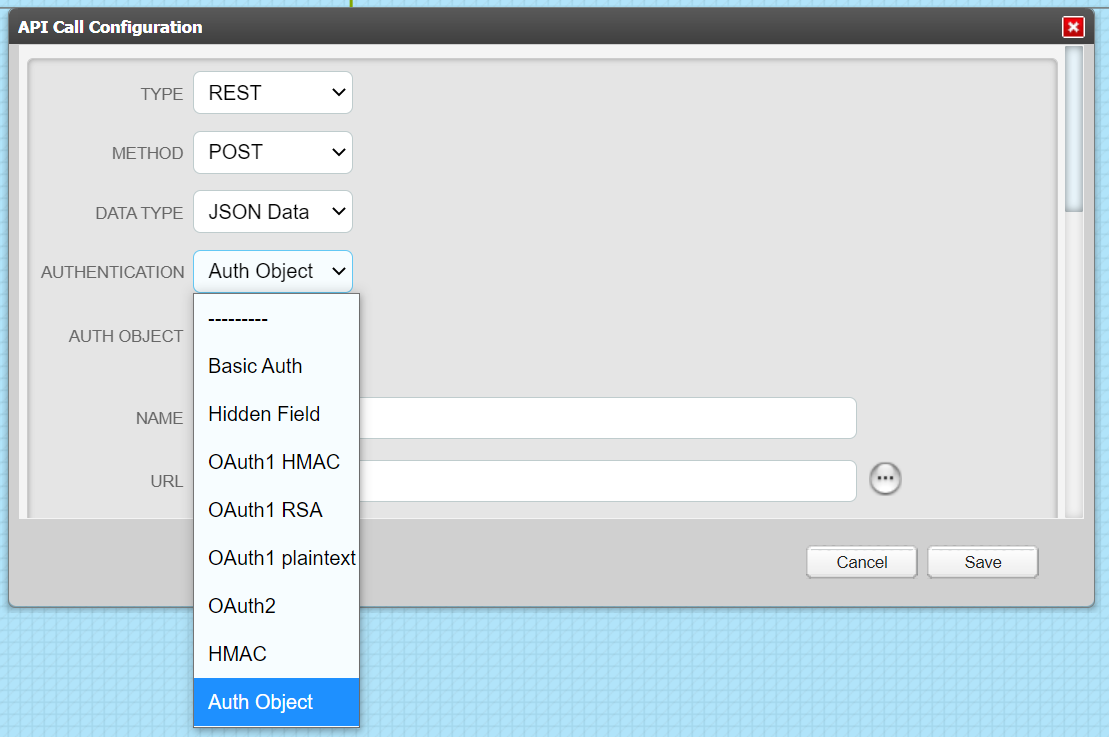
A new field called "Auth Object" will be displayed.
The list of available Authentication Objects is shown; select the object you require.
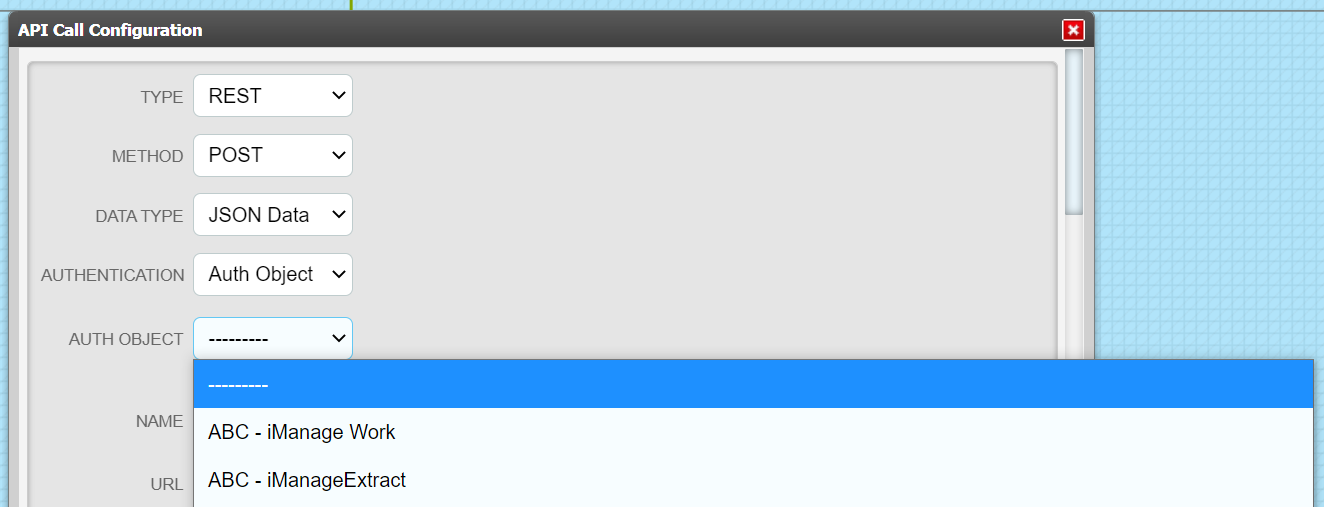
Complete the API configuration and test it so that it is made active.
Comments
0 comments
Please sign in to leave a comment.