
Authentication Objects are used to hold sensitive login details which are required to connect to third party systems.
An Authentication Object can be used in multiple API Calls, multiple Email Collectors and Target Imports. But holding the data in one central location then pulling on this in the system areas where it is required allows for easy management of the "account" details.
The first phase of this feature includes support for iManage DMS and RAVN ML as well as MS Exchange IMAP.
How to create an Authentication Object
Go to Admin/ Global Settings
Click the Authentication Objects link then click Create a New Authentication Object. You will see this screen:
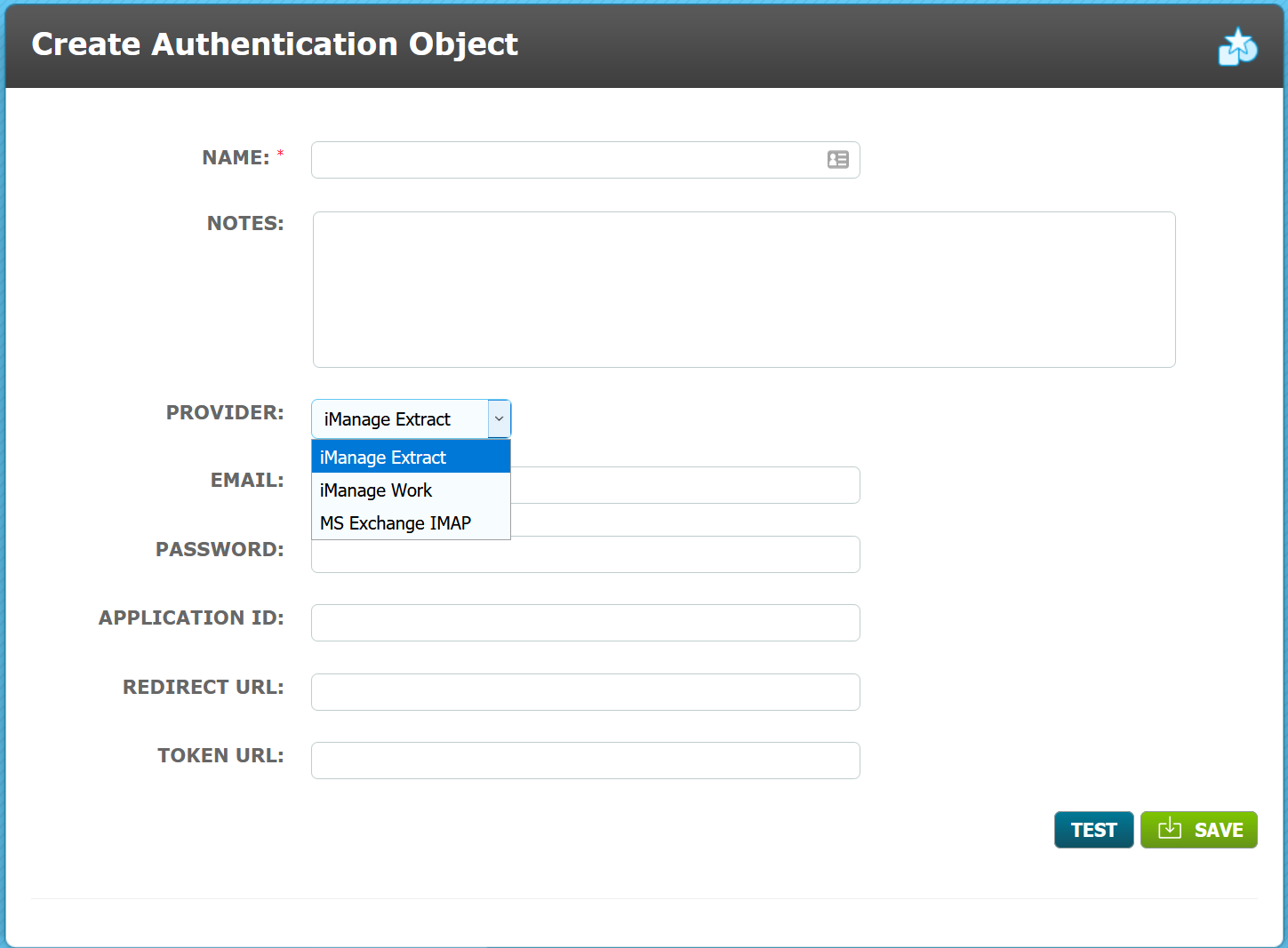
Name - use a memorable descriptive name as this is how you will recognise your authentication object when selecting it in the API call. The name used must be unique.
Notes - these are not mandatory but can be useful to describe who/what the object is to be used for as they appear in the Authentication Object List.
Provider - the feature is limited to use with iManage Extract, iManage Work and MS Exchange. Select the appropriate option.
Enter the details into the additional fields. Validation has been used on certain fields so if incorrect data is entered an Authentication error is shown:
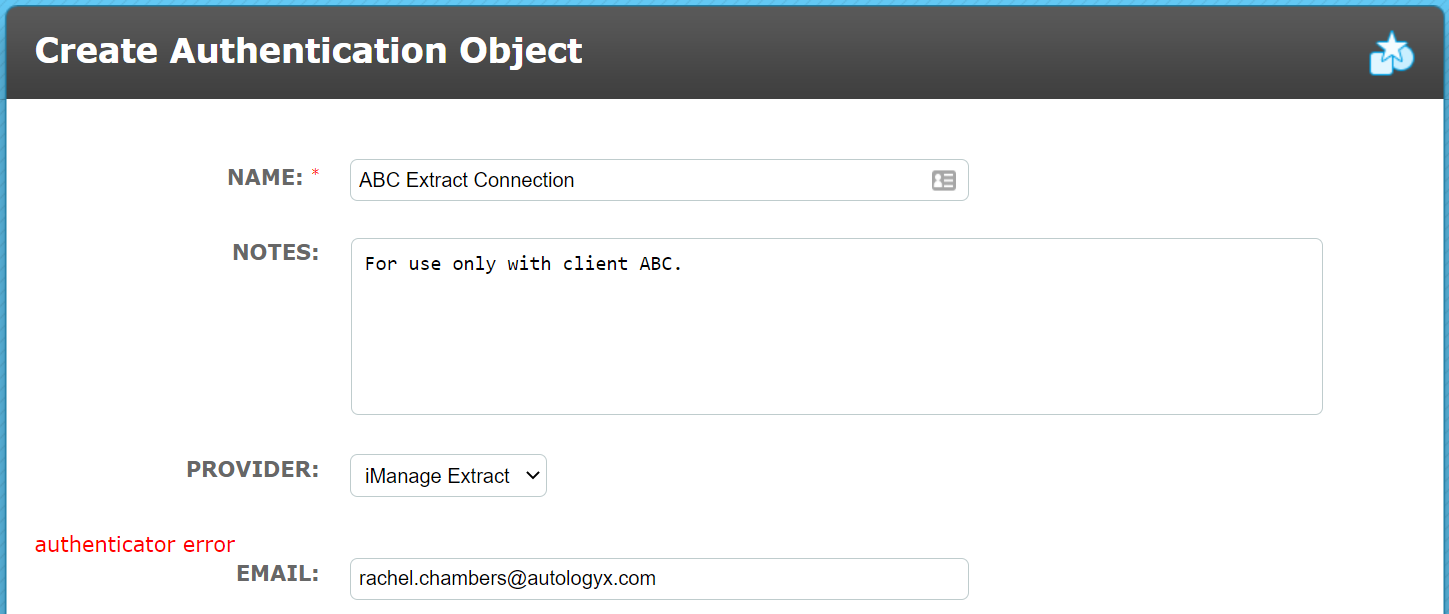
Complete the fields and Save the object.
The Authentication Object List
Admin/ Global Settings/ View/Edit Authentication Object
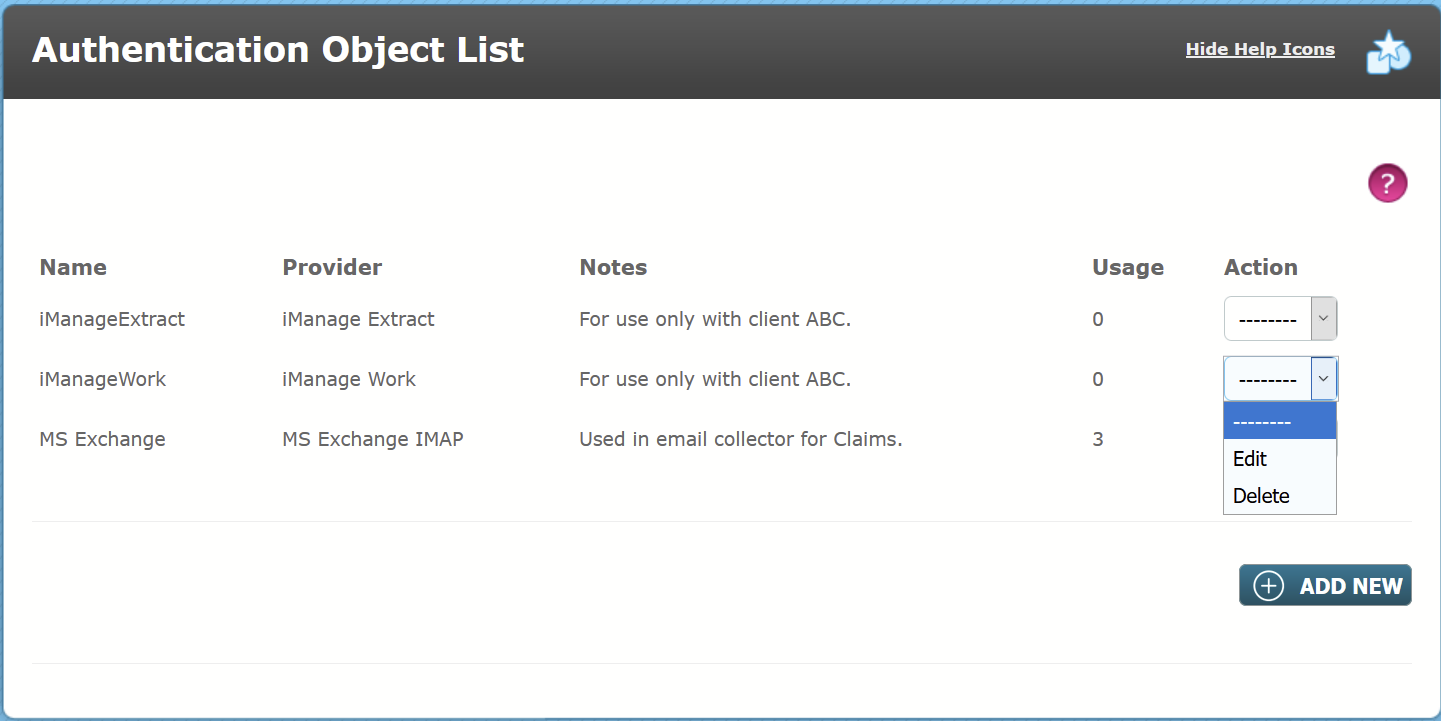
Authentication Objects are listed alphabetically by Name. There are columns which show the Provider and Notes details. In addition, the Usage column shows how many API call actors or other areas of the system are using this Authentication Object in their configuration.
The Action Menu for each Authentication Object has two options:
Edit - which will allow a System User to update the details. If an account password changes it can simply be updated here rather than having to update multiple system objects.
Delete - the delete function is only enabled for Authentication Objects which are not in use. The Usage column will show zero; if it does not show zero, the delete option will be disabled.
Editing an Authentication Object
Select Edit in the Action Menu to be taken to the Edit Authentication Object page. Only the Name, Notes and Provider are shown in the edit screen; the provider is not editable. If you need to update the name of the Authentication Object or the password for example, it will be updated in all the API calls or other configuration which uses it.
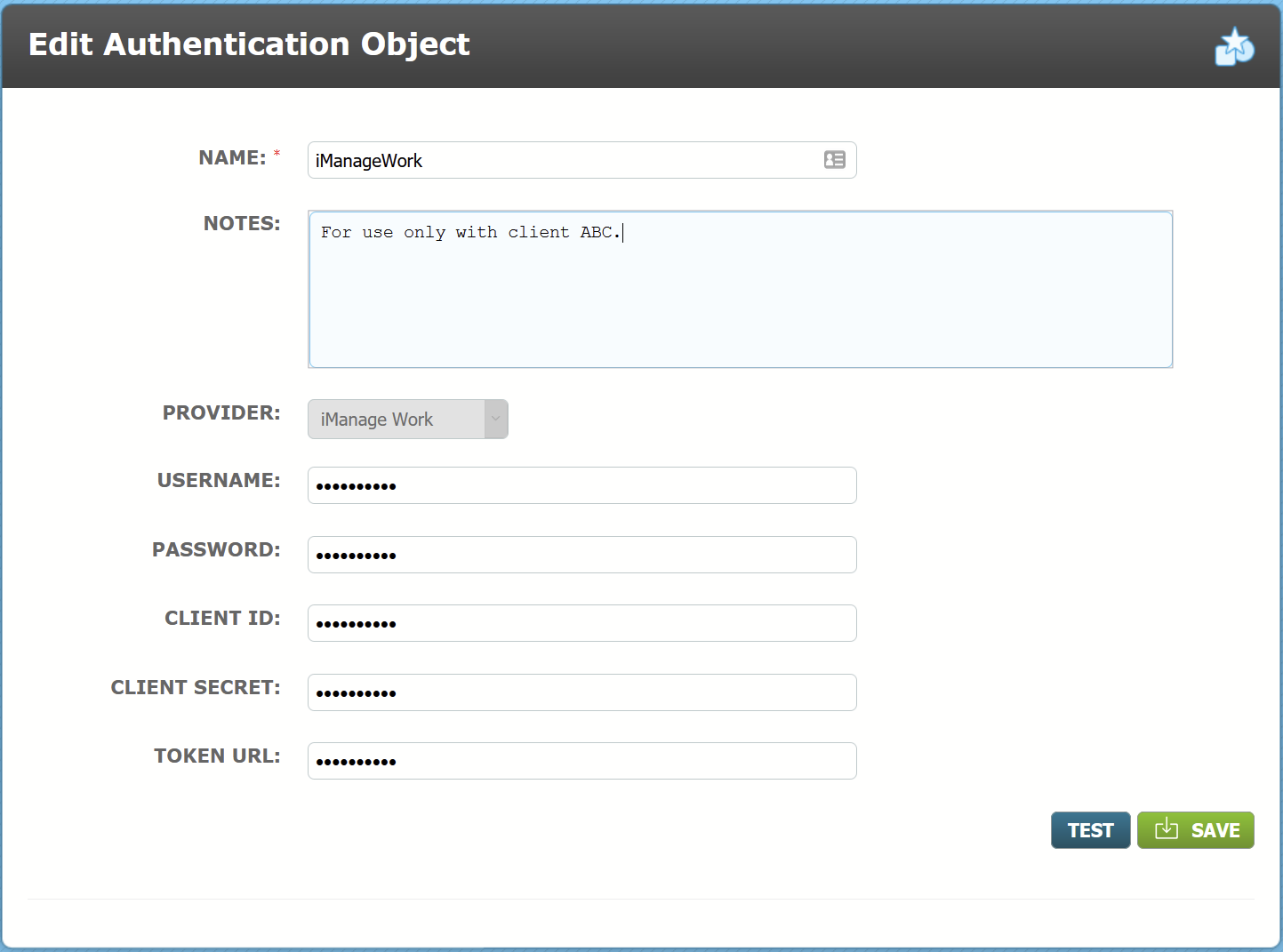
The fact that the credentials are hidden adds an extra security layer but these details can be updated on this page.
The Authentication Object will provide fresh tokens via one way encryption to API Actors without giving users access to sensitive data.
Comments
0 comments
Please sign in to leave a comment.