
There are two main users of your ALX system:
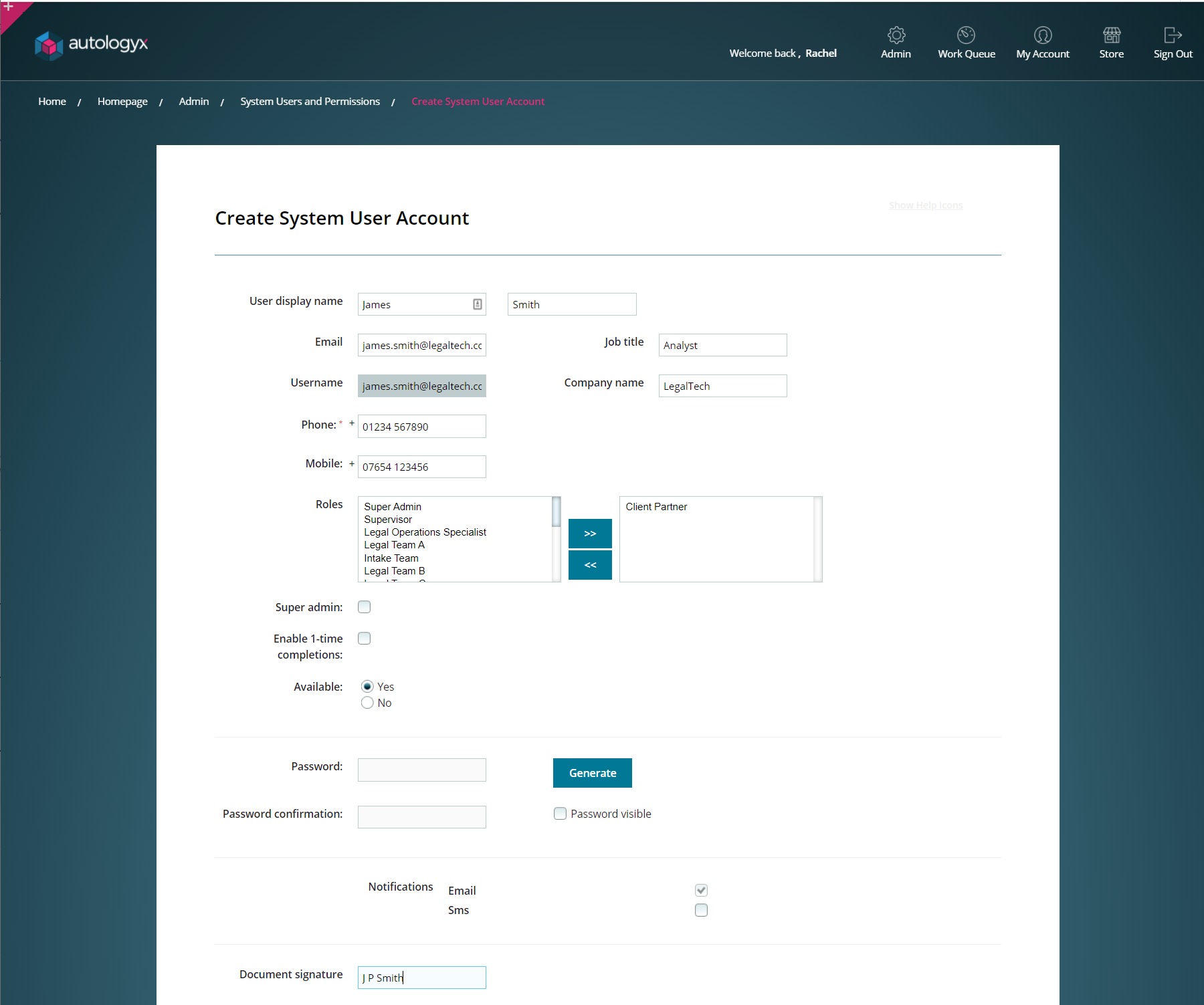
1. System User
These are people who are usually employed by your organisation. They will either be super system users who build and maintain your processes or they will be the people who are responsible for ensuring that tasks are completed via the dashboard.
System Users are given a System Role. The permissions set out in this role will determine what parts of the system they can see, what data they have access to and what functions they can perform.
You can create as many System Roles as you wish. A System User can be given more than one System Role but the higher permissions will set their limits.
Most system users are required to be authenticated. Therefore, they have a username and password with which to log in. Of course, single sign-on can be used instead.
Admin/ System Users and Permissions/ Create System User Account:
2. Target
Targets of the person type can also interact with ALX. These individuals might be working for you in a self employed or consultancy capacity. They might also be clients, suppliers or lawyers. Targets can be the subject of a process. For example, you might have a Target Group for your own employees against which employment and HR processes are run.
Targets only have access to the target portal. They have a username and password which is used as authentication for log in.
Targets are organised into target groups.
Admin/ Targets/ View/Edit Target Groups:
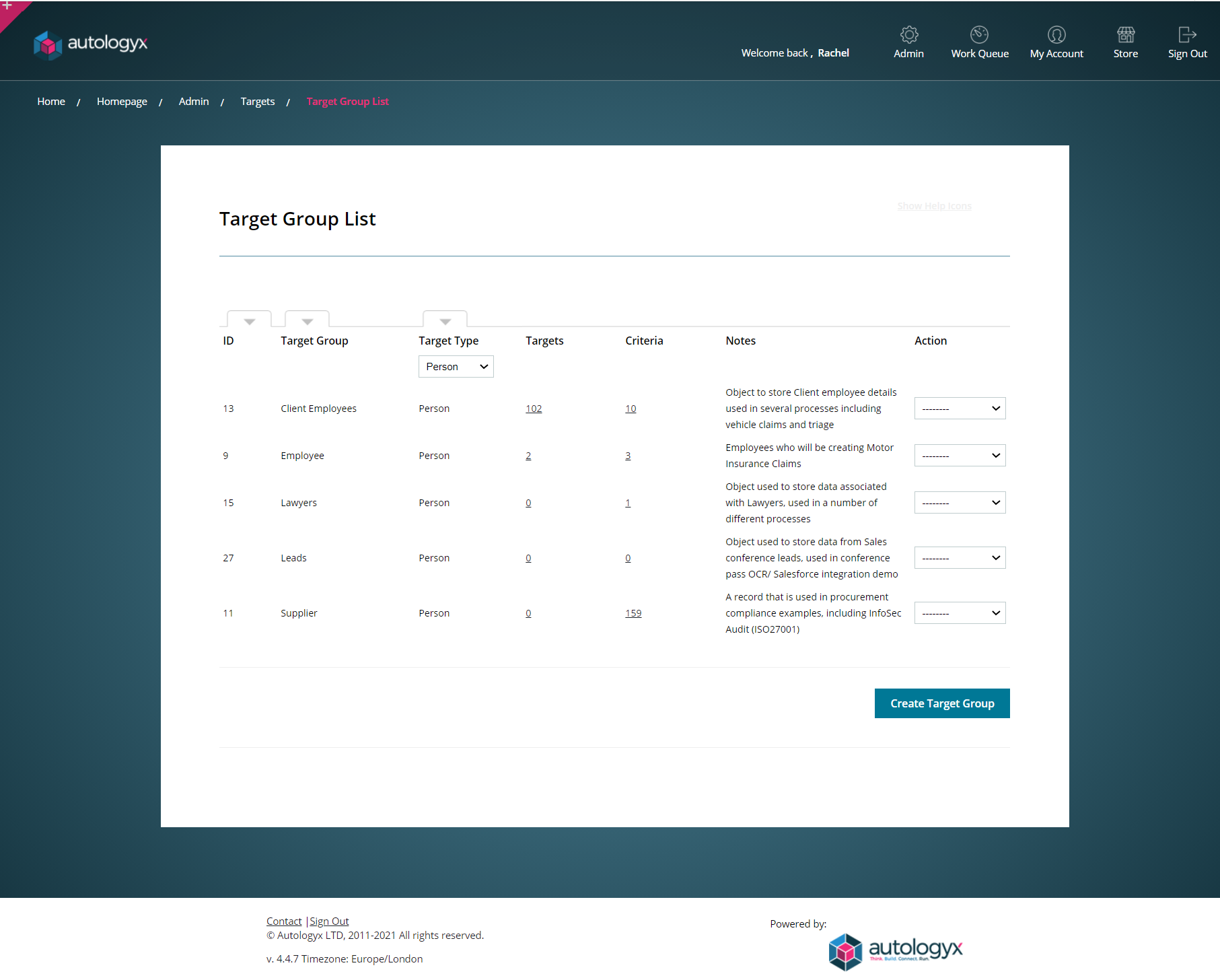
A target record will hold data associated to the individual such as name and email address. Email address is used as the unique de-duplicator.
Some of our clients do not use the target portal at all and have all users of the system set up as system users with system roles. This model works equally well because system roles are used to allow appropriate access.
1-Time Completion
Both System Users and Targets can be set up as 1-time completion users.
These users do not have a user account and they are not required to log in.
Individual tasks can be assigned to these users via email. The email will contain a link to a URL which will open a page where they can provide the required information for the task. Once they complete the item they will have no further access to the system.
Users who have originally been set up with 1-time completion access can be converted if required so that they have a full account which requires them to authenticate/log in.
Comments
0 comments
Please sign in to leave a comment.