
Admin > Message Templates > Add a New Message Template
You can create Message Templates which are used in Criteria as Nudge Reminders. These Message Templates are of the User Defined type.
Messages can only be sent via Email.
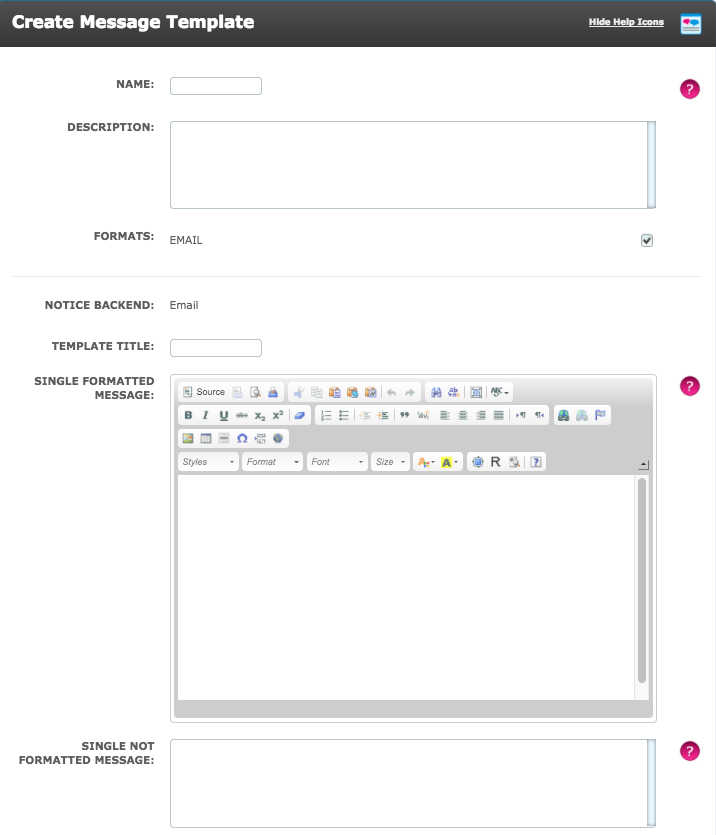
- Name - Give the template a name which describes its purpose or content e.g. "3 Weeks Remaining" or "Reminder about Right to Work Documentation".
- Description - This is for internal use only - you might want to give a brief description of the action required or information provided.
- Formats - Here the User selects the Format of the message. Users can choose from Email or SMS (if enabled in reminders and notifications)
- Notice Backend - Here the channel that the message is sent through, is displayed.
- Template Title - This should be used for the subject of the Message Template as it will be seen by your Targets.
- Single Formatted Message - Enter the content of your message for email, this message can be formatted using HTML.
- Single Not Formatted Message - Enter the content of your message for email, this message can NOT be formatted using HTML.
Note: When using Single Formatted Messages, these will send when the Message Frequency within Reminders and Notifications in Global Settings, is set to 'Send Immediately'. It is important to have both the content of the message in both 'Single Formatted Message' and 'Single Not Formatted Message'. This is because, the 'Single Formatted Message' is set as the default message to be sent, but if the individual receiving the email is not able to access the use of HTML formatting, then the 'Single Not Formatted Message' will be sent automatically.
- Grouped Formatted Message - Enter the content of your message for email, this message can be formatted using HTML
- Grouped Not Formatted Message - Enter the content of your message for email, this message can NOT be formatted using HTML.
Note: When using Grouped Formatted Messages, these will send when the Message Frequency within Reminders and Notifications in Global Settings, is set to either 'Once per Day' or 'Once per Week'. It is important to have both the content of the message in both 'Grouped Formatted Message' and 'Grouped Not Formatted Message'. This is because, the 'Grouped Formatted Message' is set as the default message to be sent, but if the individual receiving the email is not able to access the use of HTML formatting, then the 'Grouped Not Formatted Message' will be sent automatically.
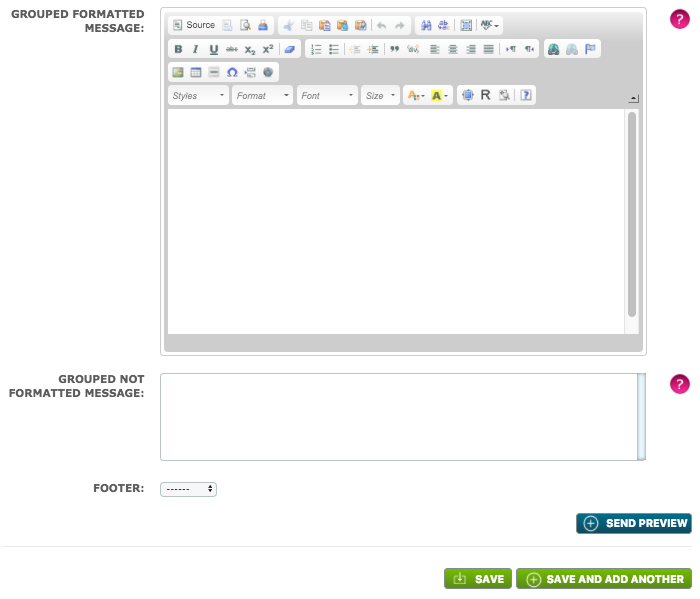 An existing Footer can be selected, which would be applied to the Message Template. Selecting Send Preview, will send the Message Template created to the User.
Comments
0 comments
Please sign in to leave a comment.