
In order to improve the security in dynamic forms when using the "look-up" feature to reload existing records, we have:
- moved the restriction config from the "Edit form settings" page to the "Configure fields" page
- limited access to data by adding extra options so that each lookup field can be given full access, no access or restricted access independently of other lookup fields
On the "Configure fields page a field can be chosen for look-up by ticking the appropriate column as has always been the case. However, once this is done a new "Show" button immediately becomes available for that field.
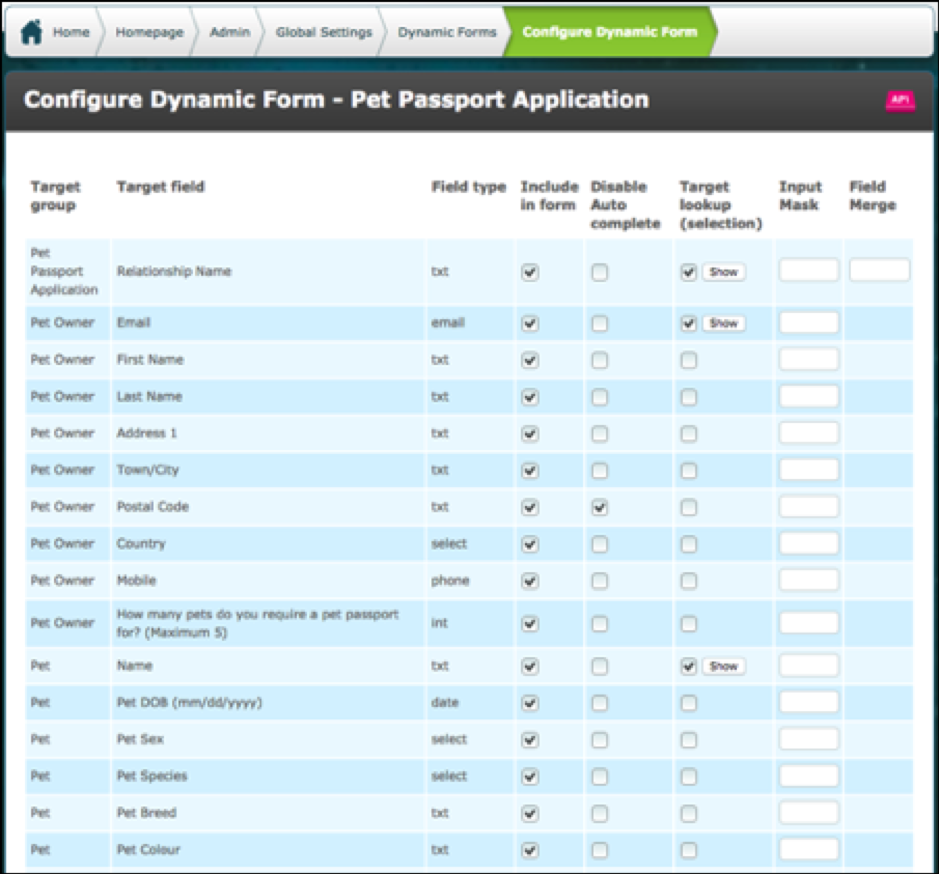
Please Note: If you do nothing further, ie do not configure "Allow Full Lookup Access" and "Match Against Target Field" the default behaviour is that all Roles will have full lookup access to the lookup fields. This means they can lookup and reload all records.
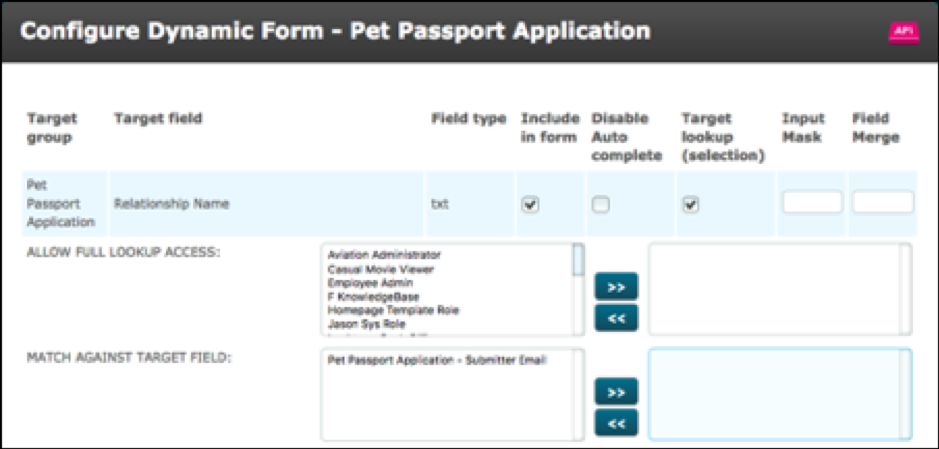
The example used below is a Relational target group called "Pet Passport Application". This relationship has two child target groups: Pet Owner and Pet.
Click "Show" on the lookup field.
The fields "Allow Full Lookup Access" and "Match Against Target Field" will be presented.
Where you wish users to have full lookup access to a particular field, move their role into the right hand column of field "Allow Full Lookup Access".
If you have other roles which require access only to the records they created, you can use an email field to restrict these users to view and select their own records only.
The email field must have the merge {{user.email}} in the Merge Field column as shown below. The user's email address will be automatically merged into this field for all record submissions they make via the form.

In the example below, users with one of the following roles has full lookup access to the field Relationship Name. This means that they will be able to lookup and reload all targets in this group:
- Pet Passport Admin
- Super Admin
- Vet
However, users with the role Submitter do not have full access. Their access is restricted by their email address so that they can only lookup and reload targets which they have created.
All other roles have no lookup access.
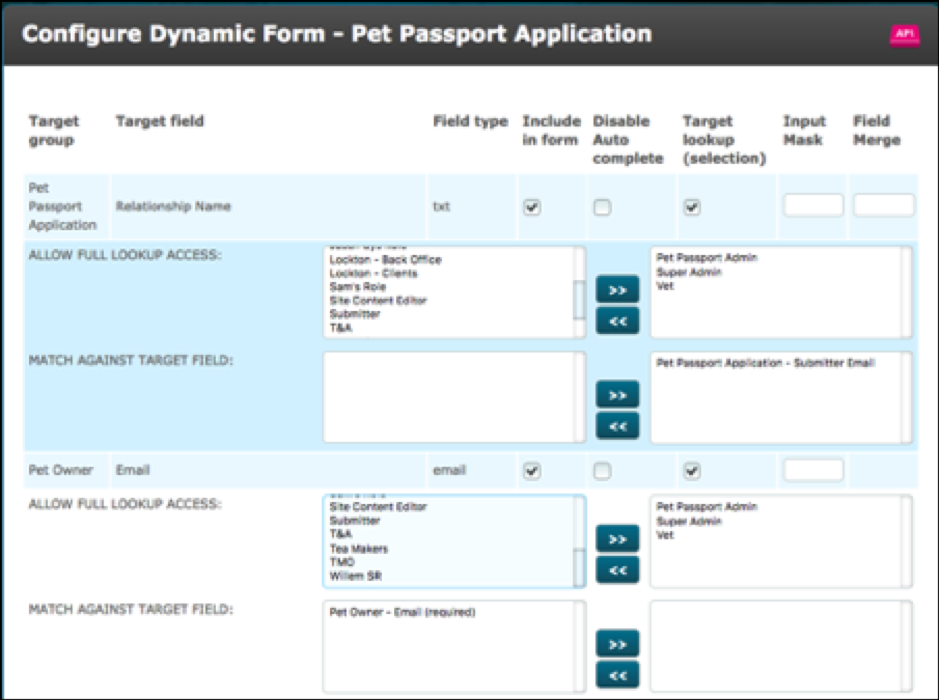
For field Email on the Pet Owner target group the same three roles have full lookup access but all other roles have no lookup access.
Comments
0 comments
Please sign in to leave a comment.