
Document Packs are installed and configured in the Store. There is no cost to install it but dependent on the type of licence you have the production of a document pack may be chargeable. Please see the store for details.
Go to the Store, find Automatic Document Pack Creation and click install.
Once installed click the Setup tab
Product Config sub tab
This is where the access control is configured.
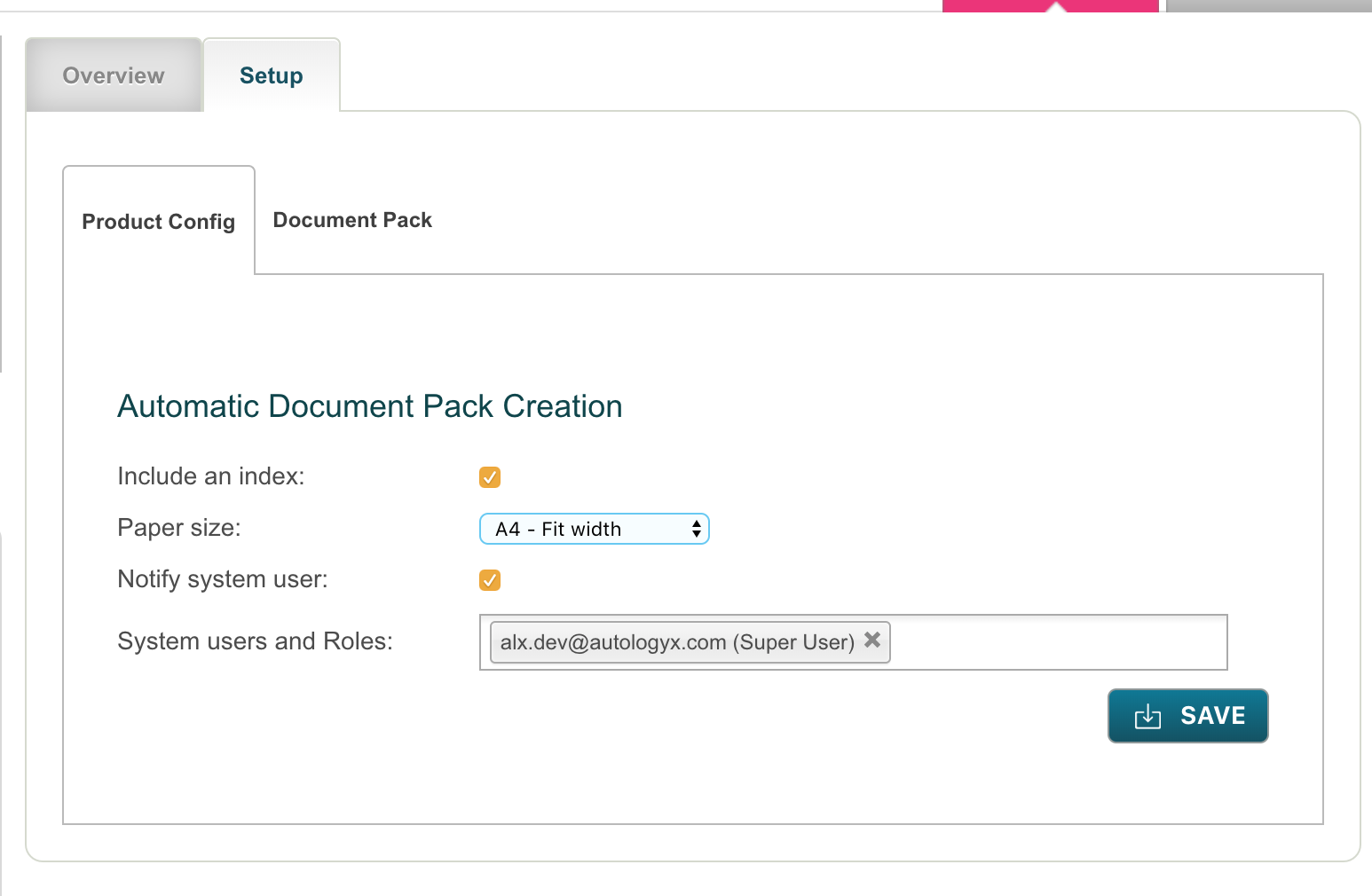
Include an Index: Do you want the Document Packs to include an Index/Table of Contents page. Yes or No.
The index will show the following information:
- Criteria Name
- Response Value
- Expiry Date (if applicable)
- Date/time criteria was completed
- Page number
Paper Size: A4 Portrait, US Letter size, A4 Portrait - Fit Width and US Letter size - Fit Width
System Users and Roles: Enter each system user that has access to the produced Document Packs
Save
Document Pack sub tab
This screen is where the conditions under which a Document Pack is generated are set.
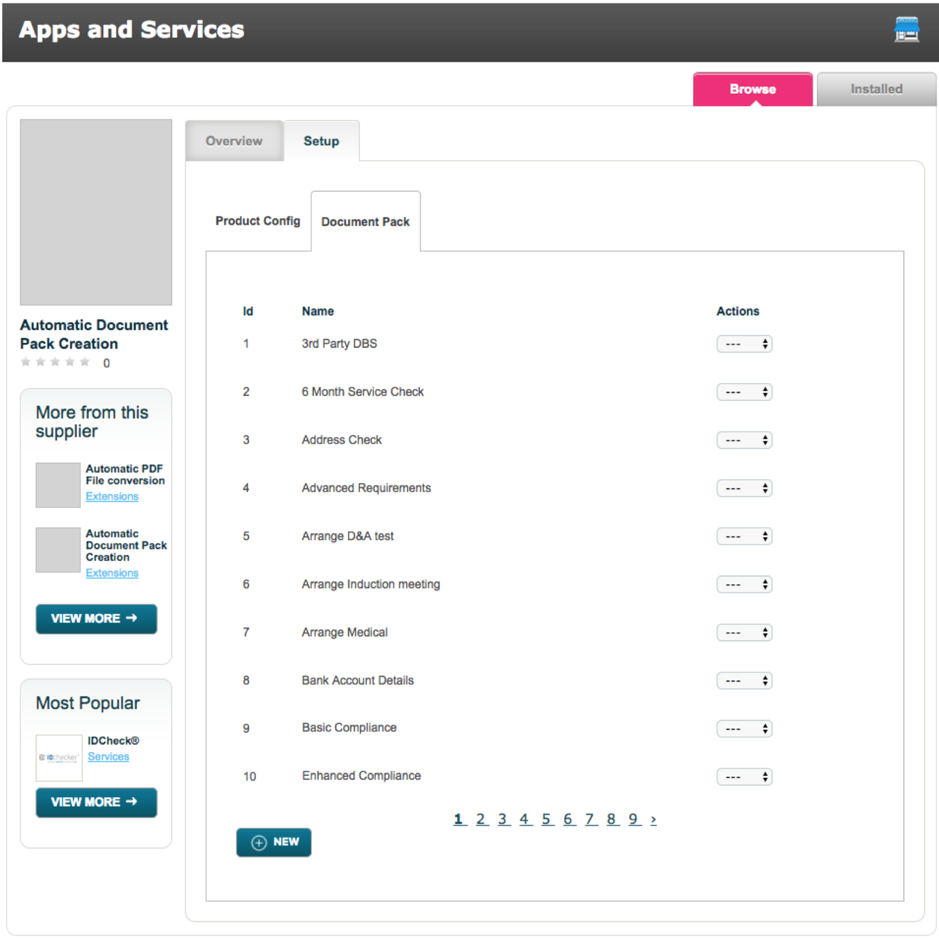
Either Edit an existing document Pack or click the New button.
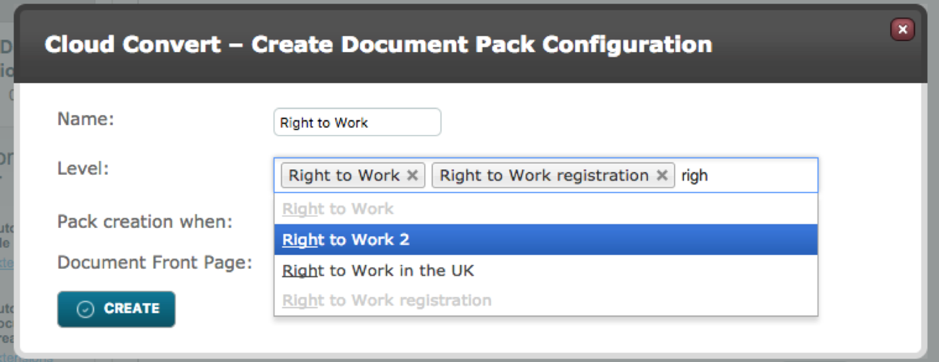
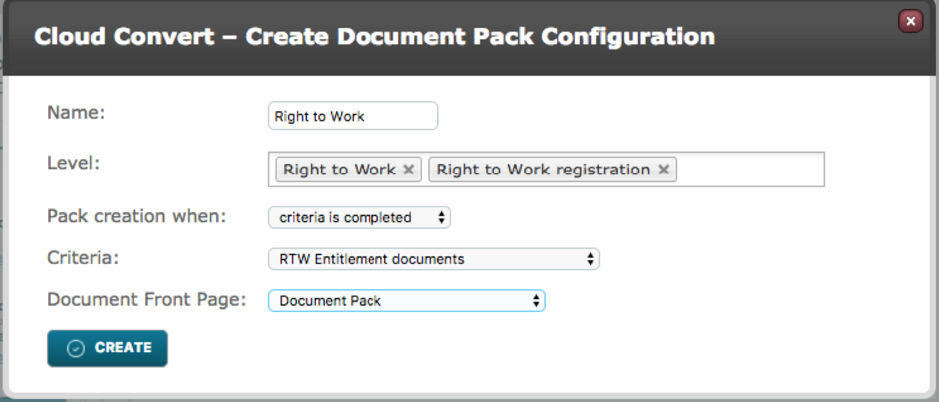
Name: Give the Document Pack a name, this won’t be visible on the pack itself. However, if the pack is being generated "On demand" in a sequence, this name will appear in the actor configuration.
Level: Click in the field to see a full list or start typing to see a filtered list of levels. Multiple levels can be selected.
- Pack creation when:This field determines the conditions in which the Document pack will be produced.
- All Levels are completed: A Document Pack will be produced when the Levels entered into the Level field have all been marked as Complete
- Any level is completed: A Document Pack will be produced when any of the levels entered into the Level field have been completed.
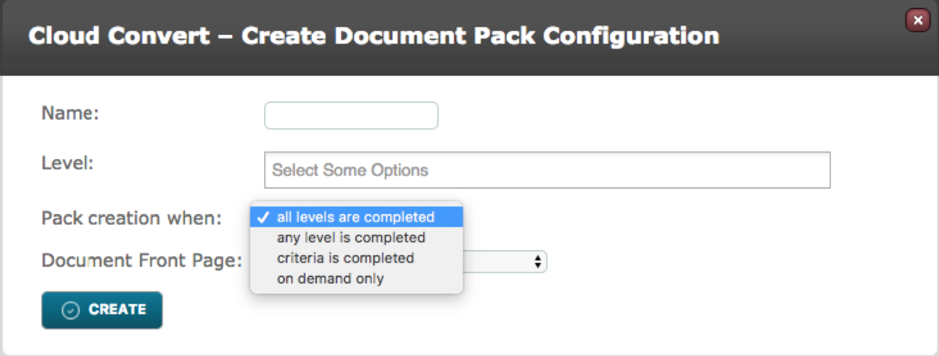
- Criteria is completed:If this option is selected then when a single Criteria is Completed the Document Pack will be produced. When choosing Criteria is completed an additional drop down field called Criteria will appear where you determine which criteria will need to be completed before the Document Pack will produce.
- On Demand only:There are no pre-requisites for the Document Pack to be produced automatically, so they must be sequenced using the Document Pack Actor.
Document Front Page: Select the front page for this Document Pack, these are Document Templates. It is not mandatory. As with other Document Templates, merge fields can be used to pull data about the Target in question into the front page.
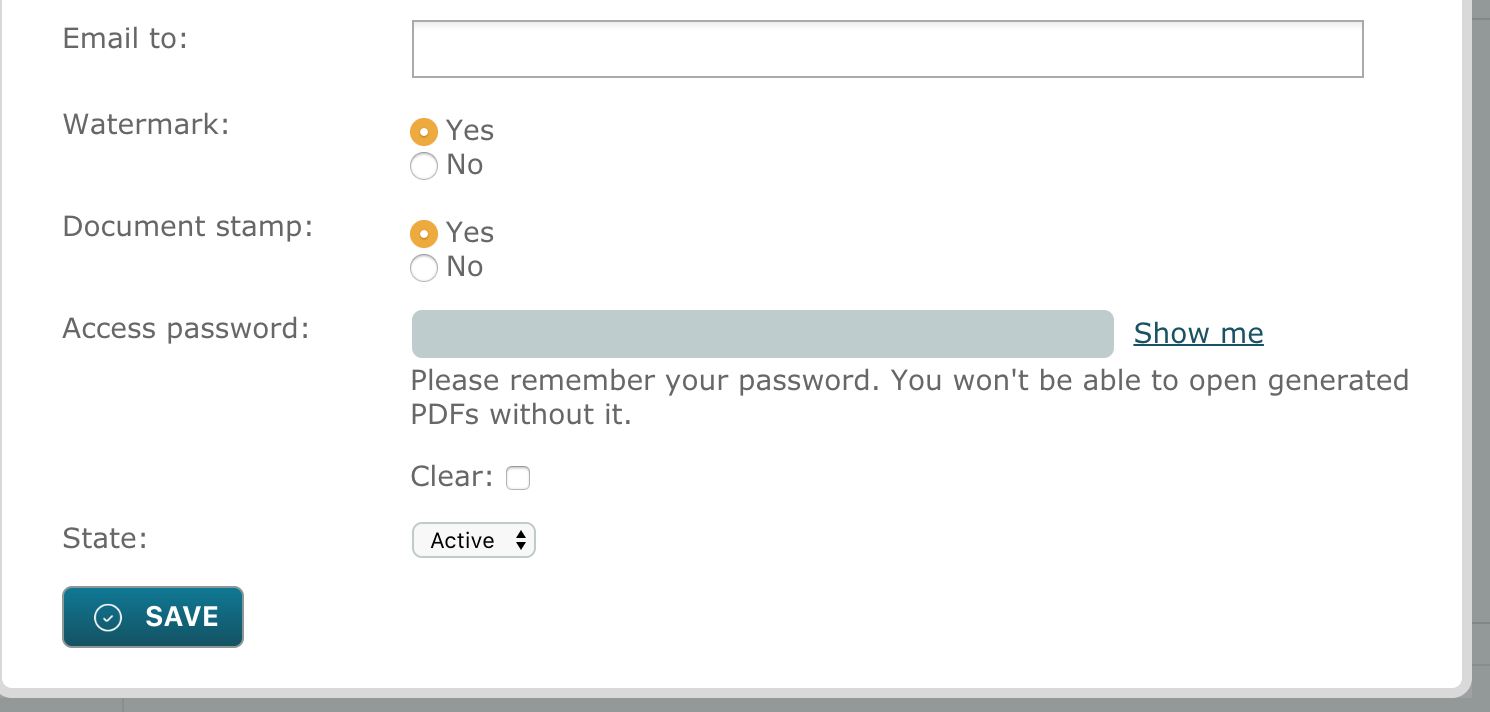
Email to: Enter email address(es) of where notification of pack creation including pack as attachment should be sent. These can be system users or external email addresses. If none are entered notification of pack creation will go to the target patron.
Watermark: Select Yes or No dependent on whether you require the watermark to be included on each page within the pack. See below for further details of watermark.
Document Stamp: Select Yes or No dependent on whether you require details of the document completion by/ date/time stamp to be included.
Access password: Enter a password that will be required to enter when somebody wants to open the document pack. This password will allow full access to the document pack so that printing and download of files is possible.
Comments
0 comments
Article is closed for comments.