
Running a target Import
To run or stop a target import, go to Admin > Targets > Target Import List.
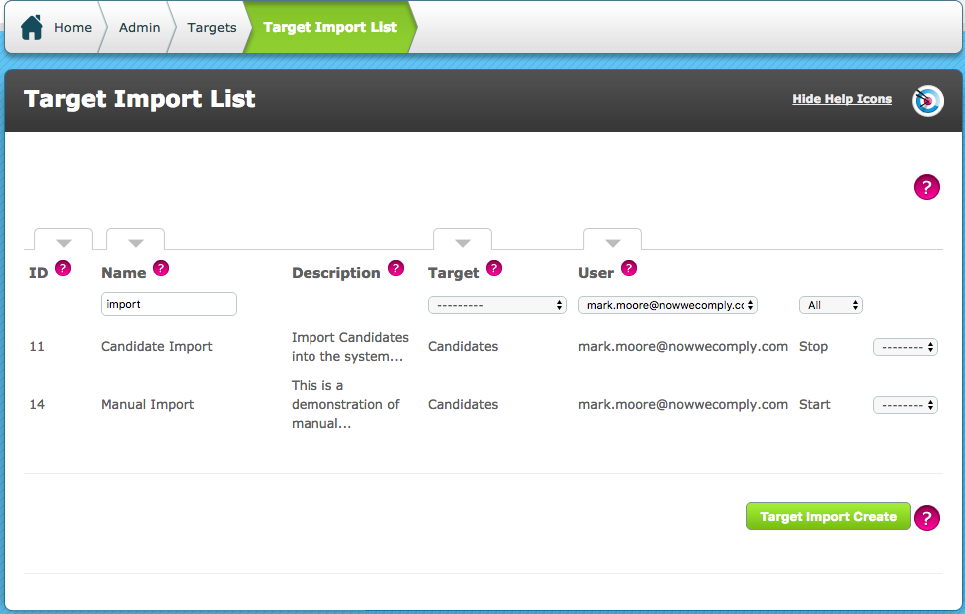
This screen lists all target imports that are on the system. The running status of the import is seen in the right most data column, to run or stop a target import use the ------ drop down on the right most section of the row and choose Edit
For a Mailbox Import, the import simply needs to be started using Start, for a manual or REST URL import, a new file can be uploaded/specified here.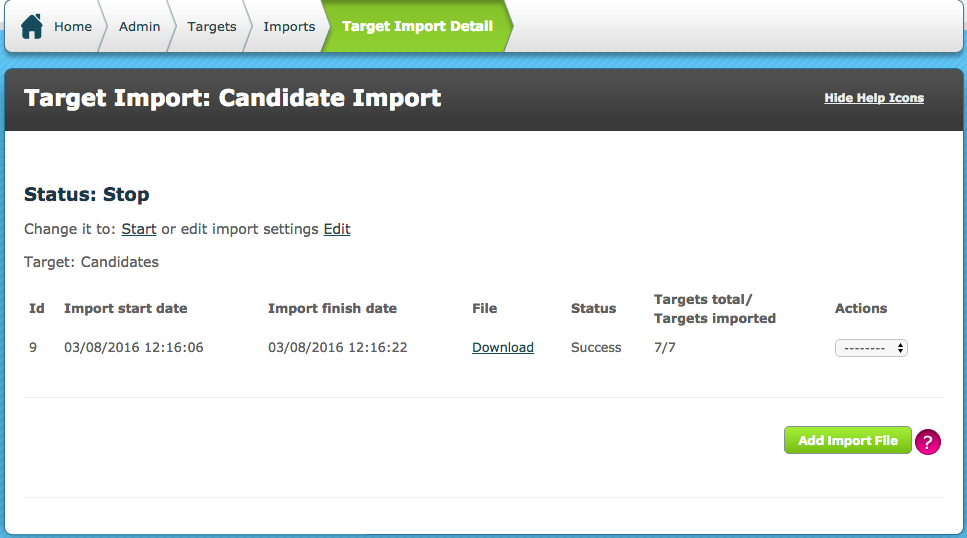
Each import is listed here in a new row, the document that was attempted to import (regardless of success) can be downloaded from here. If an import failed it will be listed with an error. Using the ----- drop down a re-import can be attempted or further detail can be viewed:
In this example, the import instance screen shows that candidates were not created because they already exist in the system.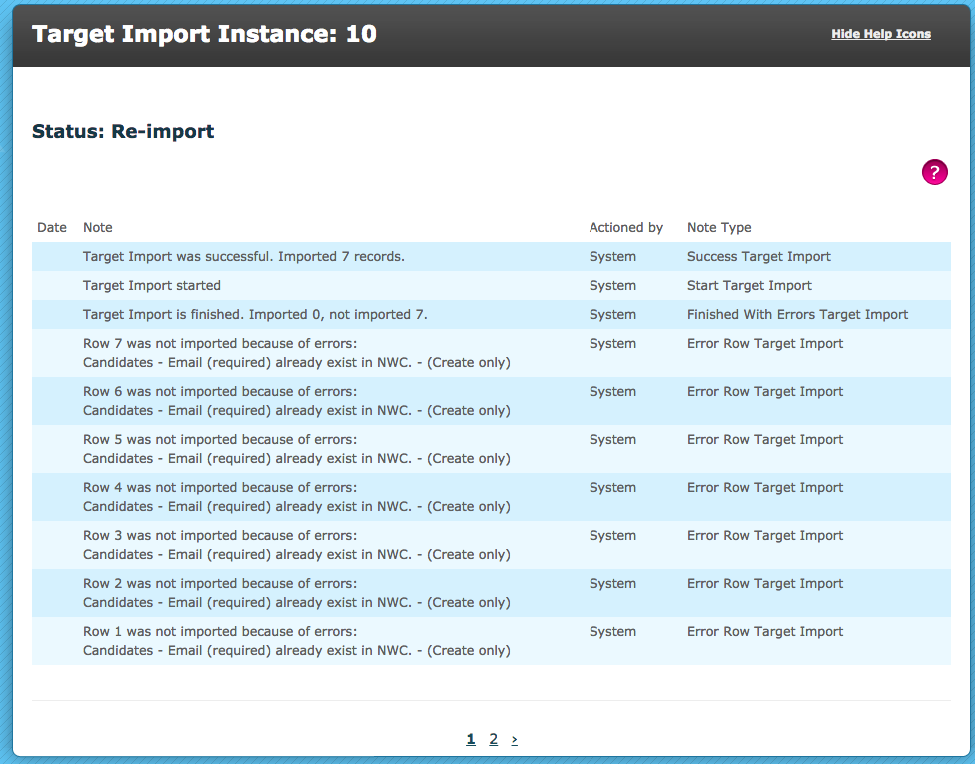
Imported targets will be available in the Target List.
Comments
0 comments
Please sign in to leave a comment.