
Once the store setup is complete, you will have a new response type, UK Criminal Record Checks.
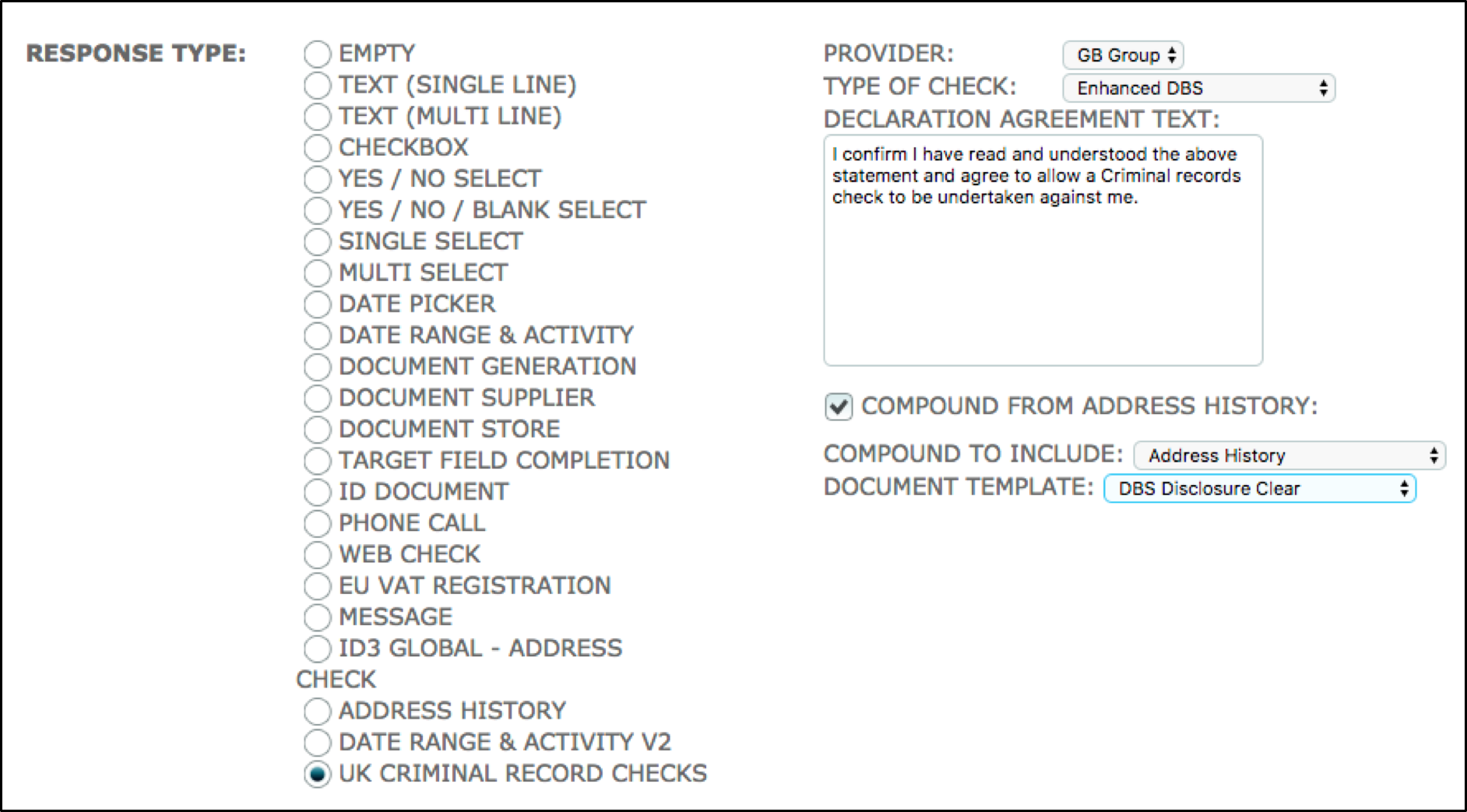 The following table will provide a guide of set up choices available:
| Provider |
Select which provider you want to use. |
Note: At the moment GB Group is the only provider we have configured. |
| Type of Check |
Select what type of check you want the Criteria to carry out. |
Note: depending what type you choose different validation will be required on the form. Users will only be able to select options that have PINs against them in the store. If PINs have not been entered the option will appear as greyed out. |
| Declaration Agreement Text |
The text entered here is displayed alongside the checkbox when signing the declaration. This can be edited to suit your specific needs. |
|
| Compound from address history |
Checking this will allow you to map addresses given in an Address History Criteria into the DBS form. |
Note: If gaps appear in AH criteria they will be displayed in the DBS to be completed. |
| Compound to include |
Select which Address History Criteria you would like to use. |
Note: Compound to include will only appear if ‘Compound from address history’ is selected. |
| Document template |
Select which document you would like to use when a Disclosure comes back clear. |
Note: ‘DBS Disclosure’ is added to Document templates when the product is installed. Users can edit or create their own and select them here. |
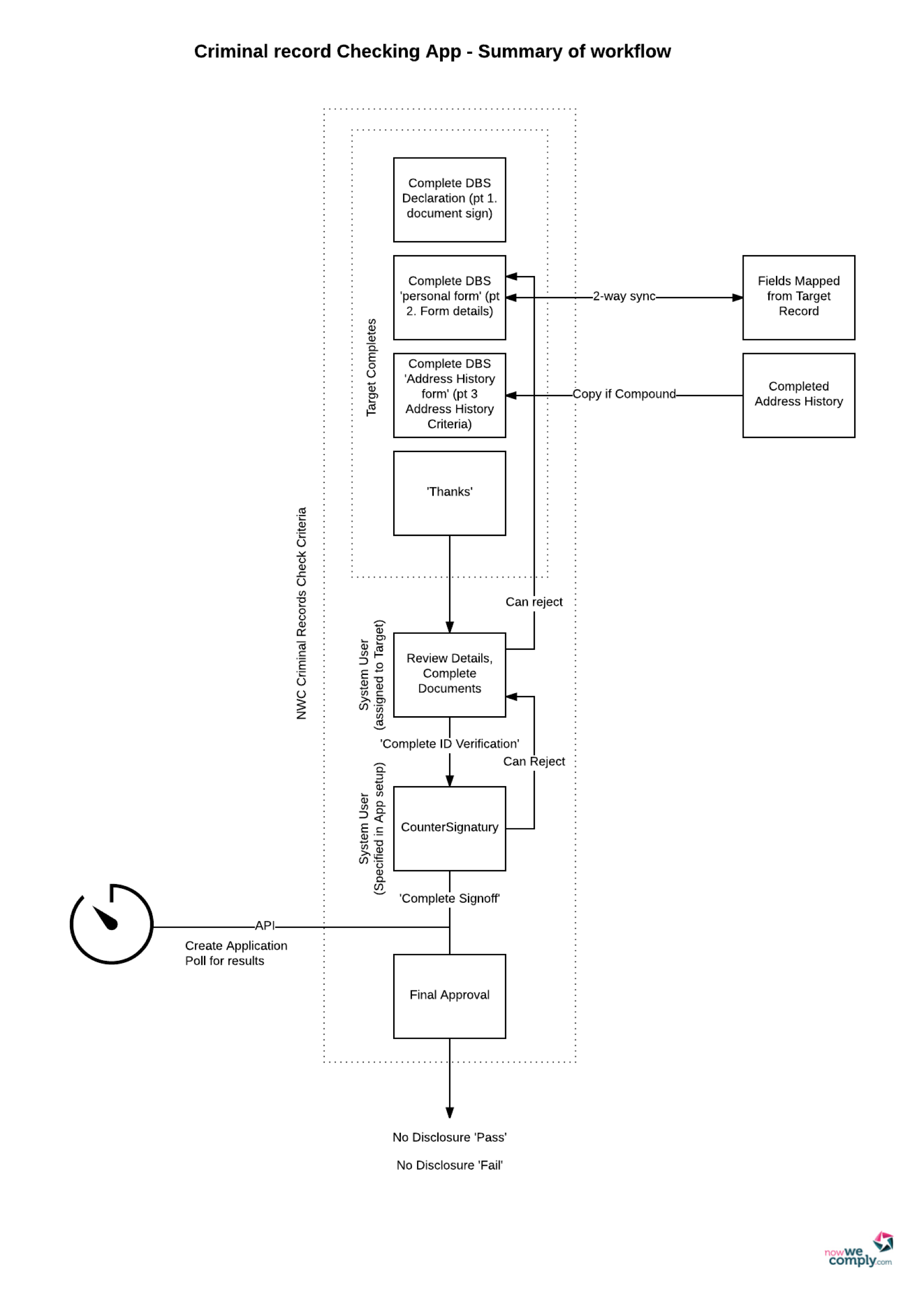
Create your DBS level and include it in an appropriate sequence. Alternatively, the level can be manually assigned if this is preferred.
DBS Workflow
Comments
0 comments
Please sign in to leave a comment.