
Create your sequence and select the relational target group; this example shows Placement.
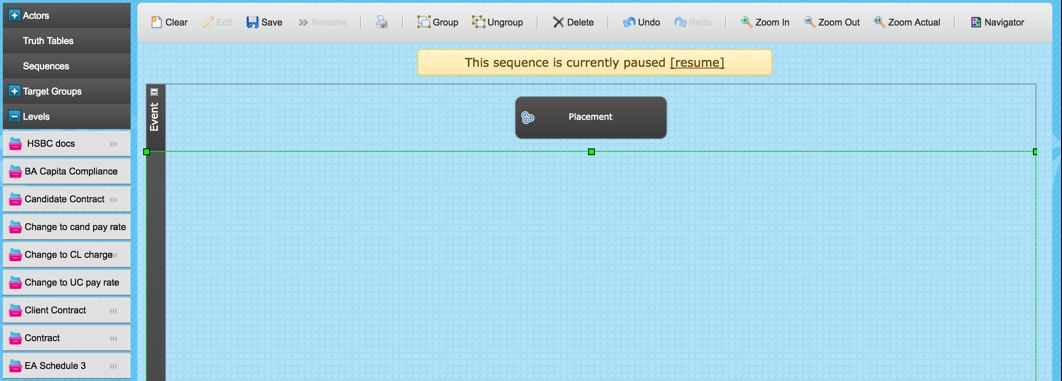
The level menu will be filtered only to the levels available for the selected target group.
Drag and drop the required levels onto the stage section of the sequence.
When adding conditions to the sequence trigger you will note that you can reference field data not only from the relational target group but also for each child target group within it.
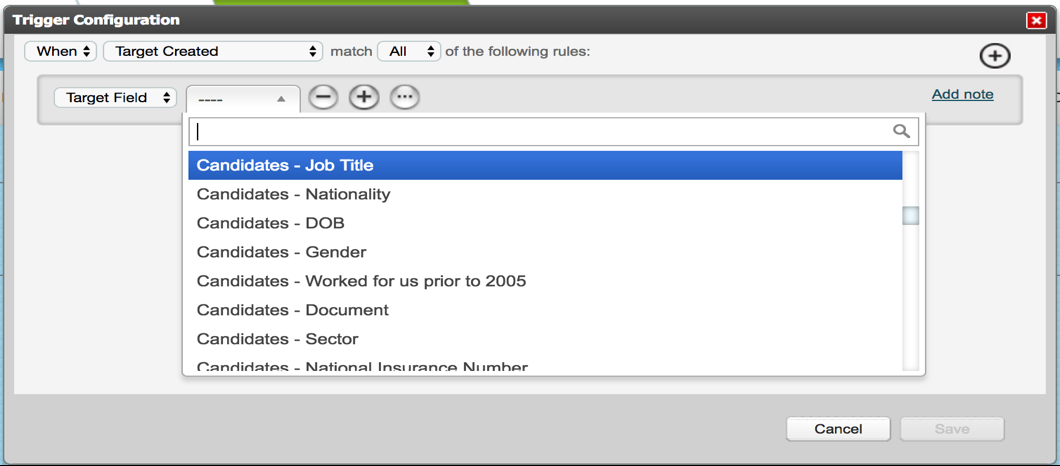
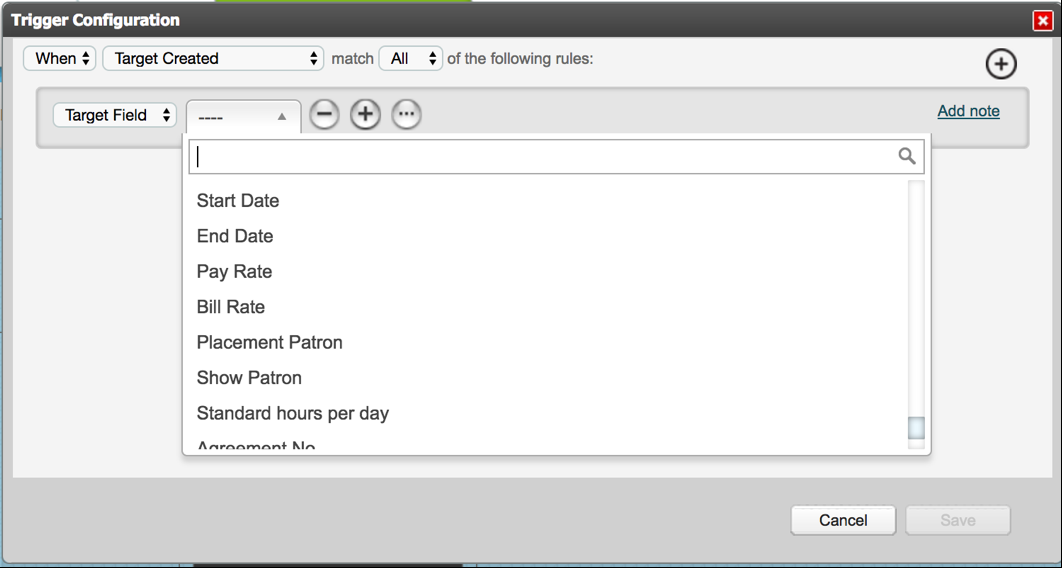
The relational target group fields will be listed at the bottom of the menu. They are not pre-fixed.
You also have the ability to reference all criteria and levels assigned to any of the child target groups in the relationship.
Each object is pre-fixed by the child target group to which it belongs.
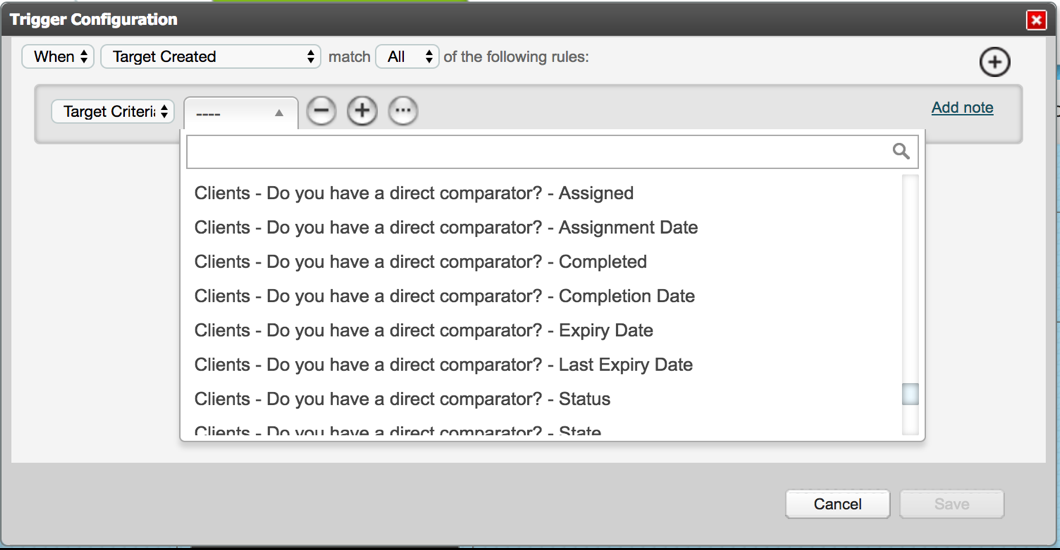
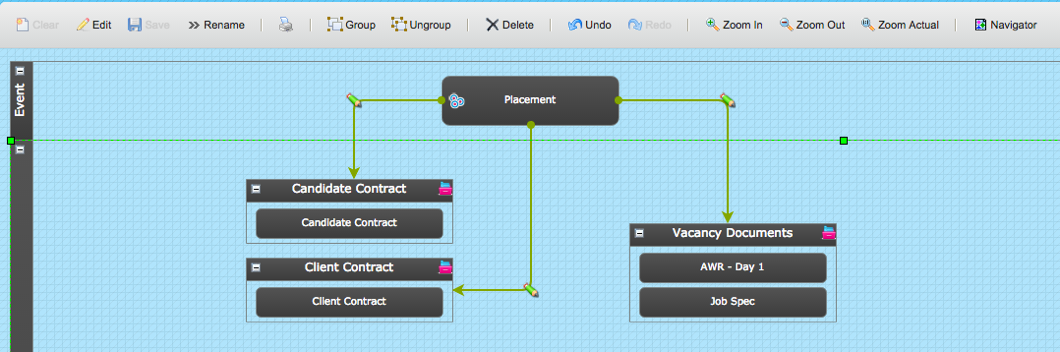
The following screenshot demonstrates how you can assign criteria to the different child targets within the relationship.
In this case:
- a Client Contract to the client which would include the bill rate
- a Candidate Contract for the candidate which would include the pay rate
- documents are assigned against the vacancy
Sequence Actors can be used in the same way in sequences for Relational Target Groups as for Person or Thing Target Groups.
However, when using a Set Criteria Actor, for example, the level set up Variant must be considered when making the criteria selection.
In the below example, the level “POA” has a Variant of For each relationship.
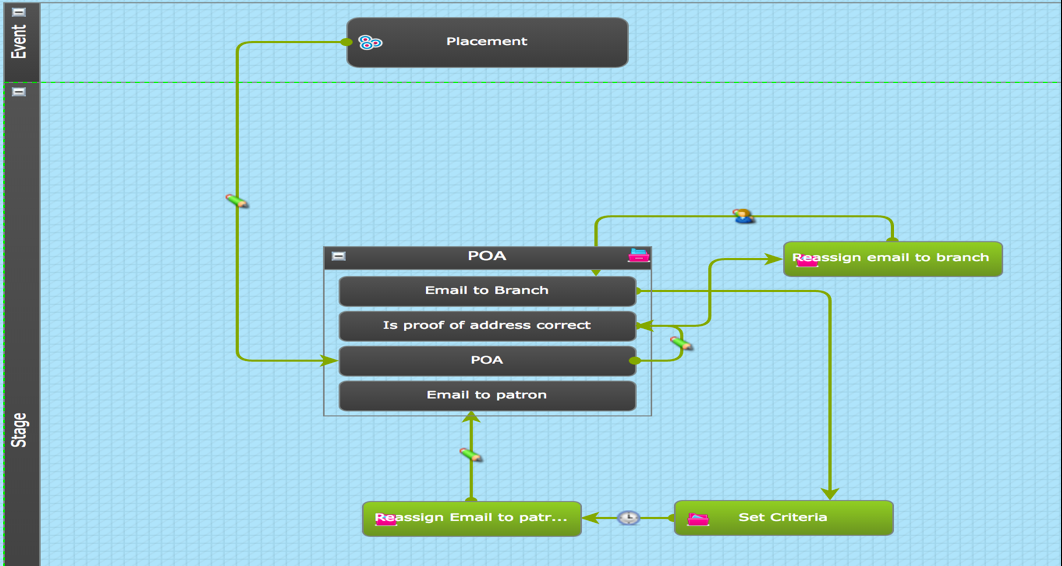
There are 3 Set Criteria Actors used in this process to ensure that it can be repeated as many time as required by reassigning the necessary criteria.
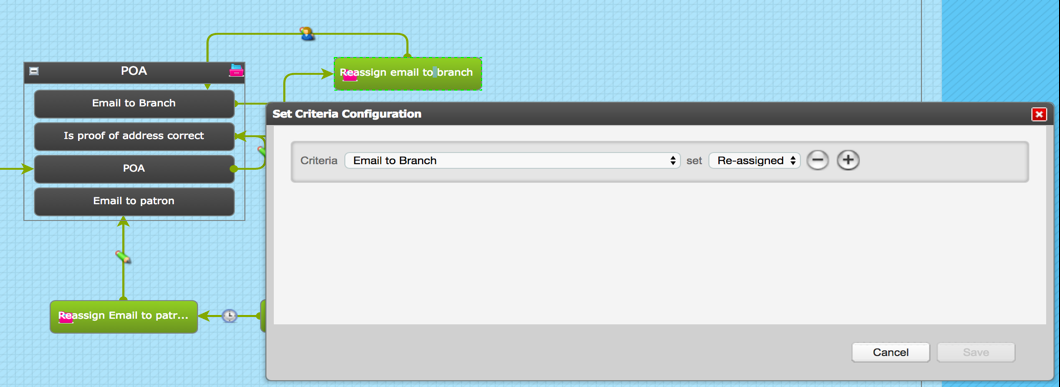
Because of the level Variant the criteria must be selected without the prefix Candidates. In other words, they are selected directly as assigned to the Relationship rather than the Candidate like this:
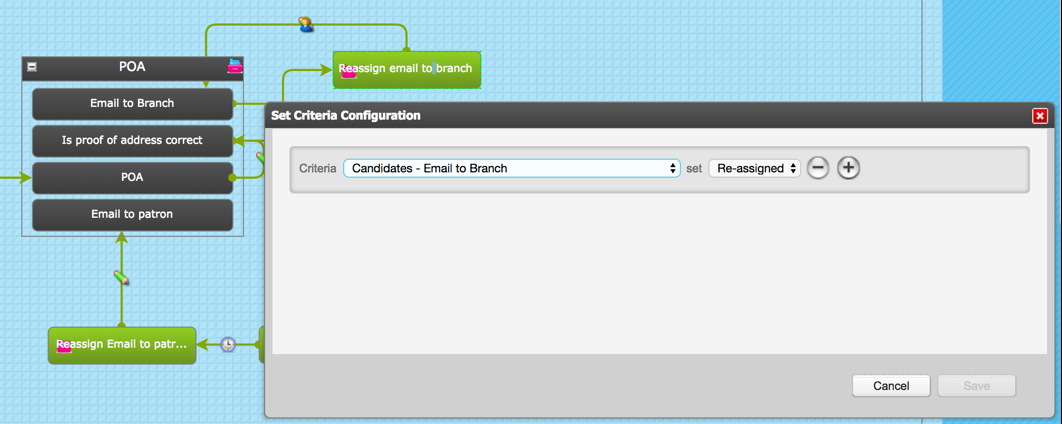
If the level Variant was Once by Completer and shared with relationship or Once by Completer, not shared with relationship, the criteria selection would be made like this with the pre-fix Candidates:
Comments
0 comments
Please sign in to leave a comment.