
Variables can be found in the sequencer in the top left hand Actor menu. They are dragged and dropped into a process in the same way as other sequencer objects.
Variables are used to store information to be referenced and utilised in the ALX platform. This can be for:
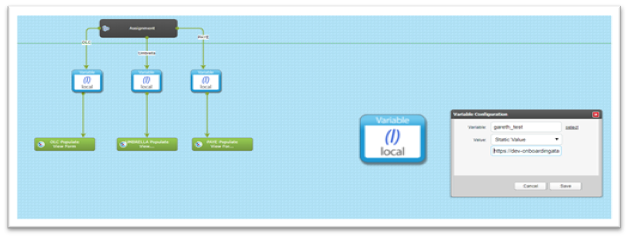
- Storing static values like a URL that can be populated into a target field
- Merging data into messages and document templates
- Extracting data from an API call with a JSON payload return
There are 3 versions of variables in the ALX platform
- Local – This means its local to the target record being processed through the sequence. Once processed it drops any data held in the variable
- Global – This means its local to the whole sequence and takes account of all target records being processed
- Super Global – This means it covers all target groups and sequences where target records are being processed in the system
Static Values:
Extracting data from an API call with returned JSON:
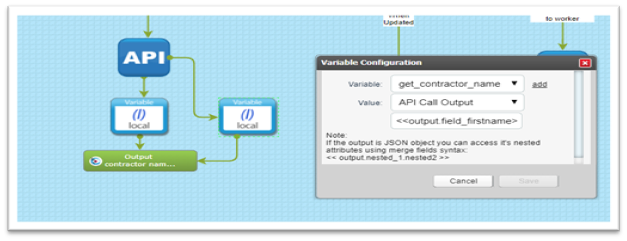
When extracting data from an API call with JSON payload response, you need to use this syntax <<output.>> in front of the field you want to reference to extract the response value.
In ALX when making internal API calls to other target groups the JSON return is a flat object where it’s just a list of fields and values. This makes it easy to reference the values you want to extract like below:
<<output.field_firstname>> <<output.field_middle_name>> <<output.field_lastname>>
Where it gets more complicated and you have a hierarchy structure of data, you need to ensure you use the correct syntax as in the example below:
Example JSON:
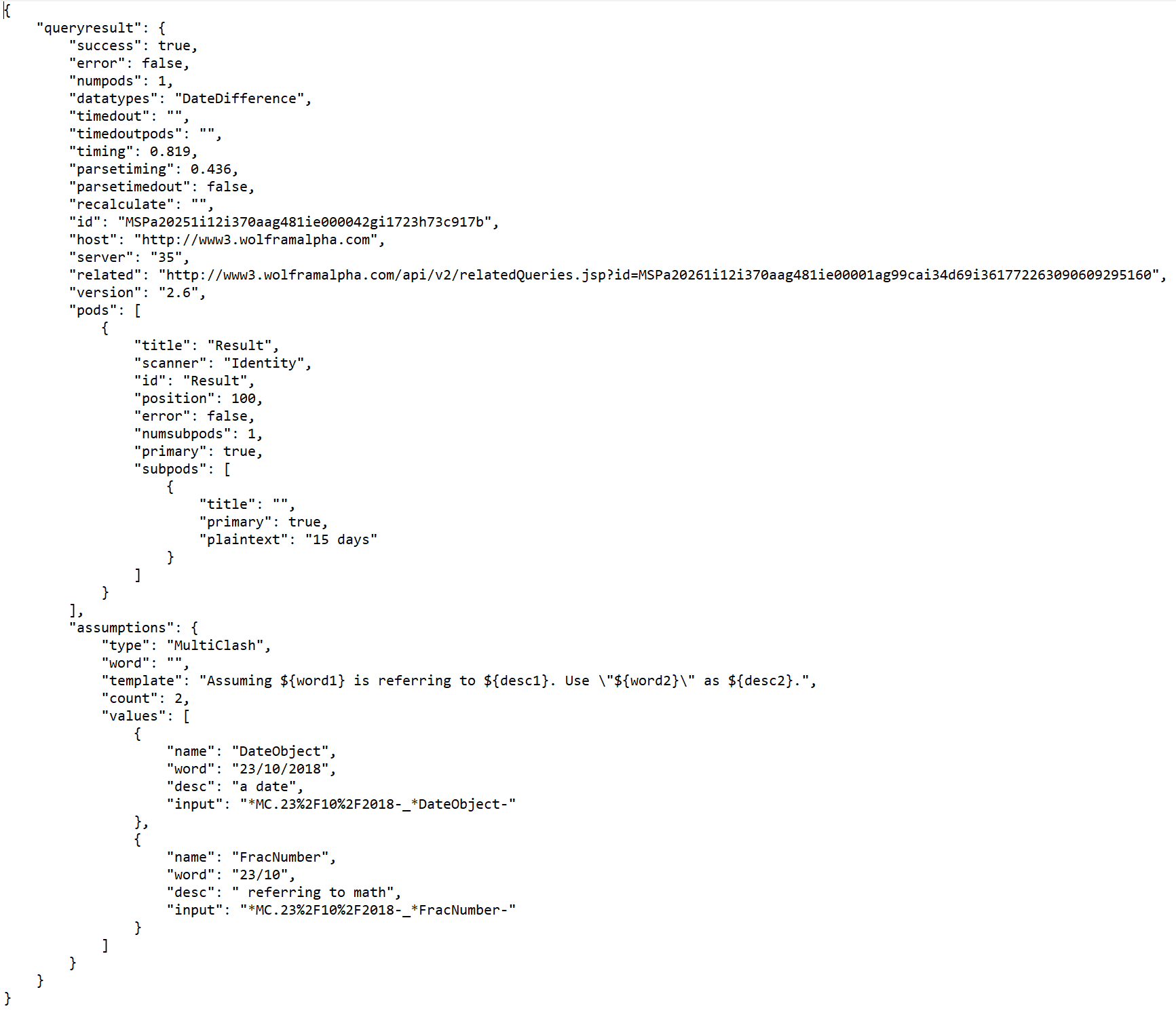
Remember `output` is always the entire object you get as JSON and then you go deeper.
If the attribute is a list `[ ]` then you need to use indexes like `.0, .1, .2` to get item from the list. If it's another dictionary `{"key": "value" }` then use `key` as an index to obtain `value`.
In the example JSON the field value being obtained is "plaintext": "15 days" given that you we need this field value the output would look like this
<< output.queryresult.pods.0.subpods.0.plaintext >>
You also have the ability to extract parts of a value, so where we have "plaintext": "15 days" and you only want the numeric value you can do this
<< output.queryresult.pods.0.subpods.0.plaintext|split:" "|first >>
Comments
0 comments
Please sign in to leave a comment.