
autologyx requires an API Key as the authentication method. The API Key must be passed as a query parameter, i.e. autologyx’s endpoint is expecting to find the API Key in the parameters section of the API Call.
An API Key is simply an alphanumeric secret string, like a password, which is used to identify the origin of the request. You can also configure the system to use the name and password of a super admin system user as well as the API Key to for the authentication methods.
Before being able to make any requests to autologyx’s endpoints, a new API Key must be created from the appropriate section of the System Setup (please see below image).
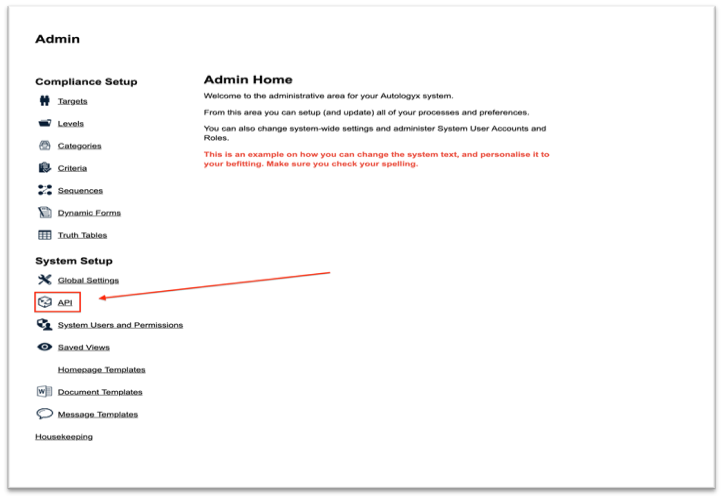
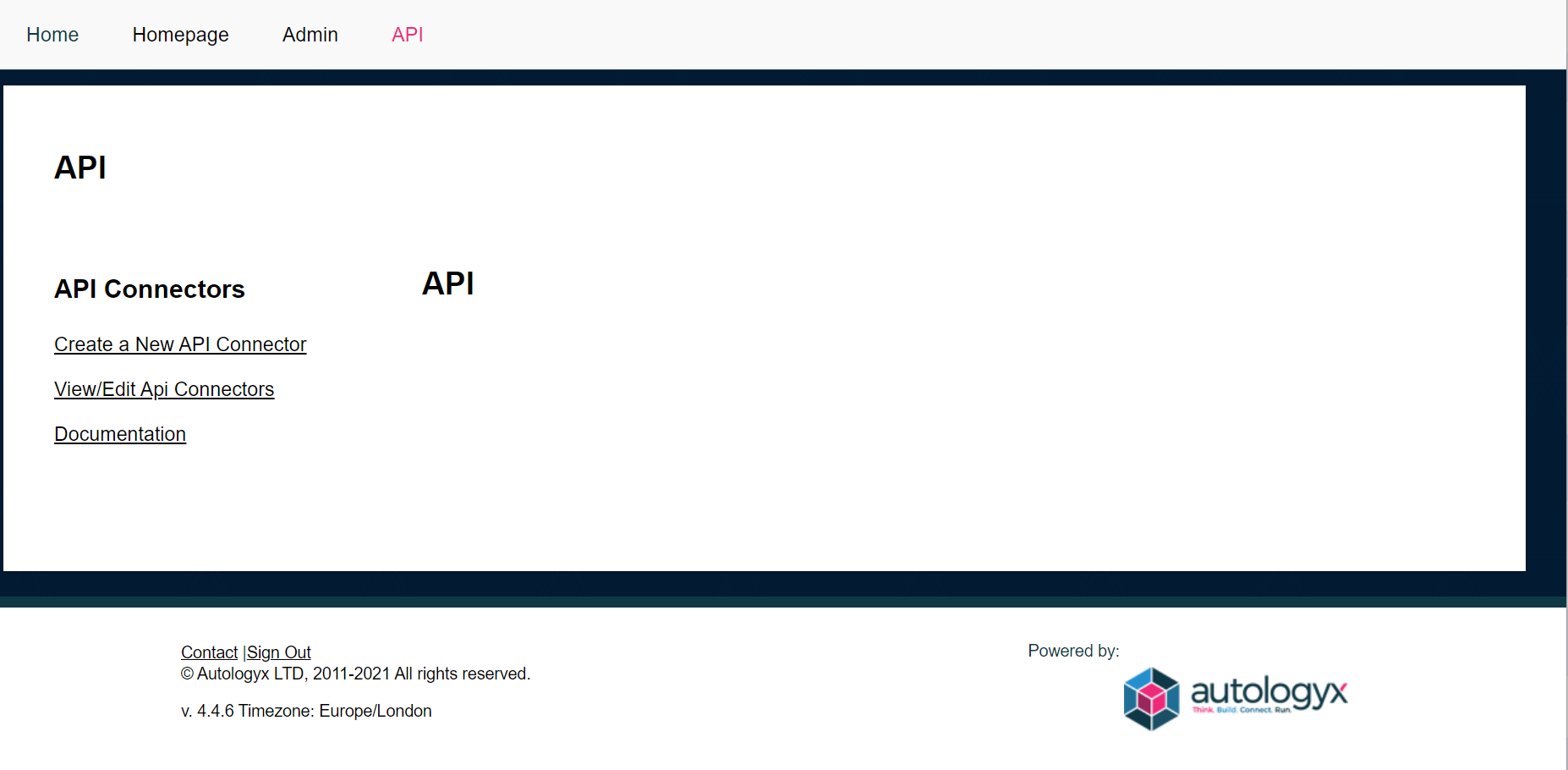
To create an API connector in the ALX platform, go to Admin/ API/ Create a new API connector. You will be taken to the below screen:
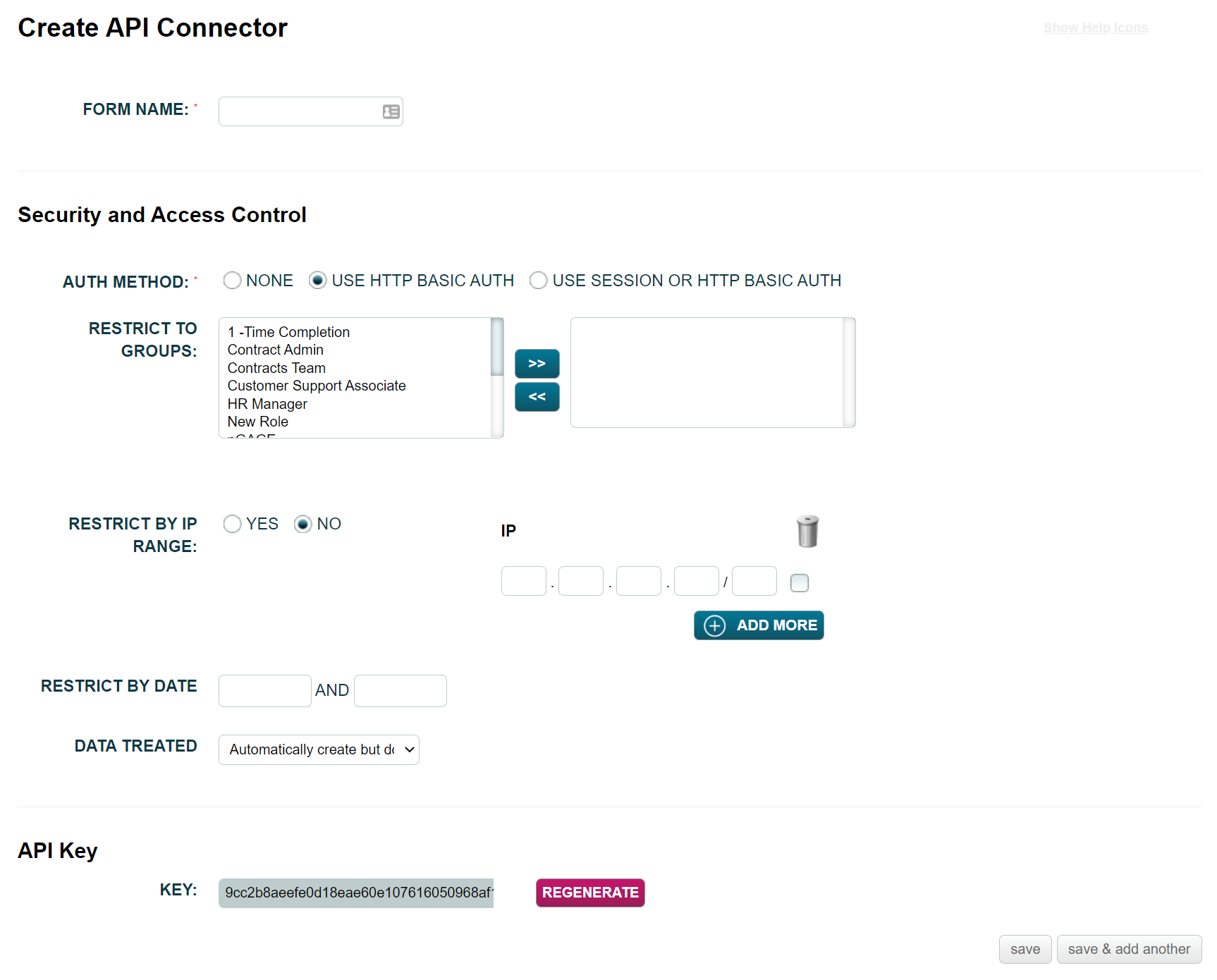
In the above section, you can configure your own API Connector which can then be used to make API Calls to autologyx backend. Settings explained below:
Form Name: Name of your API Connector;
Auth Methods: Type of authentication methods.
- Select None if the API Key is enough for authentication from 3rd parties or you are using the connector internal to the autologyx system
- Select Use HTTP Basic Auth for additional security. You can setup a dedicated system user account that is just used for API connections to the autologyx system
Restrict to Groups: Select the role you want to restrict your API Key against, i.e. no other target groups will be accessible except those the role has access to;
Restrict by IP Range: If Yes is selected, please add the IP(s) that you want to restrict the API Key against;
Restrict by Date: Configure only if you want the API Key to be available within the date range selected;
Data Treated: This allows you to select how the API Key should be used:
- Automatically create but don’t update existing Targets- this option allows you to create an individual or relational target. In addition, it allows you to create or select existing child targets for the relationship.
- Automatically create and update existing records- this option allows you to create or update an individual or relational target. As above, child targets can be created or selected for the relationship, but they cannot be updated.
- Automatically update existing but don’t create records- this option allows you update existing targets. In the case of a relationship the relational target can be updated but not the child target.
The API Key at the bottom of the page is the secret 40 digits alphanumeric key created by the system.
For the purpose of this guide, the following settings are going to be used when making API Requests.
Auth Method: None
Restrict to Groups: No group selected
Restrict by IP Range: No
Restrict by Date: No
Data Treated: Automatically create and update existing records
Comments
0 comments
Please sign in to leave a comment.