
Create a Document Generation v2 criteria and one Document Signature criteria for each of the required signees (as described in separate articles).
In this scenario, ALX wants to start working with a new client and an NDA must be in place before any information can be shared.
A Document Generation v2 criteria called "ALX Mutual NDA" has been created. Two Document Signature criteria have been created - one for ALX to sign the document and the other for the new client to sign the same document.
Once the criteria have been put in a level or levels, the signature merge field can be found in each of the Document Signature criteria as shown below.
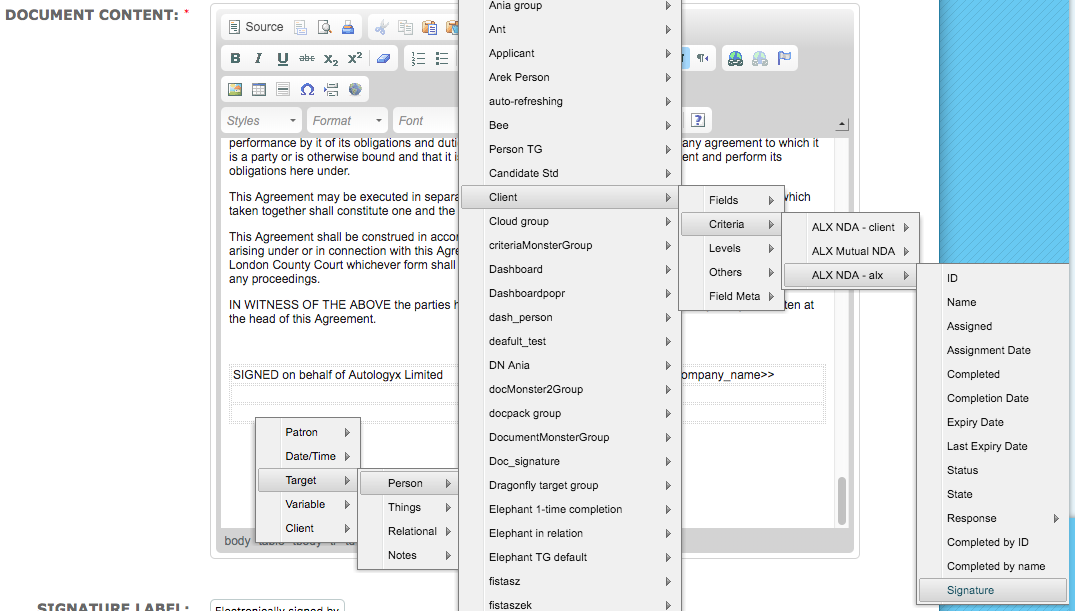
| Criteria Name | Criteria Type |
| ALX NDA - client | Document Signature |
| ALX Mutual NDA | Document Generation v2 |
| ALX NDA - alx | Document Signature |
Although the template shown uses a traditional layout with both signatures placed at the bottom of the document, each signature merge field:
- can be placed anywhere on the document
- can be used in more than one location on the document
- is shown as 'Awaiting signature'
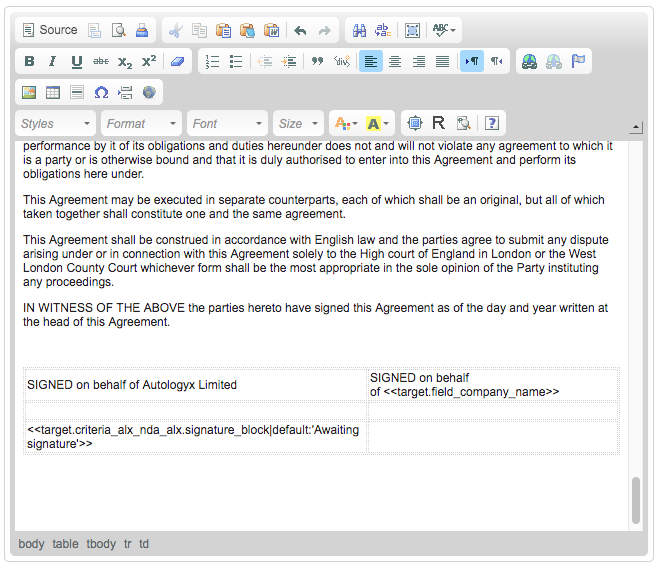

Ensure that the Document Signature criteria are sequenced so that the document is signed by the signatories in the required order.
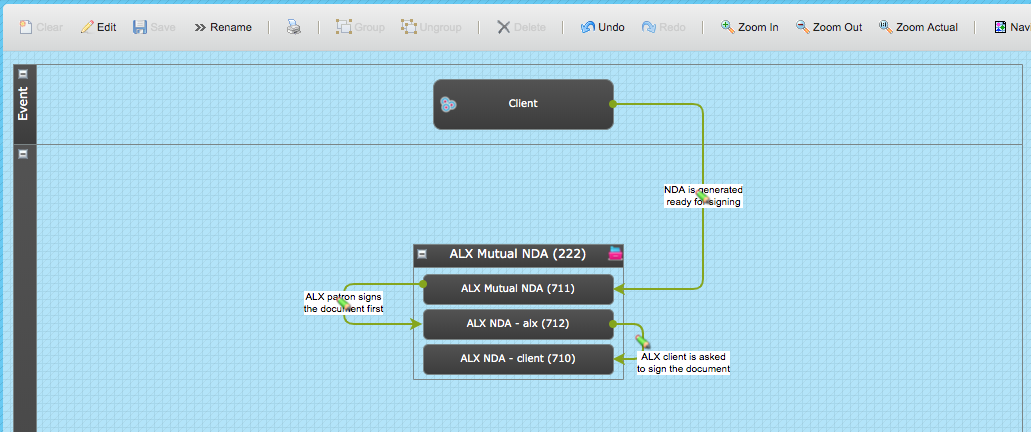
When the level shown above is assigned, the Document Generation criteria is auto-completed.
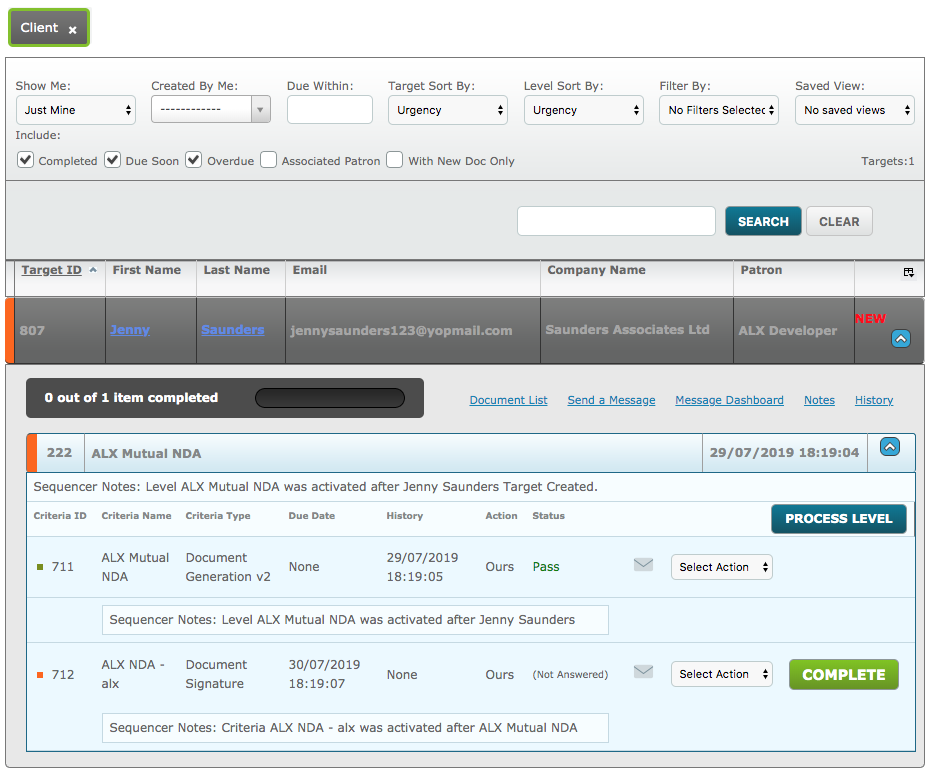
A member of ALX signs the first Document Signature criteria. The second Document Signature criteria is assigned to the client.
When the client views their document they can see the signature provided by the first signee and the space where their signature will be applied marked by the text "Awaiting signature".
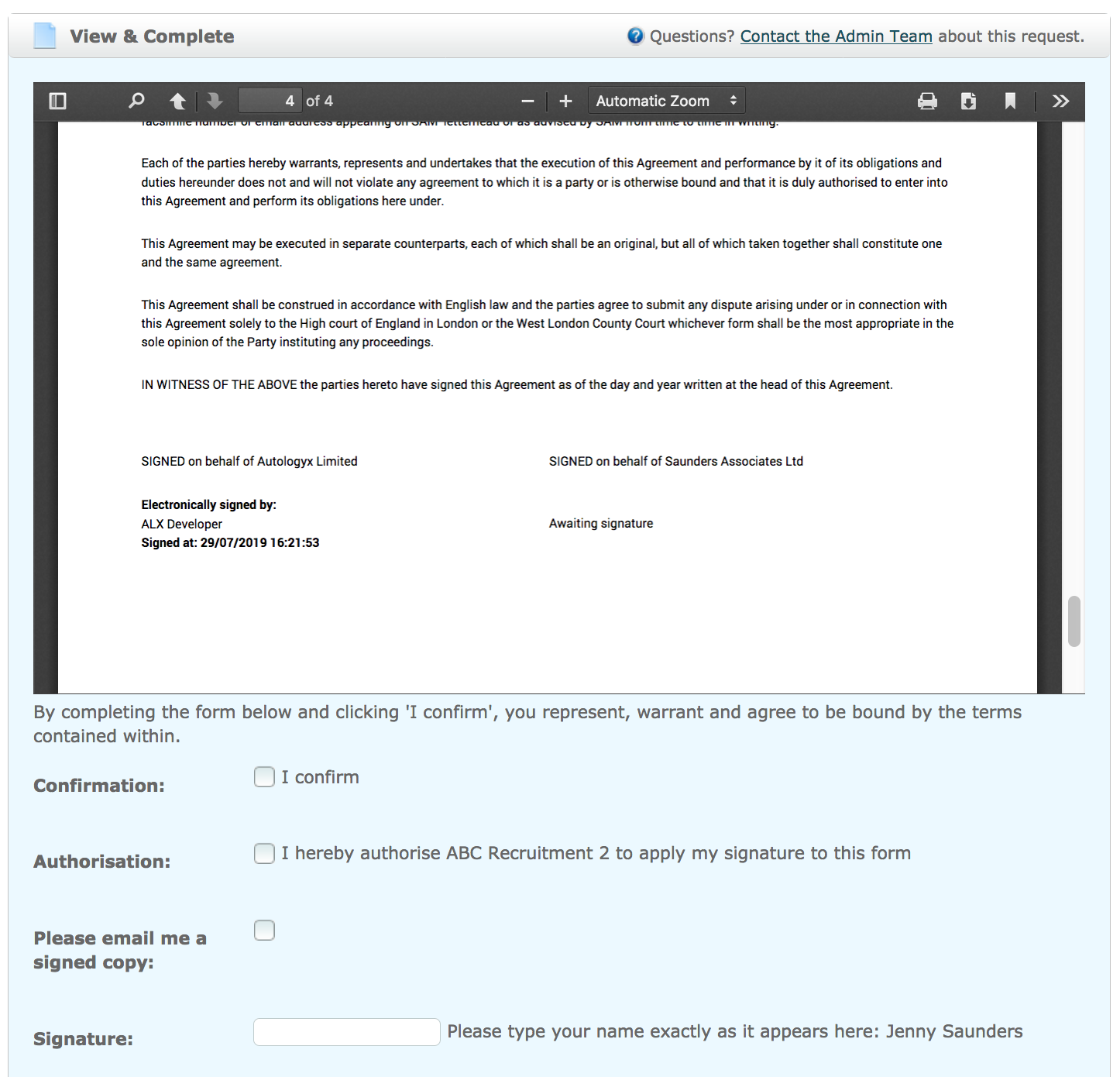
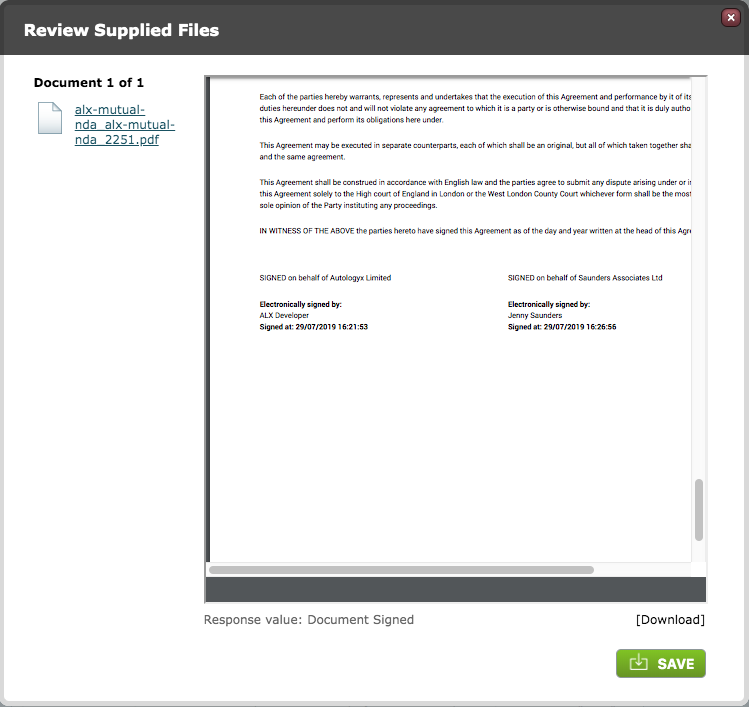
When the final Document Signature criteria is viewed on the Dashboard both signatures have been applied exactly where each of the Signature merge fields were placed in the Document Template.
Comments
0 comments
Please sign in to leave a comment.