
This response type allows a target to open, complete and submit a dynamic form with the criteria auto-completing on submission of the form. Note: Dynamic forms app must be installed in the store for this response type to appear.
There is no option for this response type to be an internal user action.
Admin > Criteria > Create a New Criteria
- Create your Dynamic Form
- Complete the initial fields on the criteria page as normal
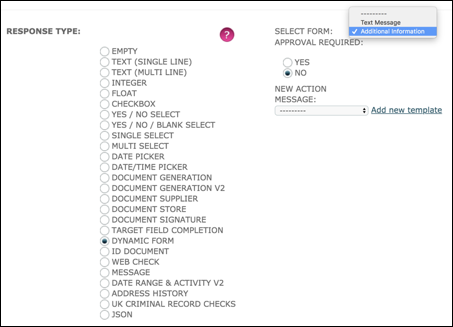
Response Type: Select Dynamic Form
Select Form: Available Forms will be shown in the drop-down menu. Select the required form.
New Action Message: A bespoke new action notification can be added to Message Templates and selected on an individual Criteria so that instructions can be sent specifically about this requirement. The "user defined" message replaces the default message.
- Complete the rest of the criteria as required
- At the end of the page at the section for Action and Visibility, you'll notice that you do not have the "Who To Action By Default" field as this response type is only available for targets
Save.
Target Portal
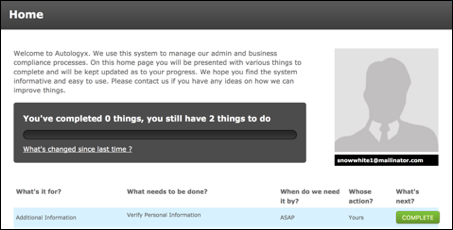
The task presents on the target portal as expected with a Complete button.
When the Complete button is clicked the Dynamic Form opens with the existing target information populated into the fields.
The form shown has no styling so is in its most basic format. We recommend for any target facing forms that a stylesheet is applied which represents your own branding.
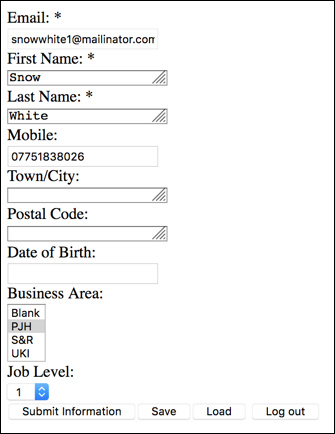
When the target completes the fields and submits the form the criteria auto-completes and is removed from the target task list.
This means the target does not have to go back to the criteria to complete it after submitting the form as was the case prior to this response type being made available. Any actions on criteria completion are no longer held up because processing can continue seamlessly.
Dashboard
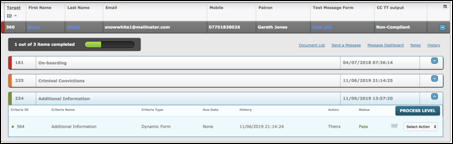
The dashboard shows the criteria as completed as soon as the form data is submitted.
Comments
0 comments
Please sign in to leave a comment.