
autologyx includes a mail server for sending messages from the system. However, the system can be configured to use an alternative mailbox.
By default, autologyx will use noreply@nowwecomply.com as a From: address to send email.
Go to Admin > Global Settings > Global Settings then under the Header Notification e-mail backend settings
You will need to know your account details before completing this section.
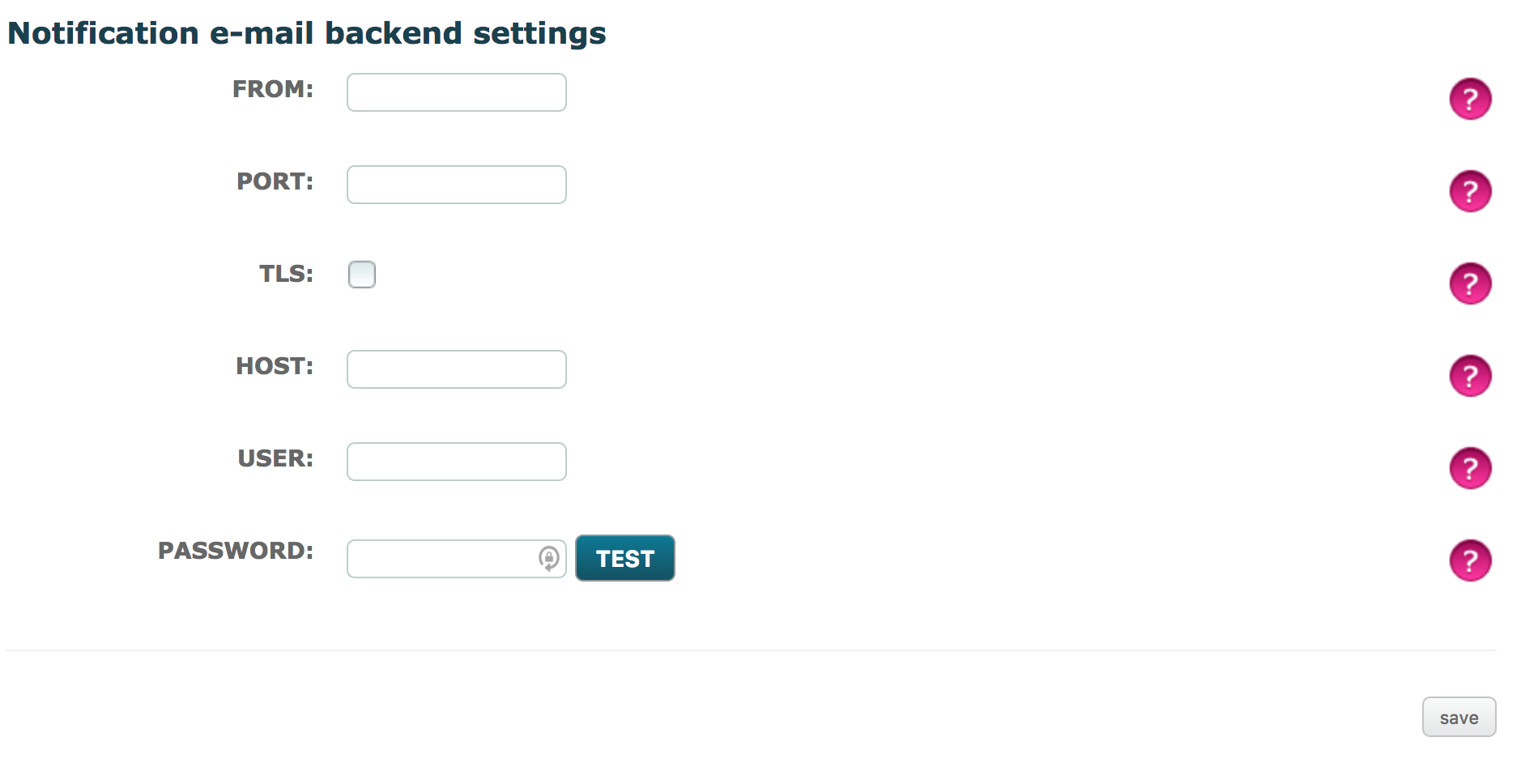
FROM: account email address
PORT: Port of the mailbox, if you have problems try leaving blank
TLS: Is TLS enabled? It is recommended as it is the most modern readily available form of traffic encyption
HOST: The server hostname/IP (e.g. smtp.office365.com)
USER: account email address
PASSWORD: account password
Once the details have been completed, select the 'Test' button to ensure the details are correct or not. You will be displayed a message saying whether the test was a success or an error.
Once tested, and if the test is a success, ensure you then select 'Save' to implement the changes here and in Global Settings.
Office 365 mailbox details
https://login.microsoftonline.com
Using an Office 365 account you can find your mail settings in the settings cog at the top right >under Your app settings choose Mail > in the left column choose POP and iMAP.
The protocol you use is optional.
Comments
0 comments
Please sign in to leave a comment.