
Admin > Sequences > Add a New Sequence
When you have completed the configuration of your Truth Table you can add it to an existing sequence OR create a new sequence in which to monitor the criteria/levels defined within it.
Creating a new sequence to monitor criteria/levels already assigned:
- Drag the target group object into the Event section at the top of the sequence
- Drag the levels which are defined in your table or which include the criteria defined in your table onto the Stage area of the sequence - this will allow them to be monitored
- Drag the truth table onto the Stage area too
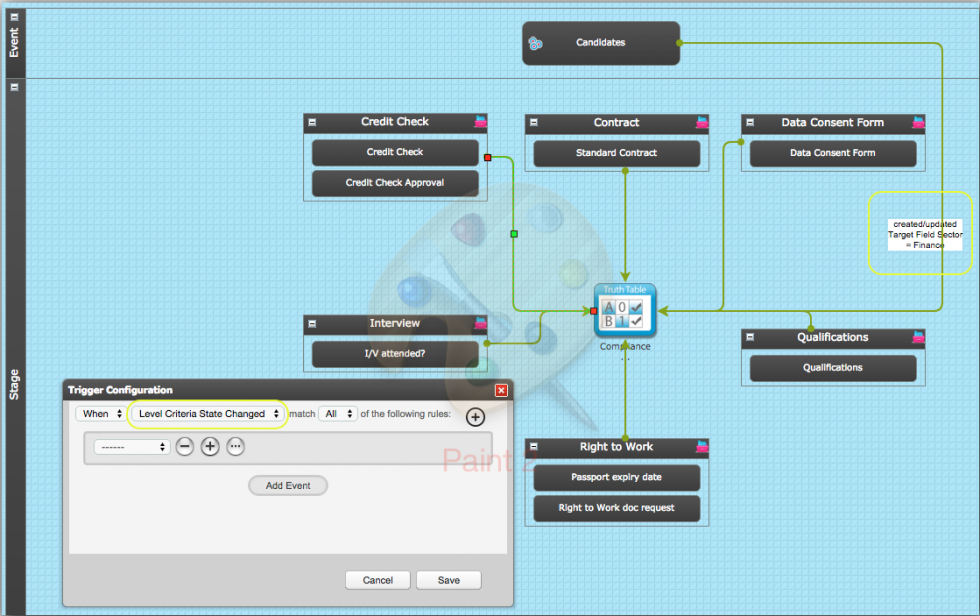
- From each level drag a connector to the truth table
- Select "Level Criteria State Changed" in the Trigger Configuration - this will mean that the truth table will be forced to carry out a look-up of data any time the state of a criteria in that level changes eg from not assigned to assigned, from assigned to completed, from completed to rejected or expired, etc
- Where the table references field data as a defined column, you will need to make a connection from the target group object to the truth table and use the "When Target Created or Updated" option and add the relevant fields as those which may be updated and also include a condition for what the field should specifically contain. In the example below, the trigger conditions is:
- When the target is created or updated AND
- Updated Fields Contains Sector AND
- Target Field Sector = Finance
- Now sequence the action you wish to be taken dependent on the outcome of the truth table being matched or not
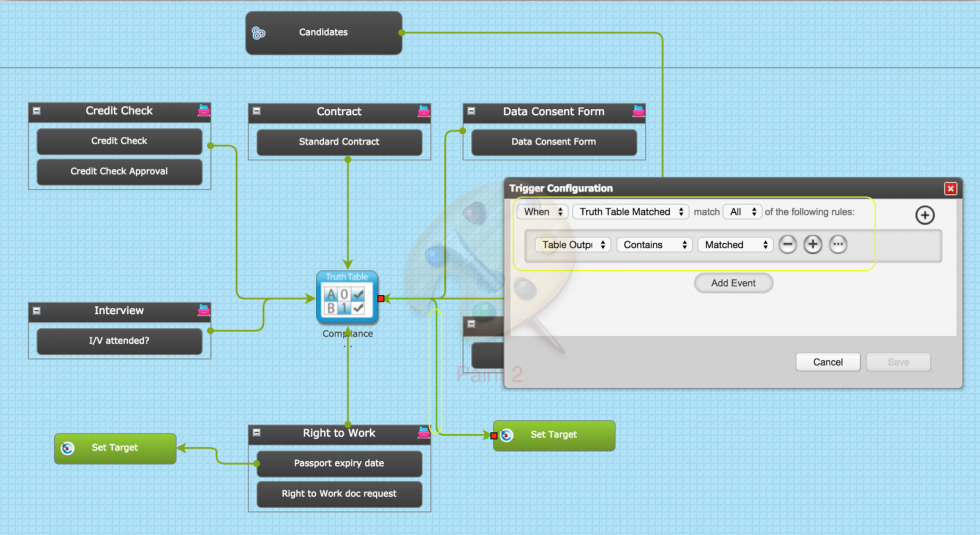
In the example below, a connector has been dragged from the truth table to a Set Target object. The configuration for the connector is as follows:
- When Truth Table Matched (this does not actually mean a match has been achieved; the wording is deceptive. It means when the truth table has been checked) AND
- Table Output Contains Matched (remember we defined the output values in step 3 - Matched and Not matched were used)
- The Set Target has been configured to set the Target Field Status to Compliant, see below:
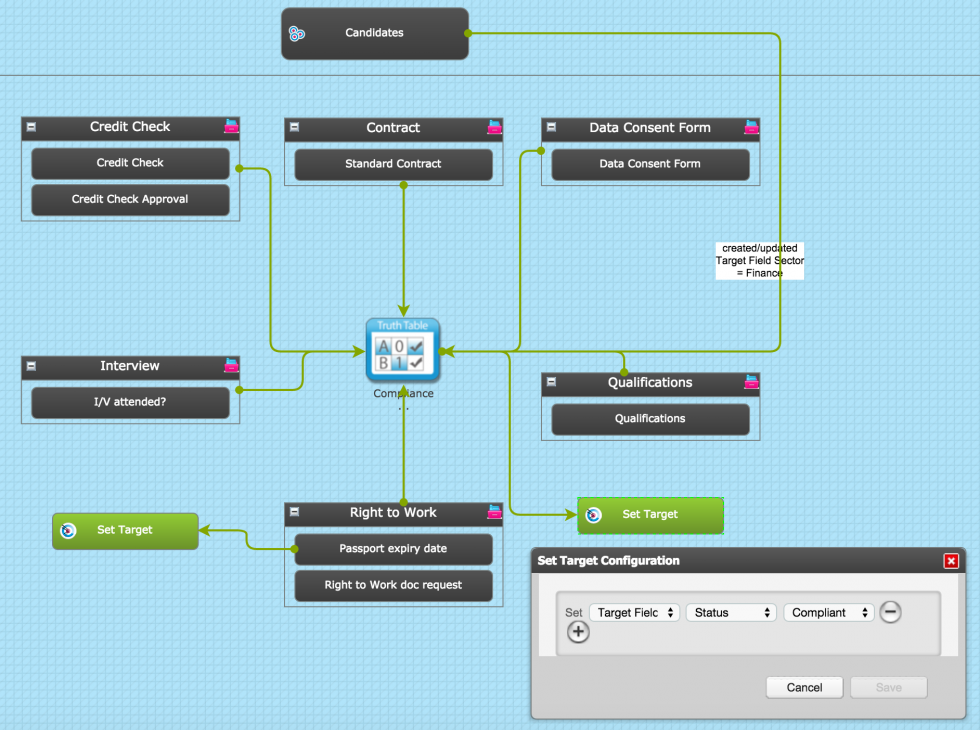
You can configure as many actions resulting from a specific output value being achieved following a table look-up as you require.
Add the Truth Table to an existing sequence:
- Select Edit in the sequence action menu
- Click Edit in the menu bar at the top
- Drag the Truth Table onto the Stage area of the sequence
- Drag connectors from each of the levels which are defined in your table or which include the criteria defined in your table to the Truth Table
- In the trigger configuration, use either When Level Completed (useful if there is only one criteria in the level and it will only ever be answered once and will not expire), OR When Level Criteria State Changed to monitor any changes to criteria in the level
- Where the table references field data as a defined column, you will need to make a connection from the target group object to the truth table and use the "When Target Created or Updated" option and add the relevant fields as those which may be updated and also include a condition for what the field should specifically contain
- Sequence the action you wish to be taken dependent on the outcome of the truth table being matched or not. Your condition should include the appropriate Output Value
Comments
0 comments
Please sign in to leave a comment.