
Admin > Truth Tables > Add a New Truth Table
To create a new truth table click Add a New Truth Table; give it a name and select the target group to which it will be applied.
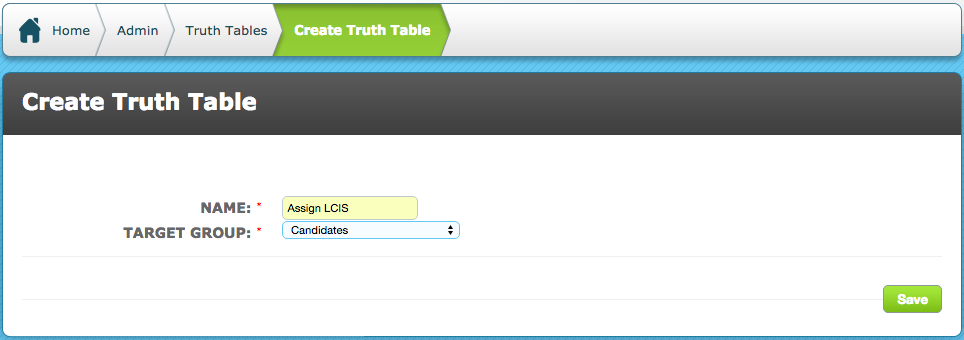
Save the Truth Table and you will be taken to the Truth Table List. Your Truth Table will appear in the list and have an ID number for easy referencing.
It will also have an action menu on the right hand side of the listing.
- Admin > Truth Tables > View/Edit Truth Table
Clicking View/Edit Truth Tables will take you to the Truth Tables List.
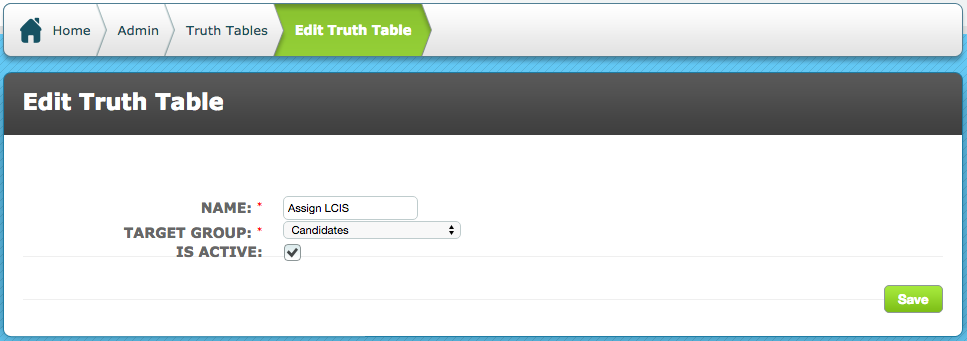
Selecting edit in the Truth Table action menu will allow you to change its name and to make it active or de-activate by ticking/unticking "Is Active".
Comments
0 comments
Please sign in to leave a comment.