
Admin > Truth Tables
- If you need to change a truth table column, don't edit the column. You should delete the column you no longer require and add a new column for your new requirement.
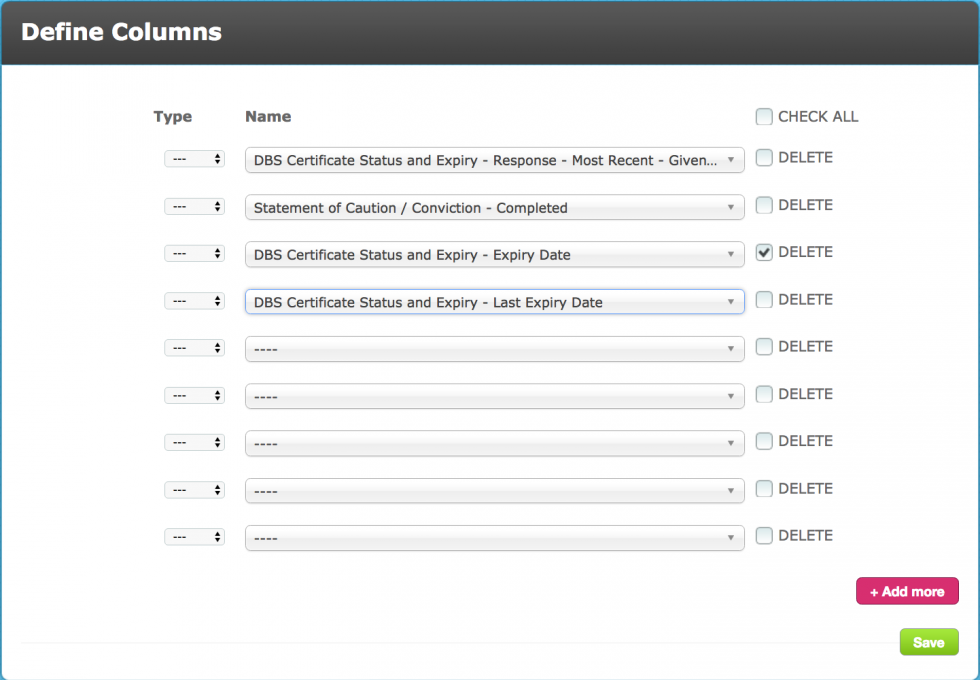
- Having done this, go back to the menu for your truth table and select Define Table
- Enter the requirements in each row for your new column
- Save
This ensures that there can be no confusion in the table requirements.
2. Monitoring expiry dates:
When you select a column to monitor an expiry date you'll notice that there are options for Expiry Date, and Last Expiry Date.
If you want the truth table to recognise the expiry as valid when in the revalidation period (if there is one in the criteria set up) you must select "Last Expiry Date". In addition, if the response type is a date-picker you will need a second column for the same criteria to monitor Response - Last (recent or previous) - Given Answer being greater than today or State being valid. For non-datepickers use State.This is because, when rejected/asked again the last expiry date is still greater than today but the response is invalid.
However, if you are using the truth table to take action on an expiry date where there is no revalidation period you can use "Expiry Date".
In both cases, it is assumed that you will set the table condition for this column as either "In the Future" or > today().
3. Use of today()
When referencing any date in a truth table for example an expiry date which must be in the future to gain a match or compliant status, you should use the appropriate operator together with today(). This means that the table will look at the condition set based on the date it is when checking the table. So in real terms, if:
- the condition is > today()
- the expiry date is 31.01.2018
- today's date is 01.06.2016
the truth table will know that this condition has been met.
If instead you were to select "today" from the calendar in a date field this would simply populate the condition with today's date.
4. Using a Set Target to populate a field on a target record
It is useful to populate a target field with the output value from a truth table because:
- it provides an easily accessible visual on the dashboard (via field chooser) and in the target record
- it is useful for reporting
- the data can be merged into the instructions (notes to display) in another criteria, a document template, a message template, etc
HOWEVER, it is important to remember that when a field is populated via a Set Target this does not constitute an update to the target record.
Comments
0 comments
Please sign in to leave a comment.