
Admin > Truth Tables > View/Edit Truth Tables
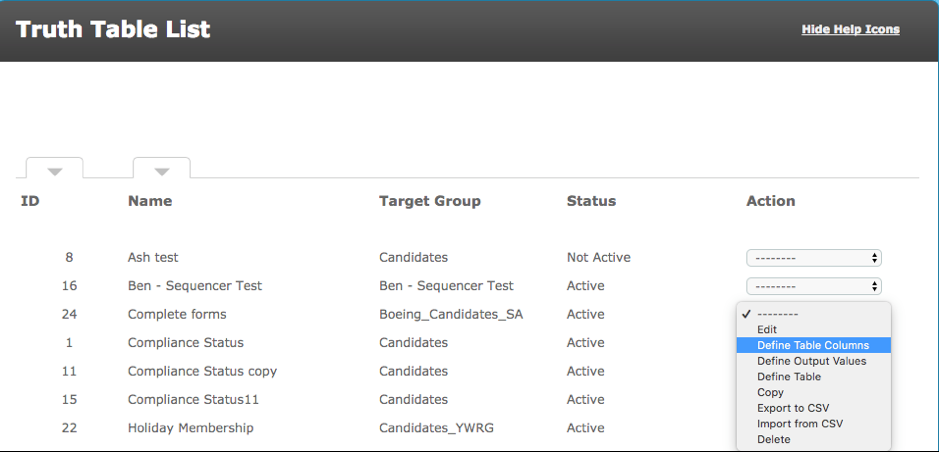
Go to the action menu for the required Truth Table and select "Define Table Columns".
Select the required Fields, Criteria, Levels or Other. You can choose to look at a criteria's level state, status, most recent answer and a variety of other aspects of the criteria. Each requirement (or column in the truth table) will have its own row in this view.
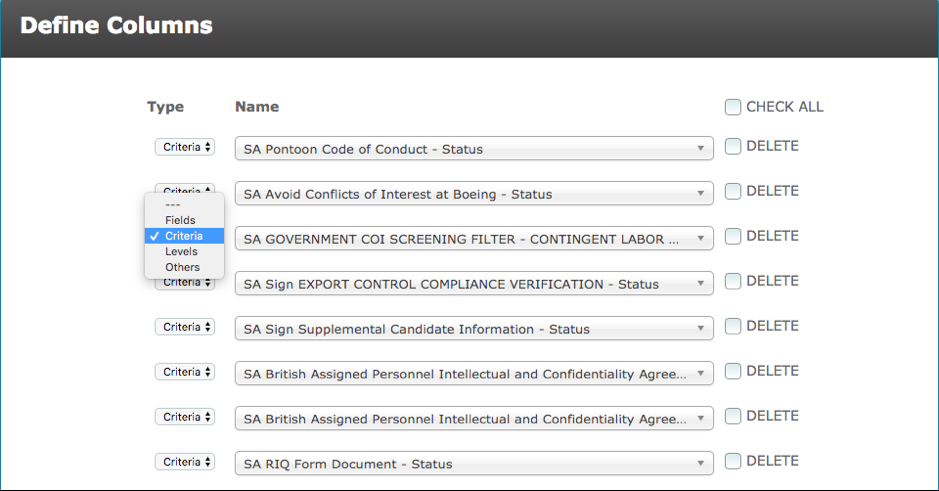
The Type column allows you to filter via ‘Fields’, ‘Criteria’, ‘Levels’ and ‘Others’, which contain the Compliance status, account type, account status etc. This is to make it easier to find the instance you would like the truth table to look at. There is also a search bar under the Name column, which further complements the filtering process.
If you require more columns simply click the add more button. There is no limit to the number of columns your table can have.
When you have finished defining the table columns click Save. You will be taken back to the Truth Table List.
Comments
0 comments
Please sign in to leave a comment.