
Admin > Levels > Add a New Level
This feature allows a level to be completed by a target group in different ways depending on the requirements of the relationship to which it belongs.
The variant is determined in the level setup. The variants are only displayed when a relational target group is selected in the "Target Groups" field of a level.
There are 3 variants:
1. For each relationship
2. Once by completer and shared with relationship
3. Once by completer, not shared with relationship
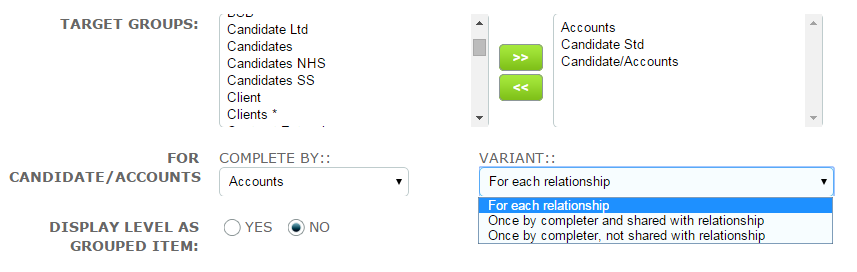
In the following examples “Accounts” and “Candidate Std” are the target groups which make up the relationship “Candidate/Accounts”.
In each example Accounts is responsible for completing the level.
The targets shown are:
Accounts – ID 388 ACME Ltd
Candidate/Accounts – ID 392 AndyA/ACME Ltd
Candidate/Accounts – ID 411 SamTiller/ACME Ltd
1. For each Relationship
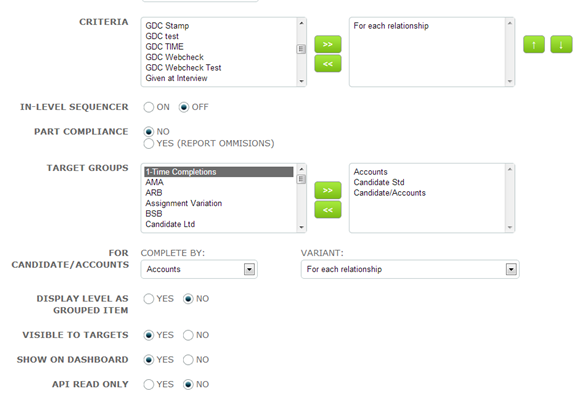
The level is assigned to Accounts for each Candidate/Accounts relationship it appears in.
In recruitment terms the Accounts might be an Umbrella Company eg ACME Ltd.
Several candidates will work for the same Umbrella Company and each time a new relationship is created for the Umbrella Company it may be asked to sign a document or provide information relating to that specific candidate.
This means that the response will be different each time.
The level setup is shown below:
The Dashboard will look like this:
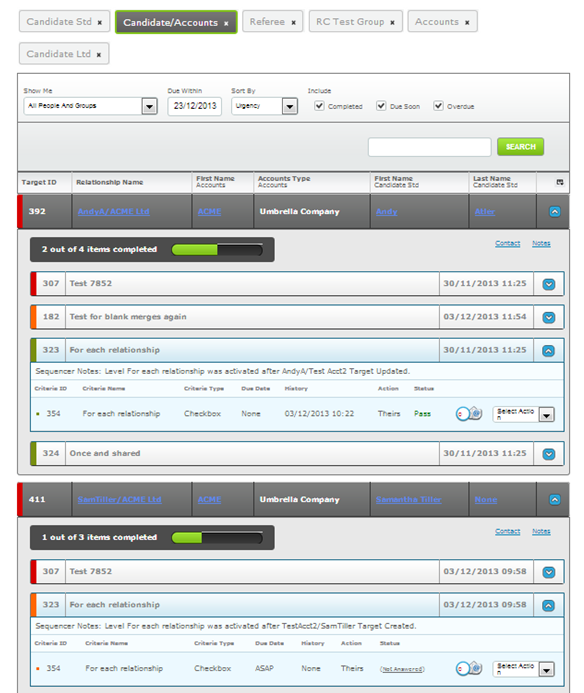
The Dashboard shows that ACME Ltd has been assigned criteria ID 354 twice – once for each relationship with Andy Atler and Samantha Tiller.
The two criteria are totally independent of each other. One was completed at 10.22 on 03.12.13 while the other remains outstanding.
2. Once by Completer and shared with relationship
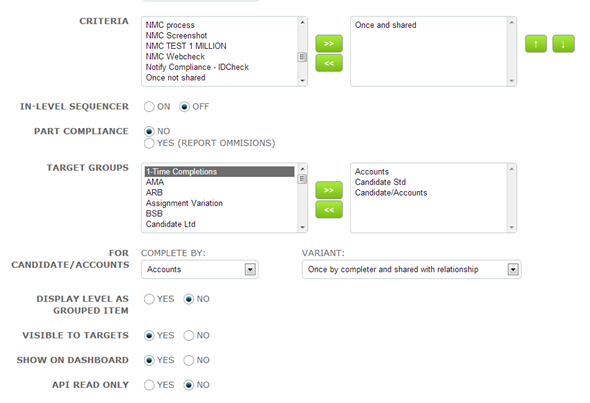
The level is assigned to Accounts once and is shared with each Candidate/Accounts relationship it appears in.
Accounts can answer the criteria in any Candidate/Accounts relationship it appears in.
In recruitment terms, you might assign a master contract (terms and conditions) to the Umbrella Company which covers all the candidates who use their services.
This means that the response for each relationship is exactly the same.
The level setup is shown below:
The Dashboard will look like this:
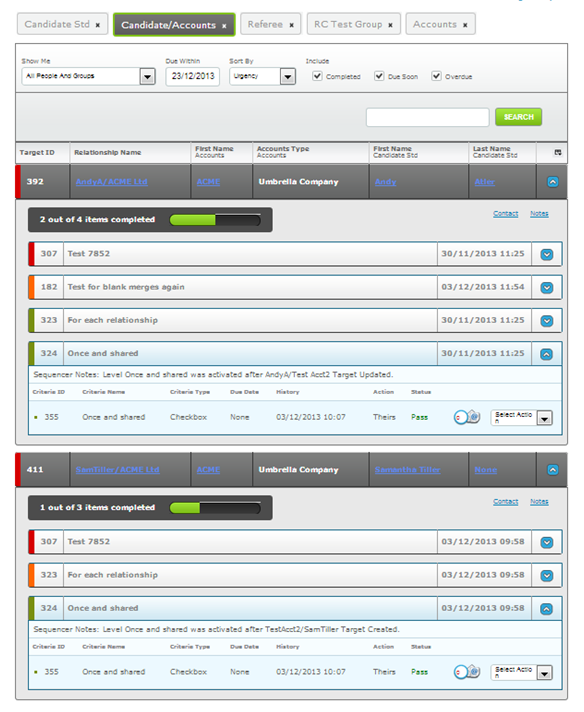
The Dashboard shows that ACME Ltd has been assigned criteria ID 355 once but it is visible in each relationship.
Each instance shows that the criteria was completed at 10.07 on 03.12.13.
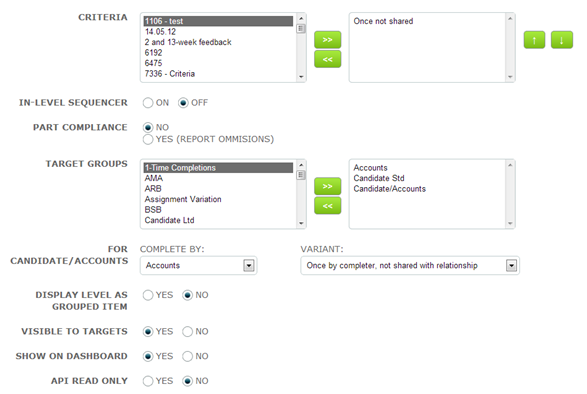
3. Once by completer, not shared with relationship
The level is assigned to Accounts for completion. This can be done via a sequence where Accounts is the object, OR more importantly, via a sequence where the relational target group Candidate/Accounts is the object of the sequence.
This variant could be used to ask a new umbrella company to complete a questionnaire or sign a billing agreement or other document that is specific to the umbrella company and does not need to be shared with any relationship in which it exists.
The level setup is shown below:
The Accounts Dashboard will look like this:
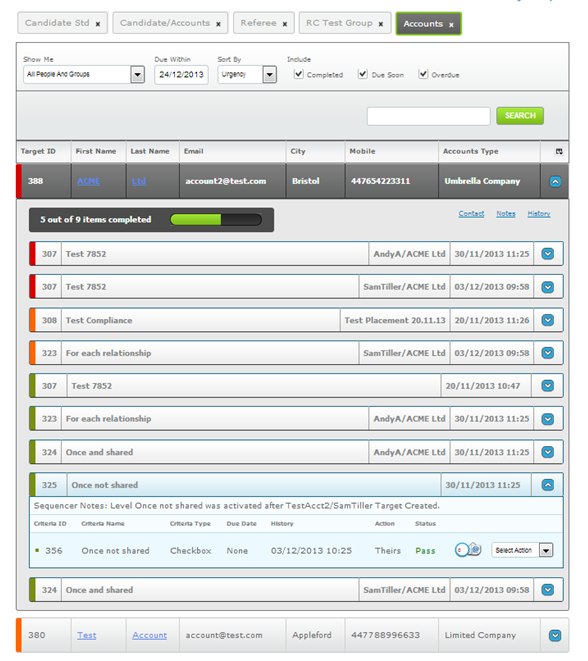
Level ID 325/Criteria ID 356 has been completed by ACME Ltd.
The Candidate/Accounts Dashboard will look like this:
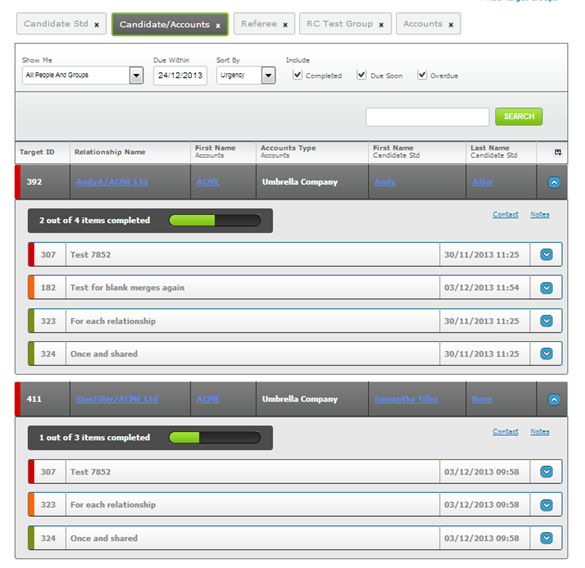
Level ID 325/Criteria ID 356 does not appear in any of ACME’s relationships.
Implementation Tip
If any of your criteria contain document templates with merge fields you must select the merge fields as follows:
When using variant - For each relationship
- relational target group/ child target group/ field
However, when using variants -
Once by Completer and shared with relationship OR
Once by completer, not shared with relationship
- child target group/ field
This is because in the latter two variants where the target is completing the criteria once you should use the merge fields as if the level were being assigned directly to the target group rather than via its relationship object.
Comments
0 comments
Please sign in to leave a comment.