
Admin > Levels > Add a New Level
OR
Admin > Levels > View/Edit Levels
A Level is a collection of things to do, essentially a container for criteria, against which compliance for a target is ascertained. A level can comprise one or many criteria. The criteria within a level are usually related by subject or task.
To add criteria to a level:
• Use the category filter to find the criteria you require
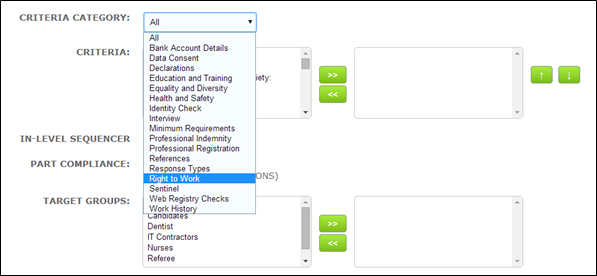
• This will present the criteria from your chosen category in the left hand criteria field
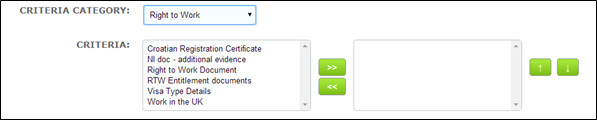
• Select the criteria by highlighting them on the left hand field and using the forward arrow » to move the selection into the right hand field. Alternatively, select and double click
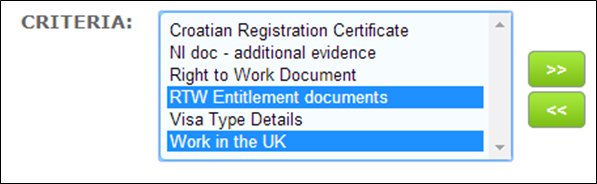

• Use shift on your keyboard to select more than one criteria which are adjacent in the list
• Use Ctrl and shift to select more than one criteria which are separated by others which you do not require
• If you select and move a criteria you do not require undo this by highlighting on the right hand field and using the backward arrow « to move the selection to the left hand field
If you choose to build your levels before your criteria you can leave the "Criteria" selection field blank. The level can still be saved without criteria having been added to it.
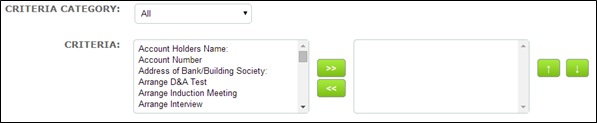
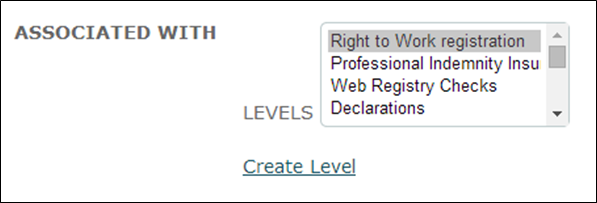
Later when building your criteria select the appropriate level in the "Associated With Levels" field to make the connection. The criteria will be placed in the level for you.
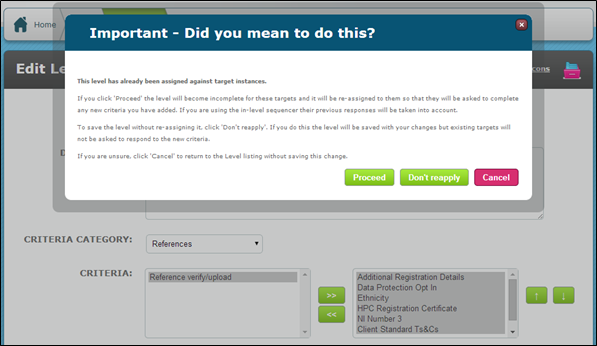
When editing a level, if you add a criteria to a level which has already been assigned to a target you will see the warning modal window shown below. The instructions are quite clear but you must be careful to take the appropriate action so that for instance targets are not asked to complete the new criteria if this isn’t necessary.
Comments
0 comments
Please sign in to leave a comment.