
Admin > Levels > Add a New Level
Levels can be made up of one or many criteria. If the latter, the criteria are usually related by subject or task.
In order to improve the target experience, levels containing more than one criteria can be “grouped” so that rather than appearing as lots of individual items on their home page the grouped criteria are listed as one. This also means that the target can answer each criteria in the level, one after the other, without returning to their home page.
An example of a grouped level follows. You will note that this level also includes an in-level sequence but grouping is of course not dependent on this being present.
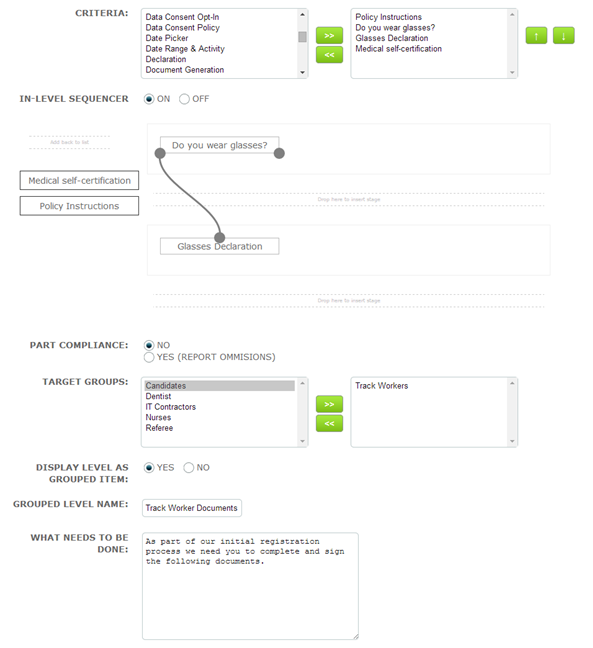
In the above example all the criteria are set for target completion.
It’s very simple to set up a grouped level. Here’s how:
• When you have selected your criteria and target group(s) for the level, select the ON radio button to enable the “Display Level as Grouped Item” feature
• Two new fields namely, “Grouped Level Name” and “What Needs to be Done” will be appear
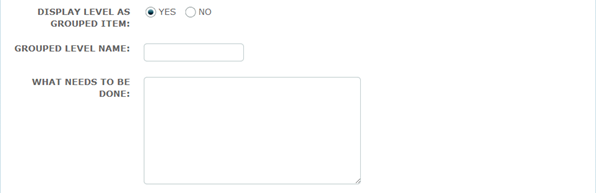
• Enter a name for the level – this displays under “What’s it for?” on the target home page listing
• Enter a short instruction as to what is required – this displays under “What needs to be done?” on the target home page listing
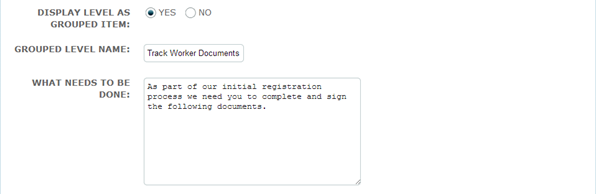
• Complete the remainder of the level set up and click save
When assigned to a target the grouped level will appear as below:
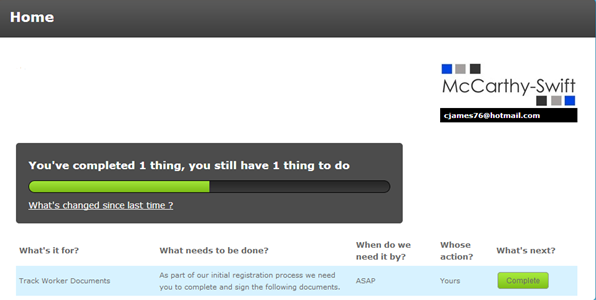
The target is told that they have one thing to do. When they click the complete button the first criteria is displayed:
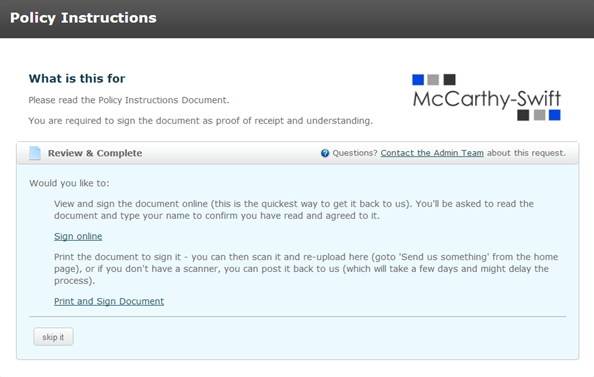
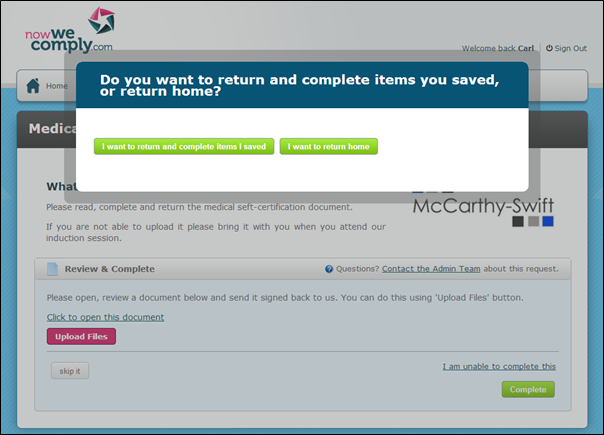
When the target has responded to the first criteria (or used the options to “skip it” or “save for later”, if appropriate) the second criteria will be immediately presented to them without them having to return to the home page. Subsequent criteria will be presented and when all have been actioned in some way the target will be given the option to complete items or return to their home page.
If the level is not grouped (when the radio button is left defaulted to NO) it will appear on the target’s home page as below with each criteria listed separately so that in this case the target is told that they have 3 things to do:
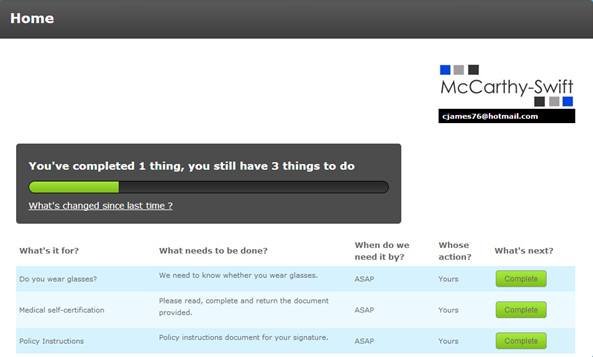
Each item will have to be dealt with individually with the target returning to the home page after completing each one.
Comments
0 comments
Please sign in to leave a comment.