
We have enhanced the Archive and Erase feature specifically in the light of recent GDPR regulations to make it easier to manage the disposal of data and to prove compliance in this regard.
Both targets and criteria responses (including all associated documents) can be erased indefinitely. It is important to note that if you choose to erase targets or criteria responses they can never be restored. However, the user will be given the opportunity to change their mind via the warning messages which will be presented.
We have two Erase options - Erase and Hard Erase.
Selecting Erase, will mean that the target will be erased permanently from the system. If this target is an associated child target in a relationship, the relationship will still remain but without the child target's data. The values for this child target will change to asterisks.
Selecting Hard Erase, will mean that the target will be erased permanently from the system. If this target is an associated child target in a relationship, the relationship will still remain but instead of the child target values changing to asterisks the child record will be completely removed from the relational target.
When actioning either the Erase or Hard Erase options, the User will be required to provide authentication by inputting their Email and Password. The action will take place once the authorisation is provided.
In addition, targets can be archived and un-archived when required.
If a target is archived the following will happen:
- they are removed from the dashboard
- they are moved to a new section of the target list called Archived Targets
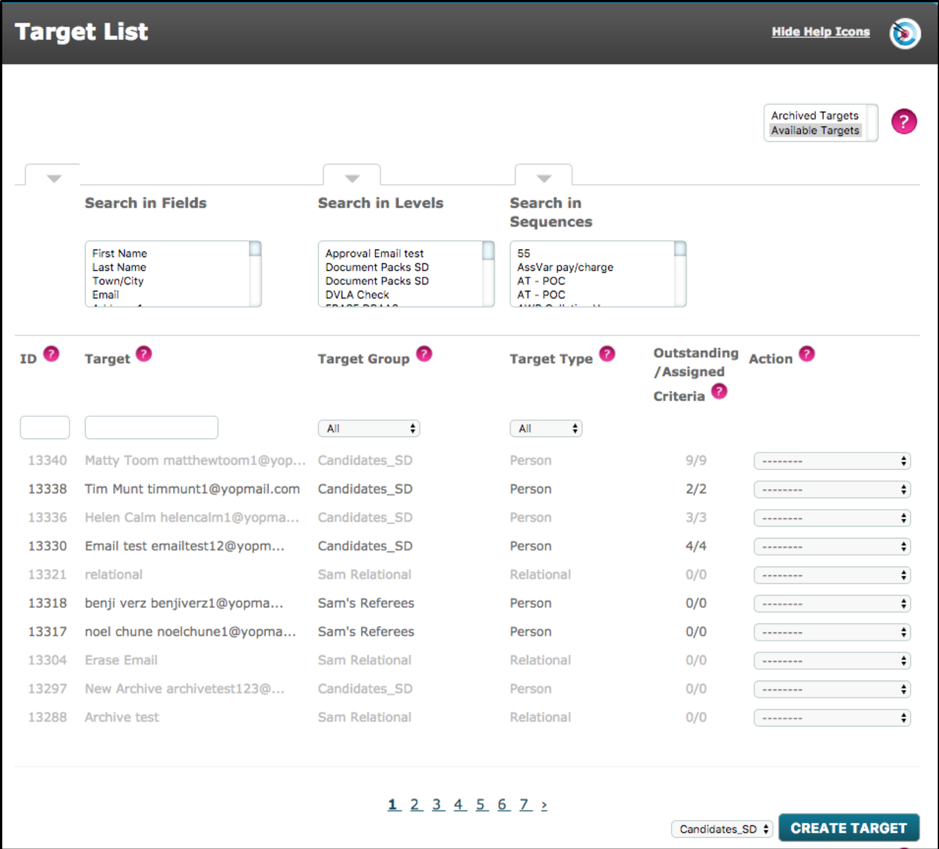
- for person type targets the account is disabled and notifications cease
- all criteria are unassigned. The target list shows 0 outstanding criteria against 0 assigned criteria
- from the target list a user has only two options - Un-archive or Erase
If you choose to un-archive a target, this can currently be done via the action menu in the target list.
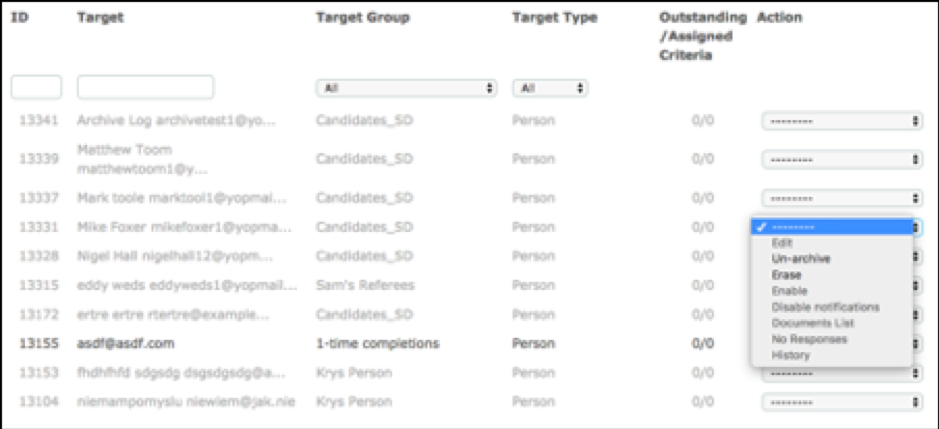
If this action is taken, the target will be restored to the same state as they were when last archived.
If you choose to erase the target you will be presented with the following warning message:
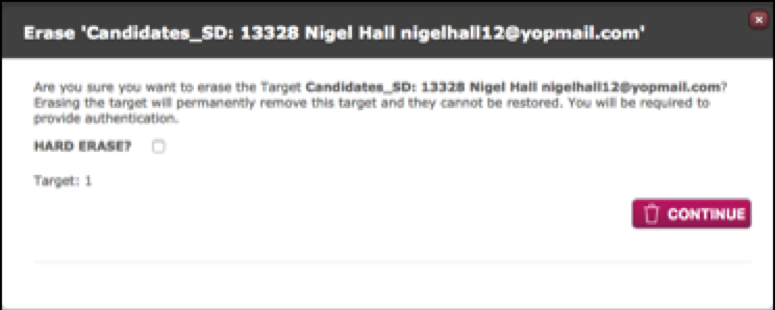
The outcome will be as described above.
Comments
0 comments
Please sign in to leave a comment.