
Criteria responses (including all associated documents) can be erased after a particular time or event by using the new Erase Criteria actor in a sequence.
Drag the actor onto the sequence. You will be presented with a warning message which categorically states that the actor is used for permanent deletion. The user can click OK to continue, or Cancel should they wish to change their mind.
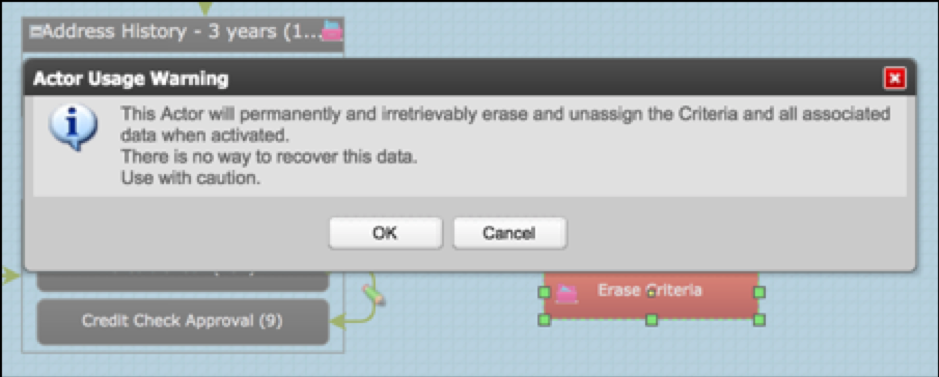
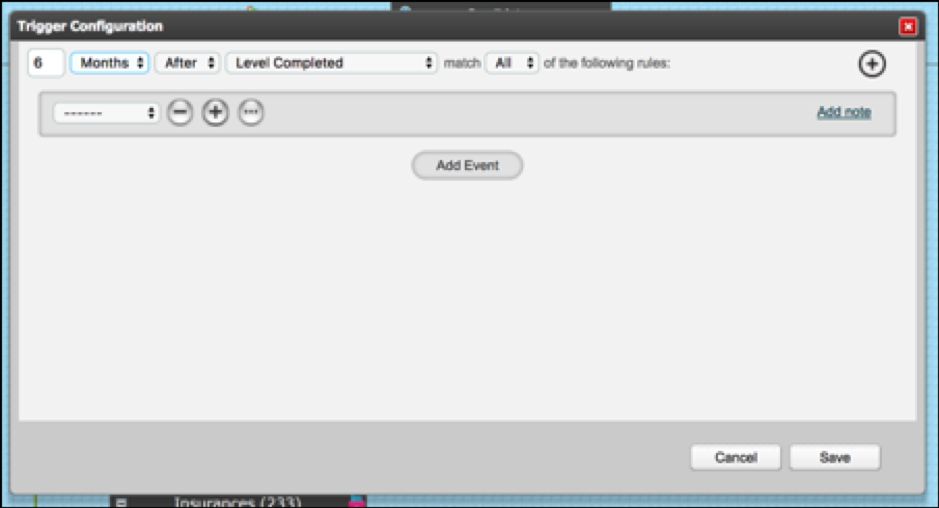
If you select OK you can configure a trigger to the Erase Criteria actor. This can be time delayed and can contain various additional conditions if necessary.
Next, configure the Erase Criteria actor. Simply select the criteria for which responses will be deleted.
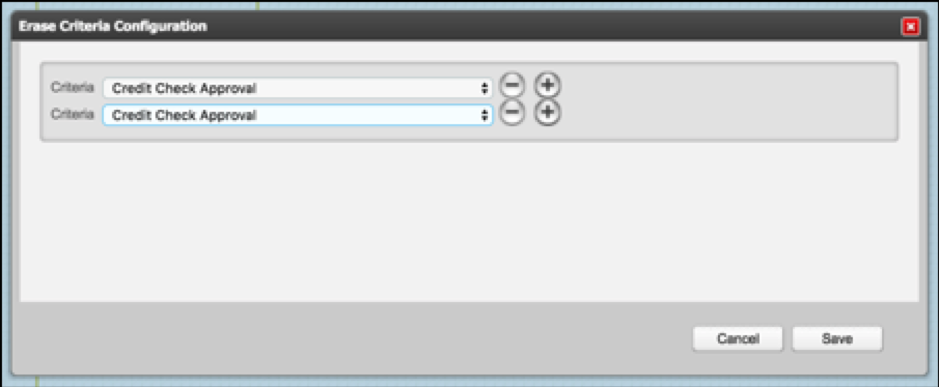
One or more criteria can be selected in one Erase Criteria actor.
Once the sequence takes the Erase Criteria action:
- the criteria will be unassigned and removed from the dashboard for that target
- response documents will be removed from the "Assigned and Outstanding" tab of the Documents List
- if the criteria has been rejected/asked again the response documents will be removed from the "Unassigned" tab of the Documents List
- response documents will be removed from the Your Files and Documents area of the target portal
NB The criteria object will still exist in the system. It can be assigned in future to targets where it has previously been erased.
Comments
0 comments
Please sign in to leave a comment.