
Admin > Targets > Edit Target Types
Custom Fields are created for a Target Type (Person, Thing or Relational).
They can be made available to any Target Group of that type.
This means that the information kept on a target record can include fields such as National Insurance Number or Date of Birth which may be commonly shared across Person Type target groups and/or may include information specific to a particular target group eg NMC PIN for Nurses or CSCS Card Number for Construction Workers.
It is not always obvious which type of field you should select when creating custom fields. We hope the summary below will help.
- INTEGER - Used to record data which consists only of whole numbers eg Age in years (25), Year of manufacure (1999), Company registration Number (1456872) or Part Number (85147)
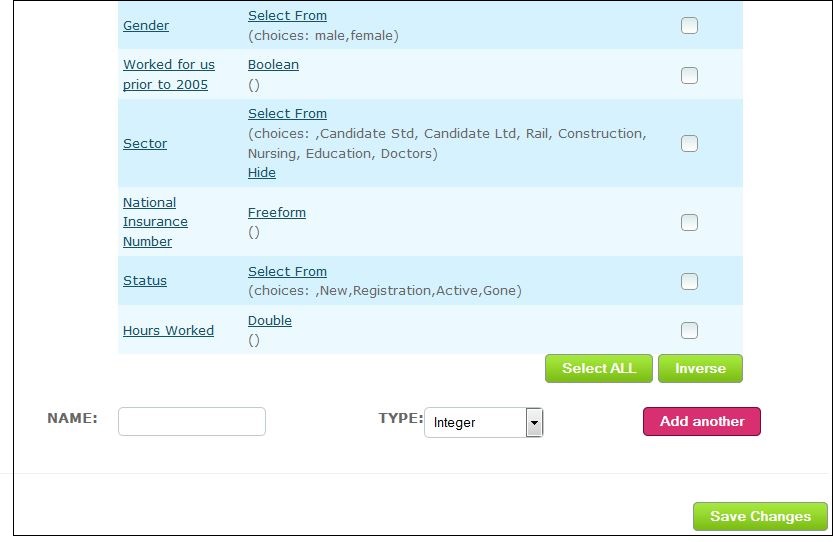
- DOUBLE - Used to record numbers with decimal points eg Hours Worked (25.5) shown below
- BOOLEAN - Presents as a tick box to show whether something is true (value equals 1) or false (value equals 0). Example shown below "Worked for us prior to 2005"
FIELDS SHOWN ON "EDIT TARGET TYPE - PERSON" PAGE:
THE SAME FIELDS FOR COMPLETION WHEN ADDING A TARGET:
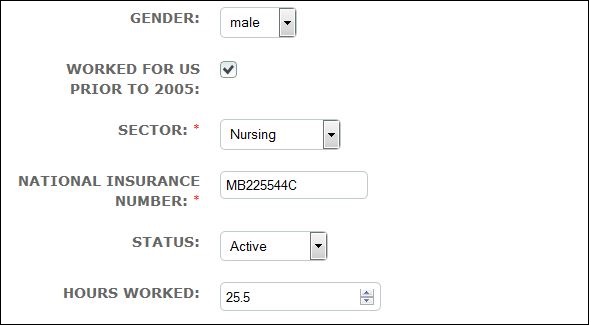
Mandatory fields are marked with a red asterisk eg Sector and National Insurance Number, shown above.
- FREEFORM - this field type is used for alphanumeric values and data which might include special characters. It is totally non-prescriptive and allows the person completing the field to enter free text
- SELECT FROM - used to present a list of options from which only one must be chosen eg Gender, Sector and Status fields shown above
- MULTI SELECT - similar to Select From but presents a list of options from which more than one selection can be made eg Skills, Hobbies/Interests, Type of Work Required (Full-time Permanent, Full-time Temporary, Part-time Permanent, Part-time Temporary)
- EMAIL - used to record email addresses. NowWeComply will look for email address format eg no spaces, including an @ symbol, etc
- PHONE - used to record telephone numbers in phone format for use with third party systems eg Cloudcall and for SMS notifications. NowWeComply will ensure that the number is entered with the preceeding country code, without the initial 0 and without spaces
- DATE - used to record dates. A calendar is presented to the user from which a date can be selected. Alternatively, the date can be typed into the field in the format DD/MM/YYYY
- TIME - used to record time. The field can be formatted to record time in Hours and Minutes or Hours, Minutes and Seconds
- CREATION TIME - this field type is used as a standard field to record the date/time a target is added to NowWeComply
-
PATRON - this is a field type used as a standard field for Person Target Types but can be used as a custom field for Thing and Relational Target Types to show which system user is the "owner" of a target
- Set your field up with the required field Name and select "Patron" as the Type
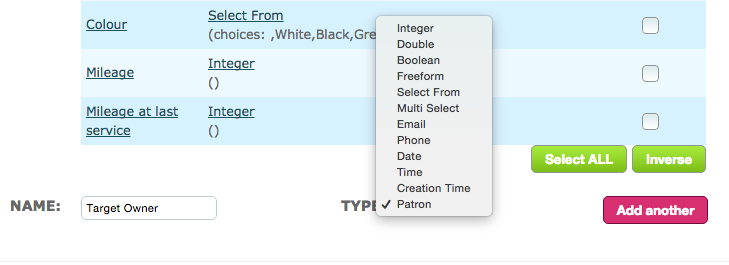
- Click Add another to bring your new field into the list and click Save Changes
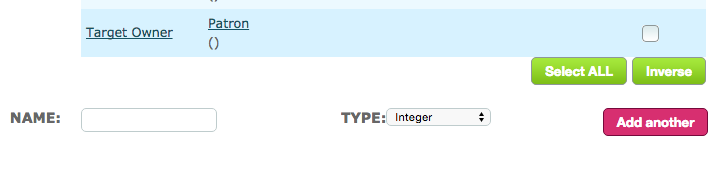
- Remember to make the field available to the required target group
- When you add a new target the Patron type field you have created will automatically be populated with the name of the Patron as shown below:
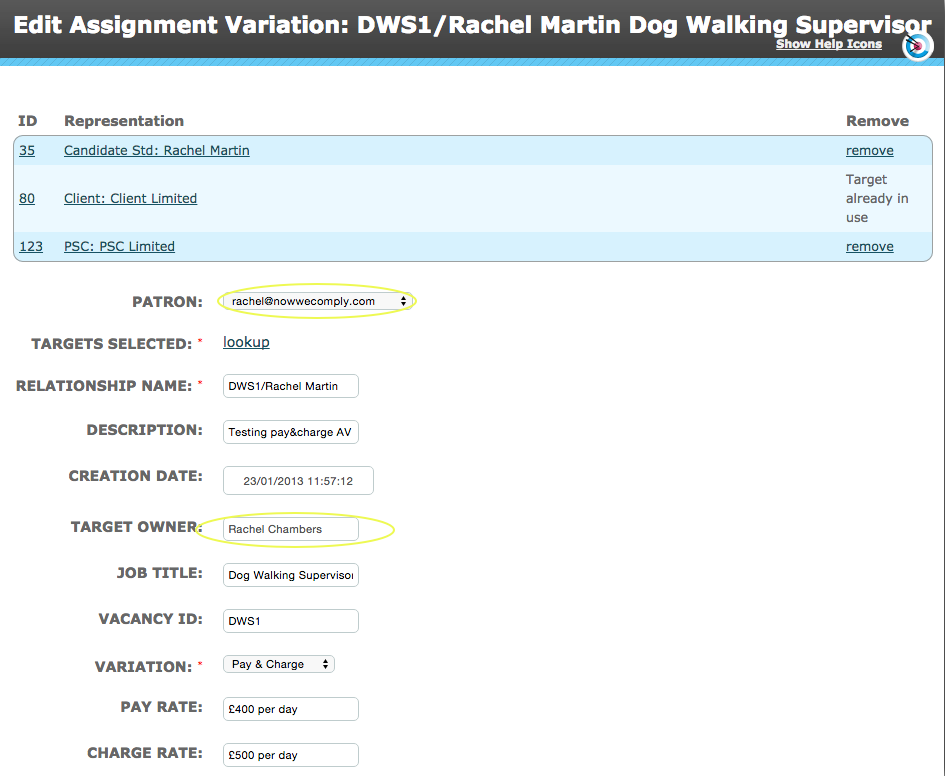
- Unlike the Patron field for Thing and Relational target groups, your Patron Type field (Target Owner, in this example) can be referenced in sequence conditions and used as a merge field in criteria and document & message templates
Comments
0 comments
Please sign in to leave a comment.