
Criteria actions can be completed by targets or by internal system users.
The configuration is located at the bottom of the criteria page:
Admin > Criteria > Create a new criteria
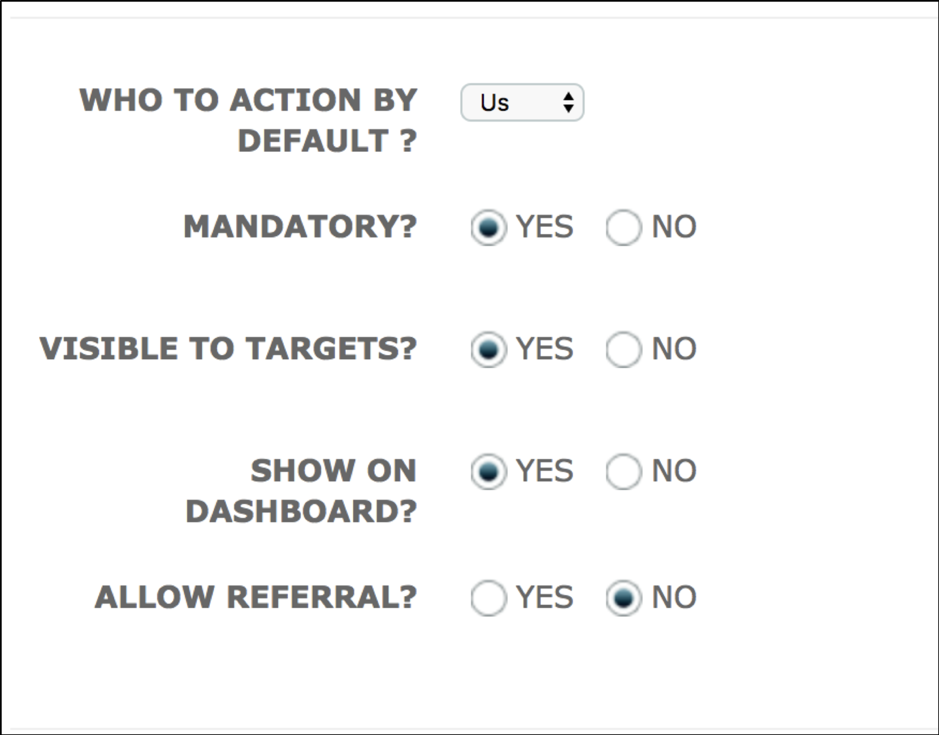
Who to action by default: This is used to determine who will complete the criteria; the options are Target or Us.
Visible to target: Does the criteria appear on the target portal?
When 'Who to action by default' is set to 'us', 'Visible to target' is set to yes, the target will see the level (if it is a grouped level), or the name of the criteria on their target portal. The target will not be able to answer the criteria as shown in the image below.
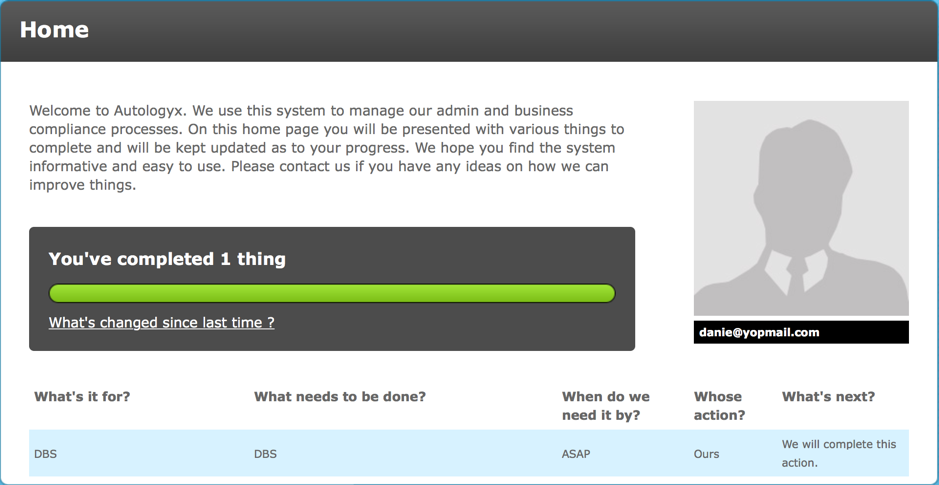
The messaged displayed under 'What's next?','We will complete this action', tells the target that the action is for one of the users in the system to complete.
There is a complete button, on the dashboard, for all criteria where the Who to Action by Default is set to Us.
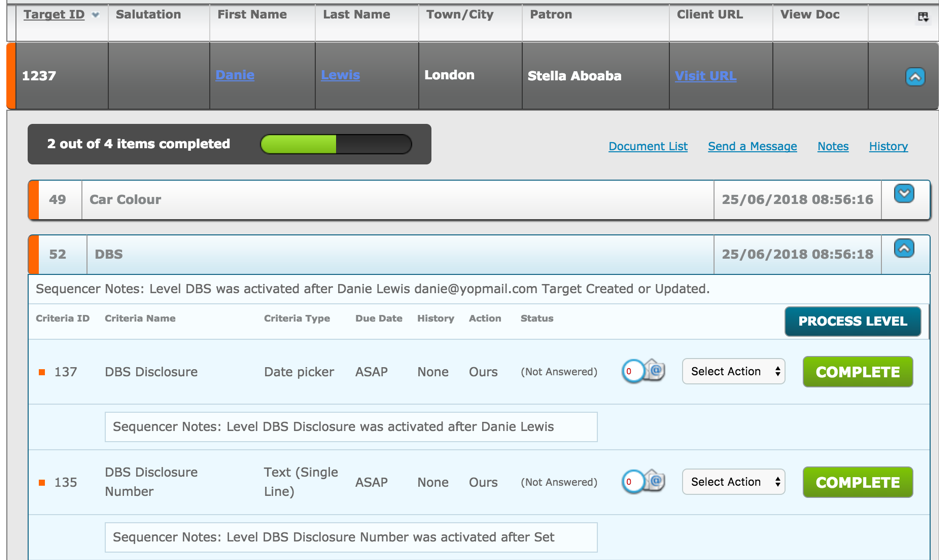
In the case of the DBS Disclosure criteria, it is a date picker with a mandatory file upload
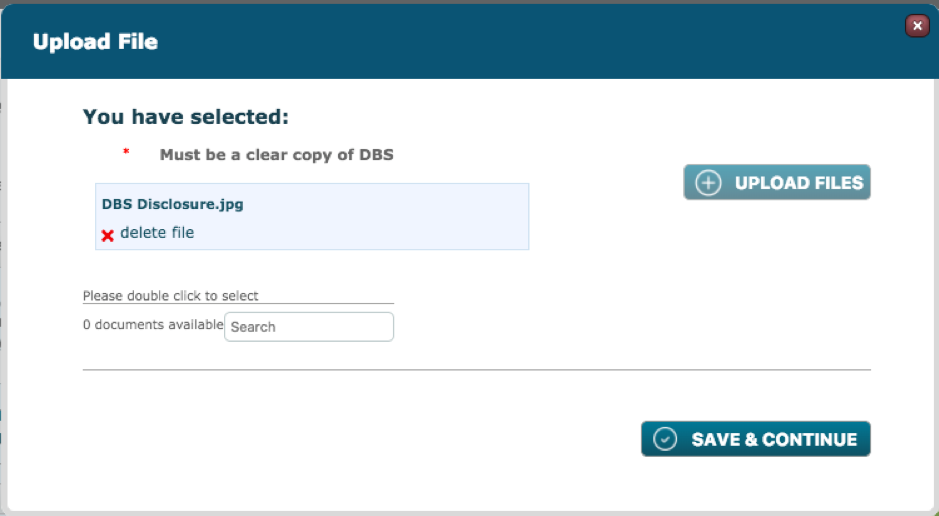
The file 'DBS Disclosure.jpg' is uploaded into the criteria.
Given that the criteria is visible to the target, the document uploaded by the user is available to the target in their Document List.
In the target portal go to
Your Files and Documents > Your document list
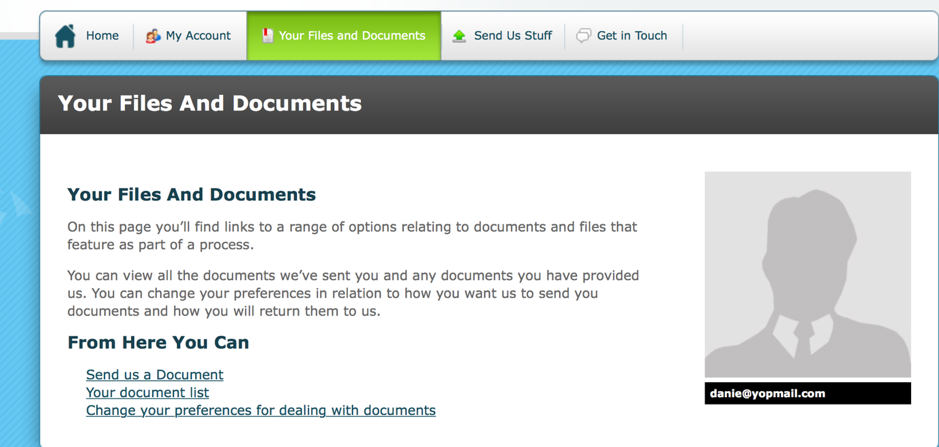
As seen below the document 'DBS Disclosure.jpg' is available for the target to view and download.
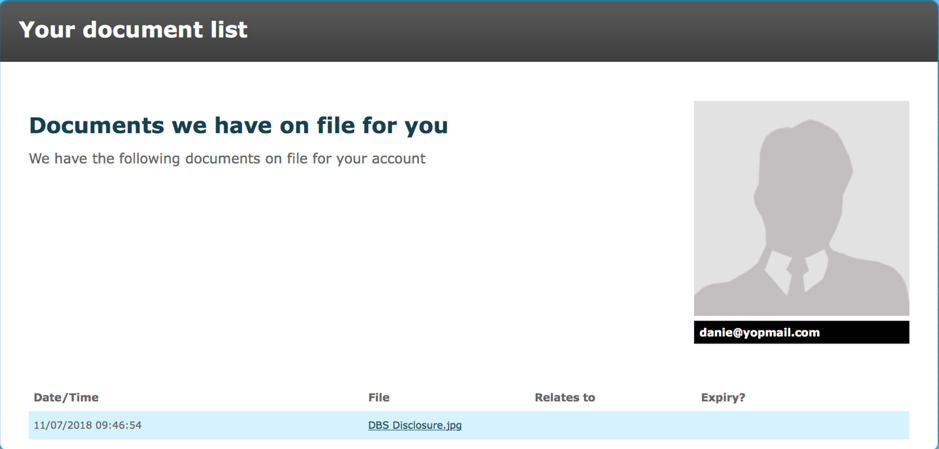
If this is not the desired outcome, ensure that the 'Visible to Targets' radio button is set to 'No' to ensure that the target will not be able to view/download documents uploaded via an 'US' action.
Comments
0 comments
Please sign in to leave a comment.