
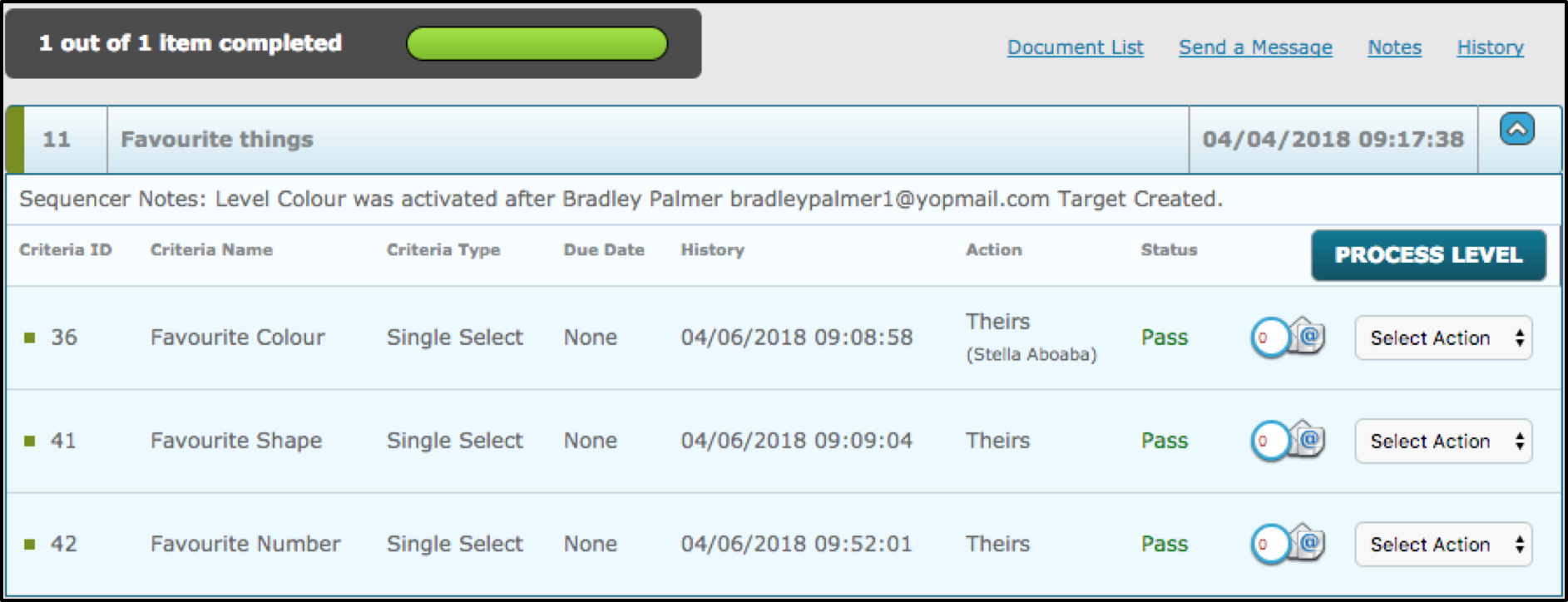
Below, is a completed level with three completed criteria. This article will demonstrate what will happen if an additional criteria is added to a level which has already been assigned to a target.
The next step, is to either select or create a new criteria that the user wishes to add to the existing level. Below, the existing level 'Favourite Things' is being edited, where the new/additional criteria that is highlighted, will be added into the right hand box.
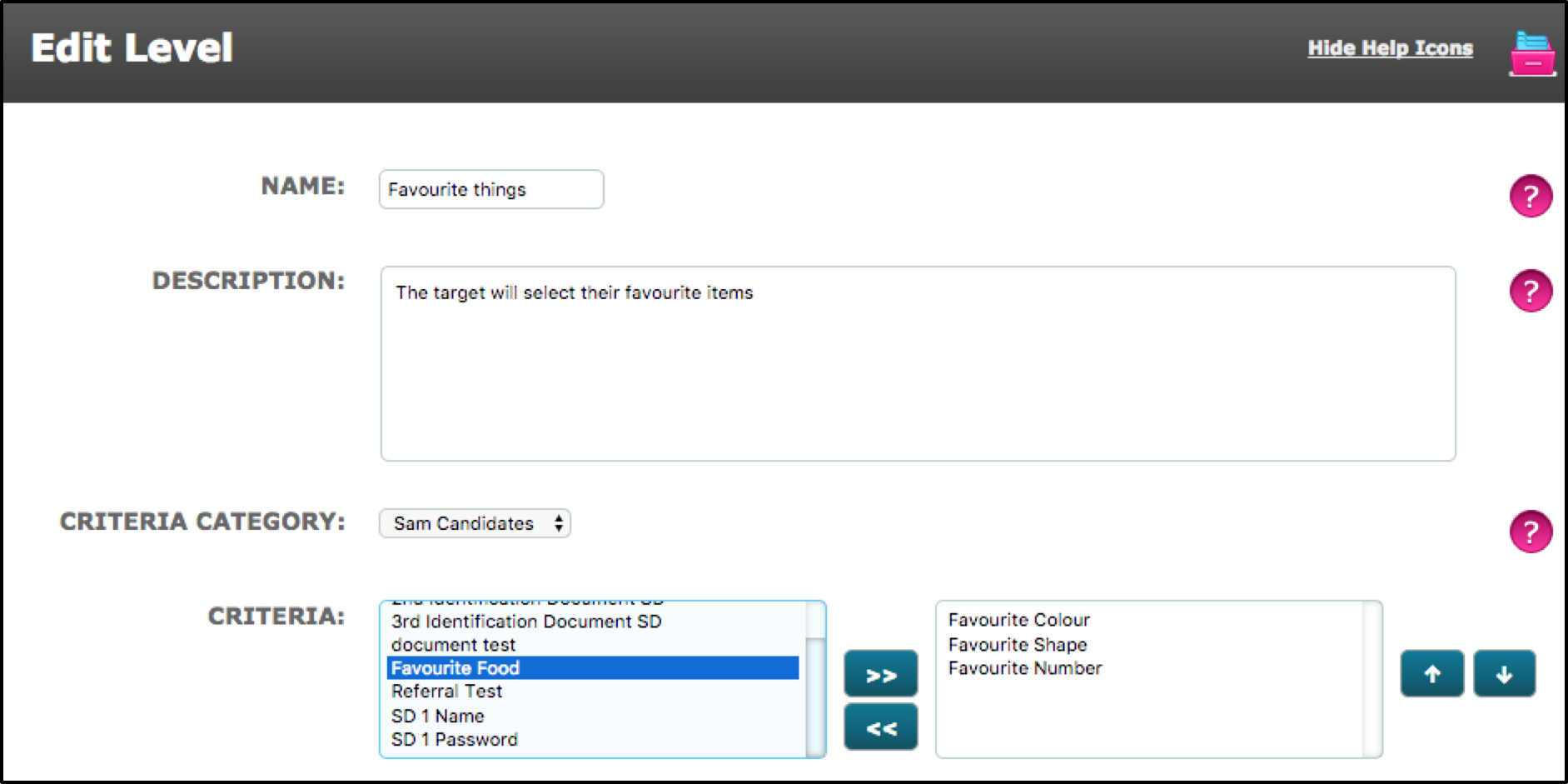
Once added, select save at the bottom of the page to implement the change.
A pop up message will be displayed to the user, this message in summary explains how proceeding with the saving, will result in this level becoming incomplete for the target until this new criteria is completed. Selecting the 'Don't Reapply' button will add the criteria to the level, however the targets who have already been assigned this level, will not have this criteria to complete, only new targets who will have the level to complete.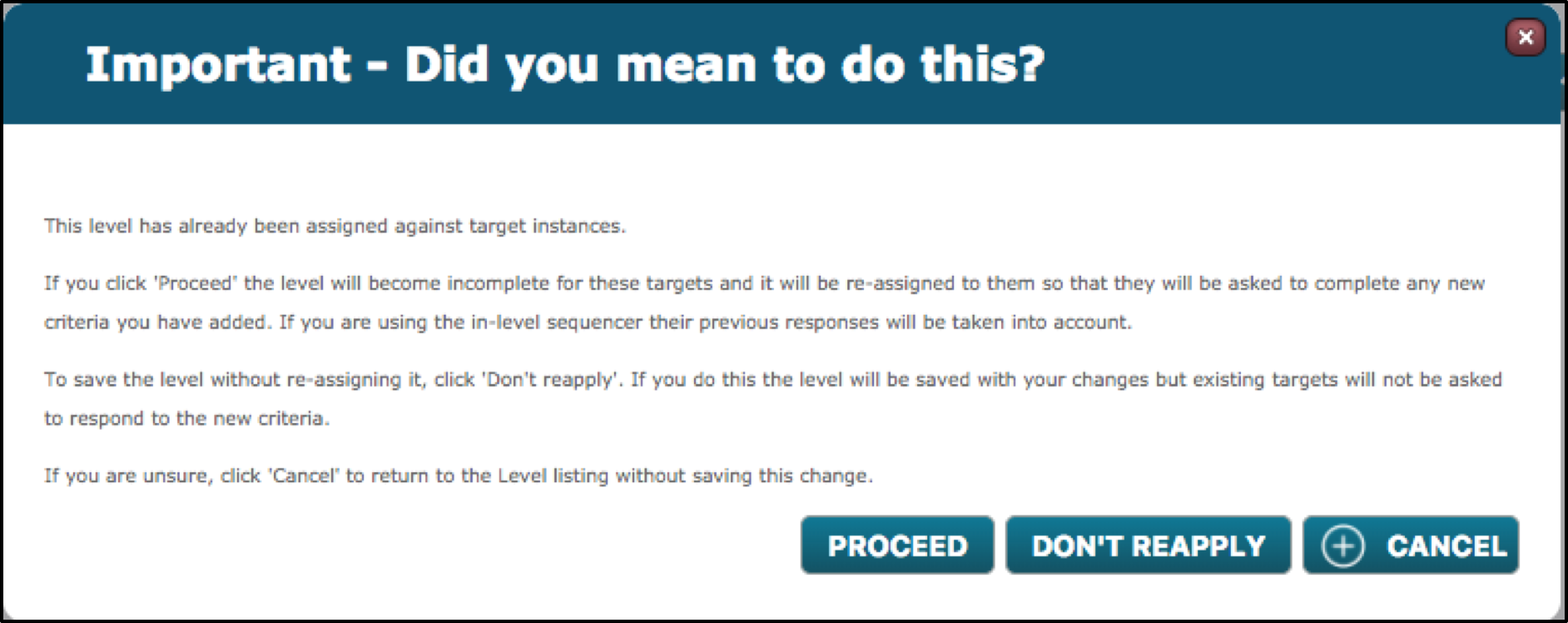
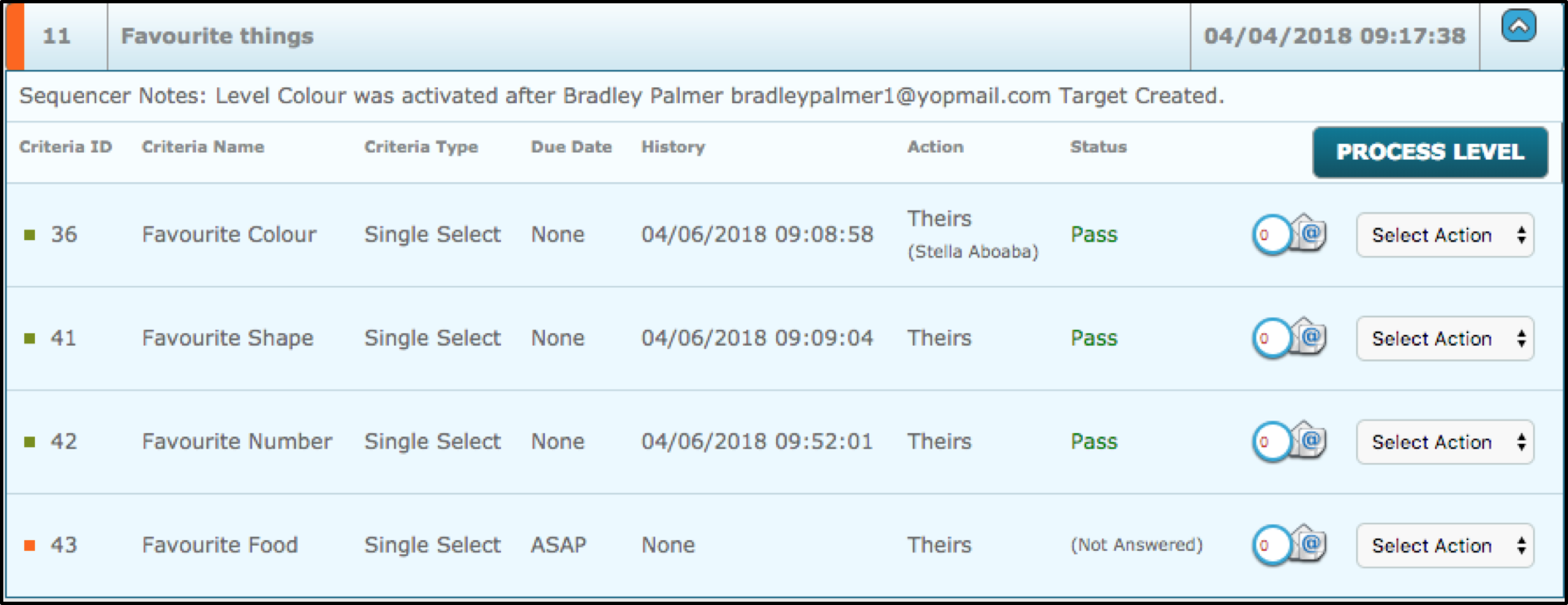
If proceeded, the user will be able to see within the dashboard that the targets will now have the level as incomplete (Orange).
Comments
0 comments
Please sign in to leave a comment.