
Admin > System Users and Permissions > View/Edit System User Accounts
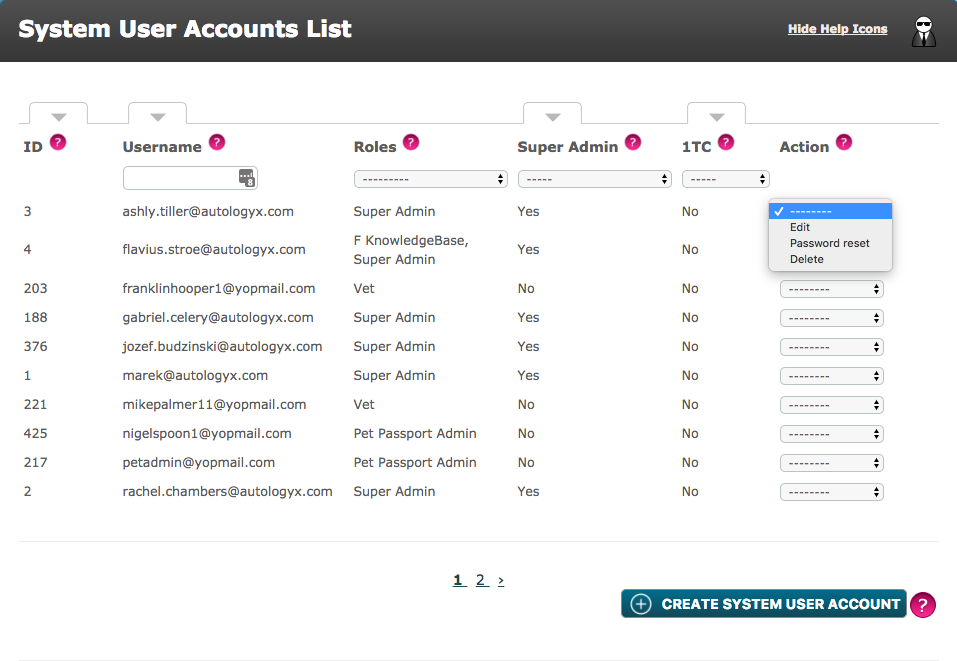
Clicking the View/Edit System User Accounts link will take you to the System User Accounts List.
Here the User ID, Username, the Roles that the User has been assigned, whether the User is a Super Admin and whether the User is a 1-time completion user are all displayed here.
With the appropriate permissions, you can view, edit and delete User Accounts from here as well as send a password reset notification. All of this can be done in the Action drop-down menu. A new System User can be created at the bottom of the page.
Please note: You cannot directly edit the Username field. This will be auto-updated if you change the email address in the Email field.
Comments
0 comments
Please sign in to leave a comment.