
Admin > System Users and Permissions > System User Accounts List
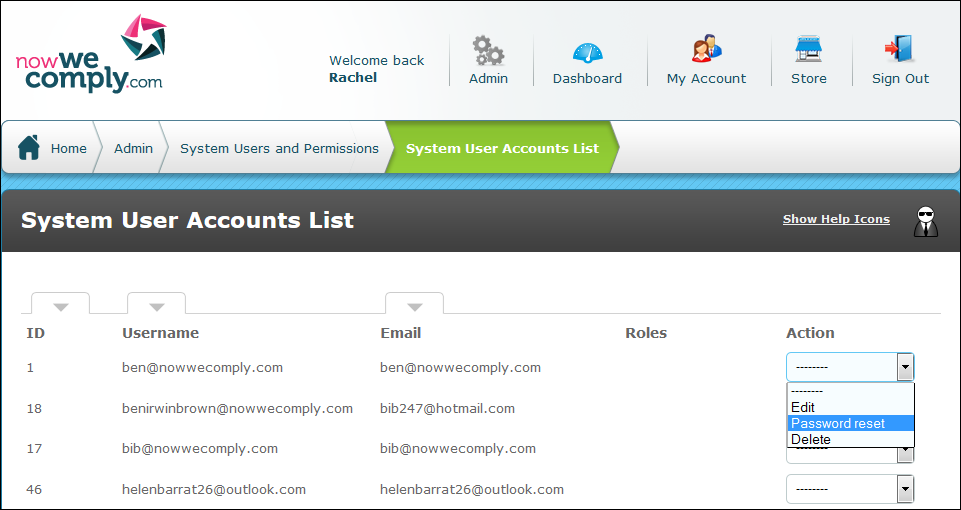
The System User Accounts List is accessed from the System Users and Permissions menu, by clicking the "View/Edit System User Accounts" link.
In the action menu adjacent to the specific User select Password reset as shown below. autologyx will confirm that an email was sent to the User.
The System User should access the email and follow the instructions to complete the password reset.
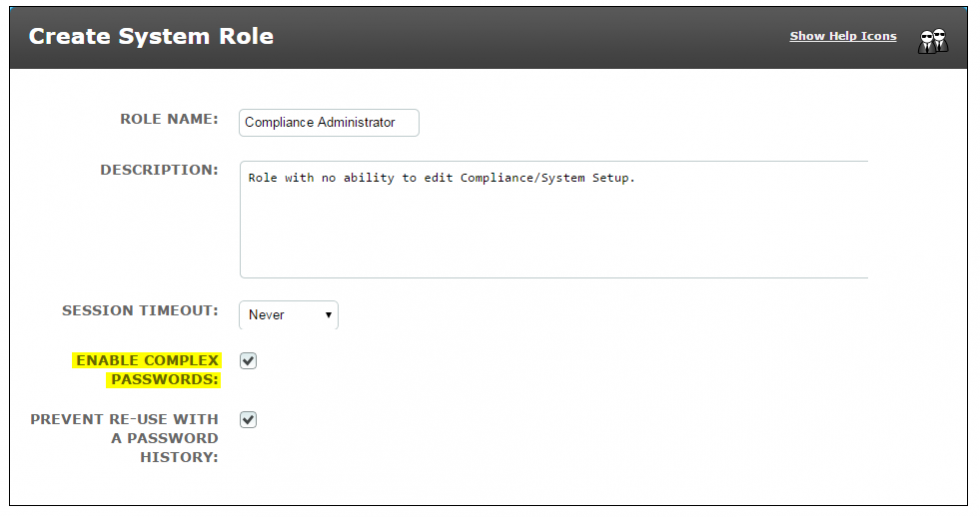
You will probably only want to perform this action when System Users forget their passwords. However, you can use it if your IT policy dictates that user passwords must be changed more regularly than the standard 90 day request which is part of the "Enable Complex Passwords" feature in the system role creation process.
Comments
0 comments
Please sign in to leave a comment.