
Admin > Criteria > Add a New Criteria
The Unable To Complete feature is found as a Yes/No radio button at the bottom of the criteria set-up page.
When the criteria is for completion by a target, selecting Yes enables this feature and No disables it.
You will note that the feature is removed if the criteria is an Us action.
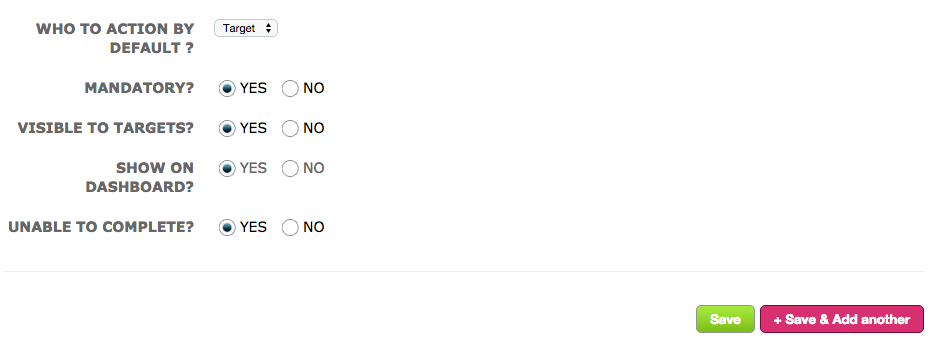
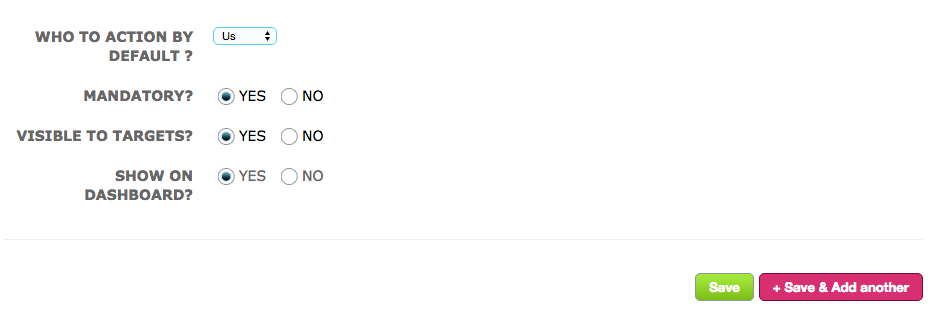
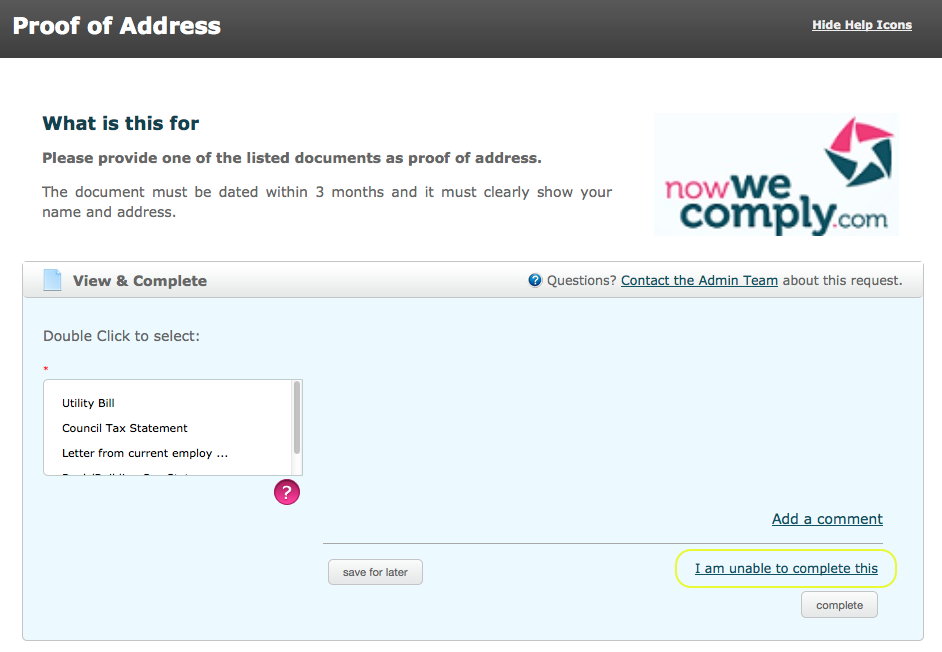
When a target is assigned a criteria where Unable To Complete is enabled, it is seen as a link on the criteria response page just above the Complete button, as shown below.
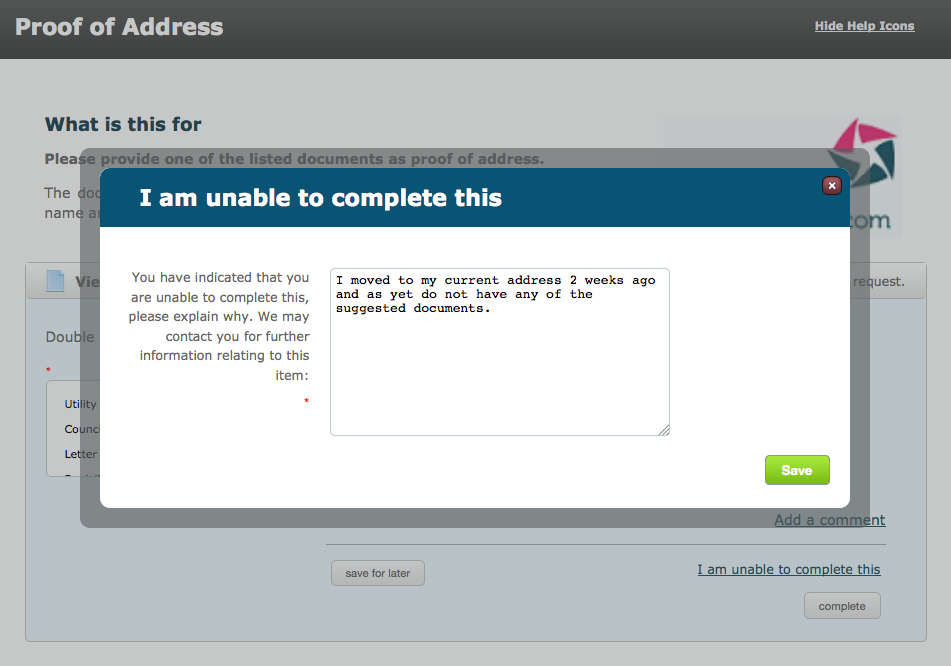
When the target clicks this link, they are presented with a modal window in which they are asked to provide an explanation for not being able to complete the item.
When the target clicks the Save button they will see a banner message at the top of their home screen confirming that the criteria has been marked by them as unable to complete.
An email will be sent to their patron (owning system user) to let them know that the target has indicated that they are unable to complete a criteria. This notification includes the criteria name, the reason for being unable to complete and a link which will take the system user to the criteria.
On the dashboard the criteria status is "Unable to proceed", as shown below:

You will note that that there is a red number 1 immediately to the right of the status. This indicates that there is an unread message related to the criteria. The criteria also has a review button and the Action has changed to Ours.
When the system user clicks the review button they are presented with a modal window in which they can choose to take one of four possible actions.
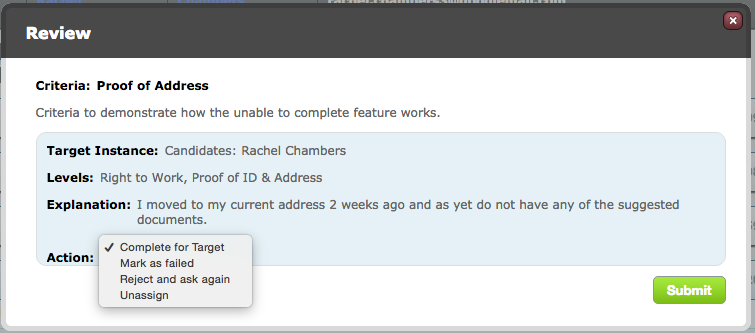
- Complete for target will take the system user into masquerade mode where the criteria can be completed on behalf of them
- Mark as failed will complete the critiera but leave it with a Status of "Fail", as shown below. Please note: you will have to provide a reason for taking this action

- Reject and ask again will allow the system user to reject the reason for being unable to complete and present the criteria to the target with instructions as to how they should now proceed. In the example shown the target could be asked to wait until they are able to provide a document with their new current address on it
- Unassign will remove this criteria
Comments
0 comments
Please sign in to leave a comment.