
Companies House WebCheck
Setup Summary:
Create a Target Field to store a Company Number
Assign the Target Field to the Target Group that will use the WebCheck
Configure the Webcheck in the Store
Create a Criteria with the response type WebCheck that uses the Company Number Target Field
Place the Criteria in an existing level or create a new Level to place it in
Place the Level in a sequence if not already
This guide will focus on setting up the WebCheck in the Store and will require a Target Field to use for a Company Number during setup.
If you need help with any of the other setup items then please use the articles in the Knowledge Base
WebCheck Setup
Go to the Store and search for 'WebCheck'
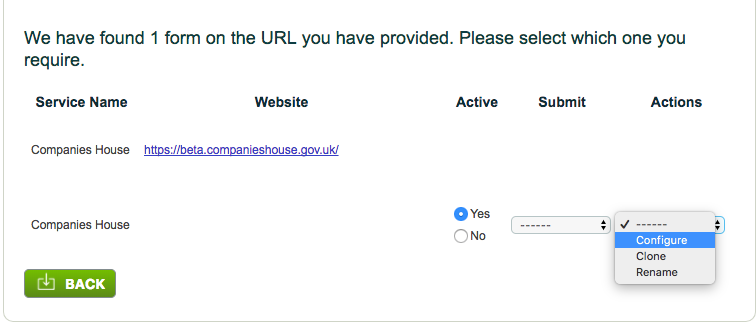
Select the Target Group that will be using the Companies House WebCheck by clicking on it
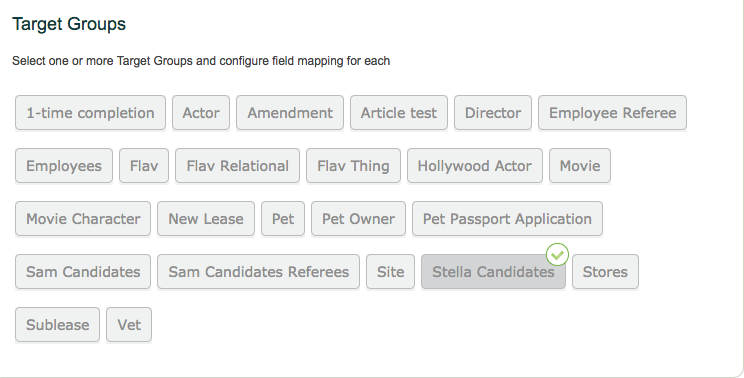
Now you need to select your Target Field from the Map to Target Field drop down which will be used to pass the Company Number, this will be the Target Field you created earlier:

Save
Back at the Setup tab, make sure the Webcheck is set to Active

Completing the Webcheck
When the Setup Summary list above is complete, the WebCheck Criteria can be assigned to a Target.
The Target Field could be completed in a Target Field Completion Criteria prior to the WebCheck firing, or it could be completed by a system user directly in a Target Record.
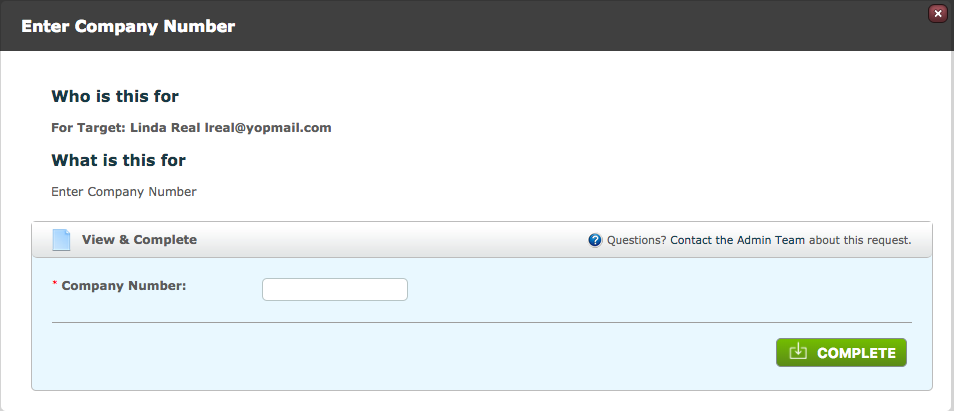
Example of a Target Field Completion Criteria, capturing the Company Number
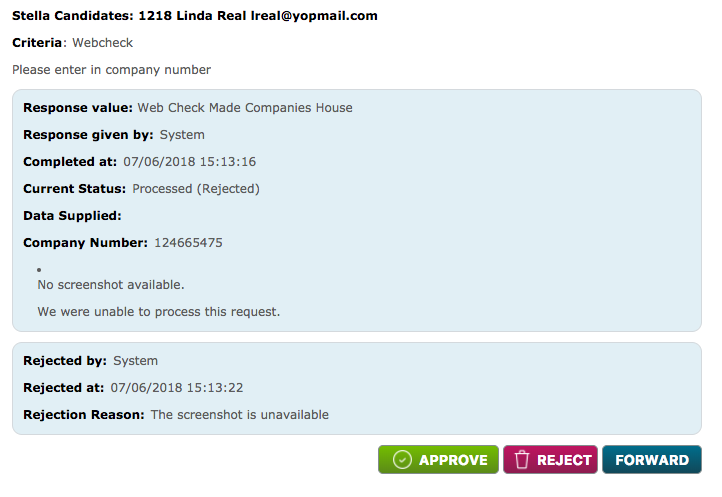
The WebCheck return will look like the below, this check requires approval.

 Upon clicking the approval button, the company certificate should be shown as below if the check was successful, ready for the user to approve the documentation.
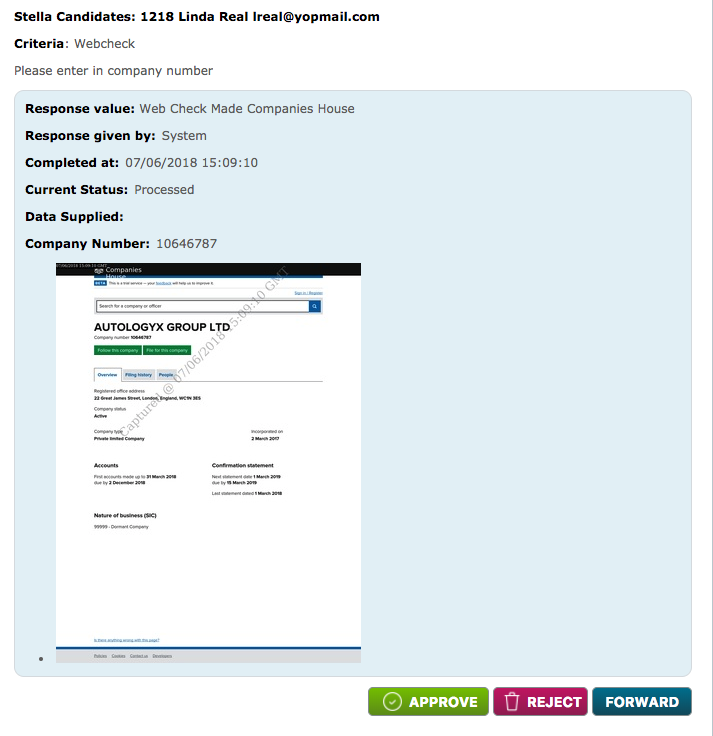
If unsuccessful, the below is shown.
Comments
0 comments
Please sign in to leave a comment.