
The output of a variable can be referenced in a sequence trigger in order that the appropriate action can be taken based on that output.
For example, in the sequence shown below, a new employee is created in the the ALX system on their start date.
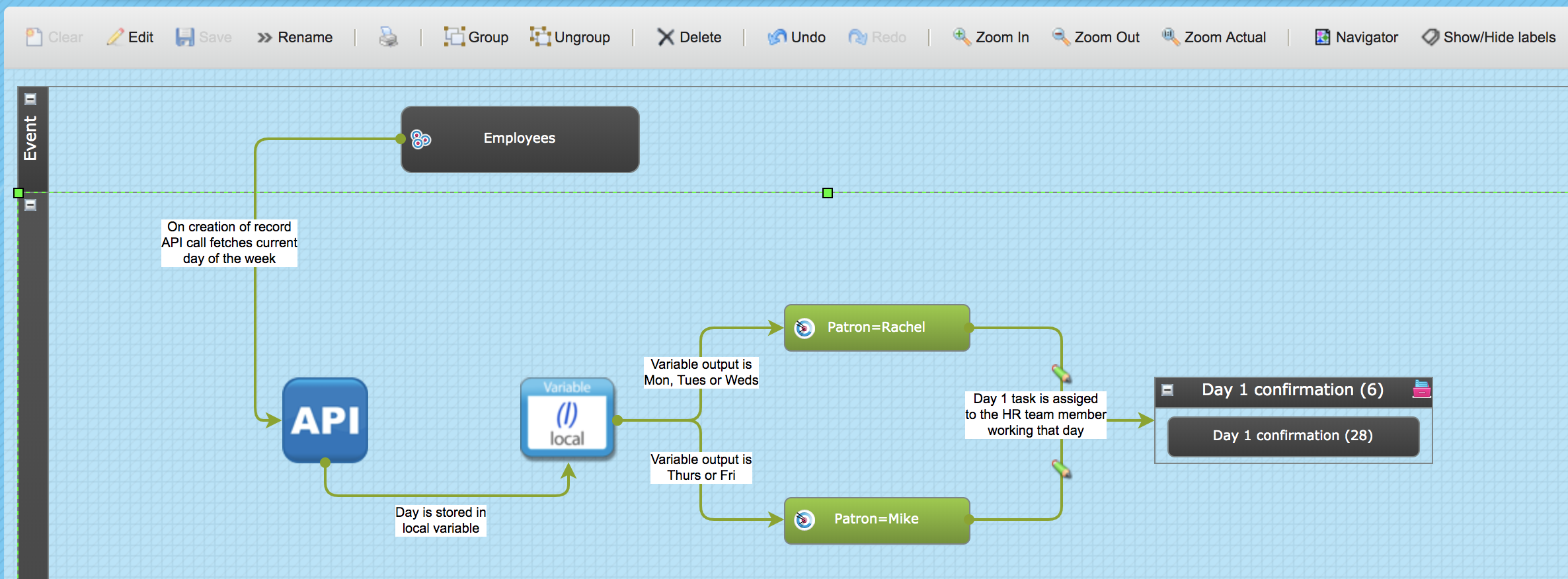
An API call is made to fetch back the current day of the week.
This information is stored in the local variable.
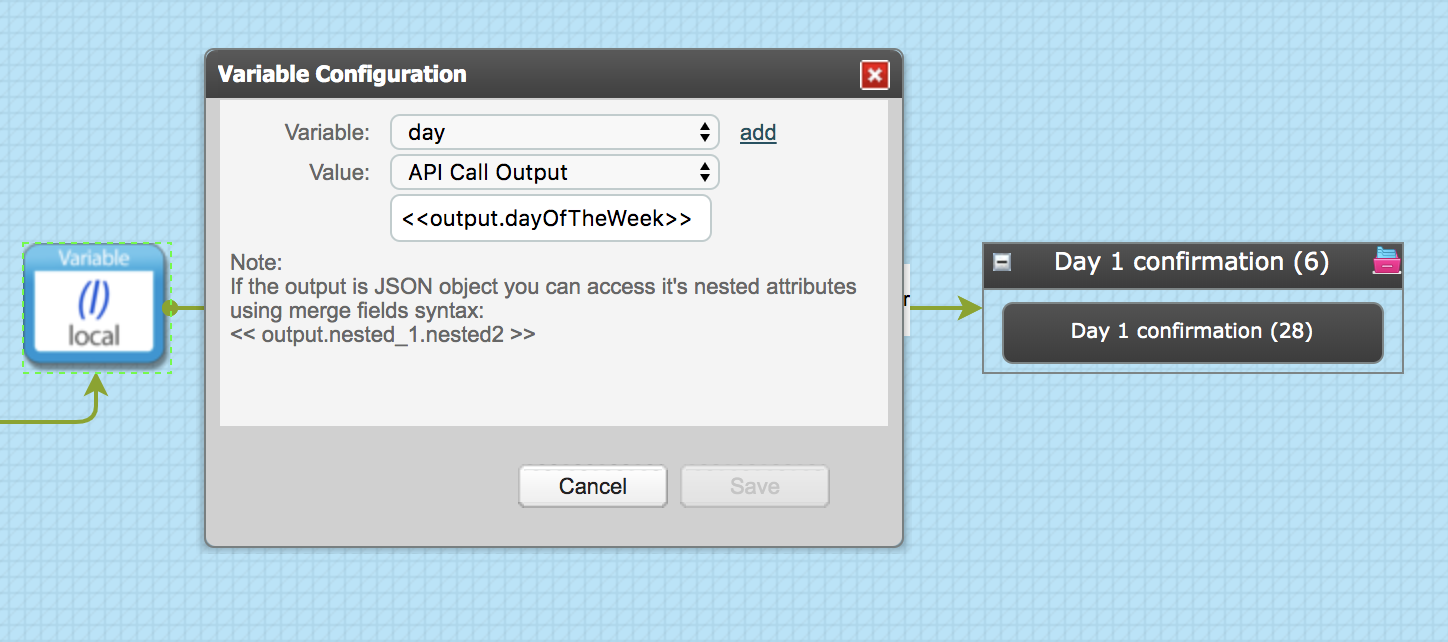
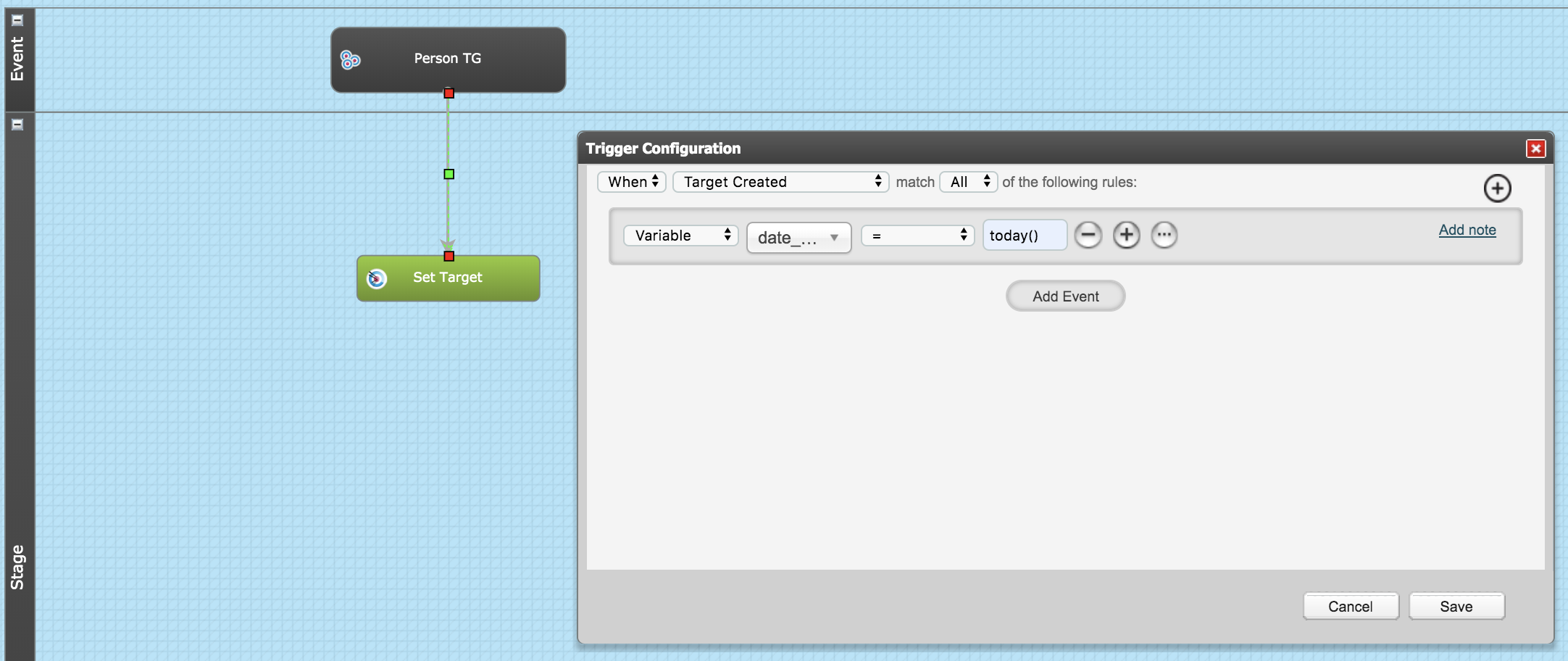
The sequence trigger from the local variable has the option "Variable" in the first menu.
In the next menu, the name of the required local variable is chosen.
In the third menu the appropriate operator can be selected, and finally the last menu allows an expected output to be referenced.
In this example, the variable output, ie day of the week, has been used in order to ensure that the HR Team member who is working that day can be assigned the Day 1 task, as shown below:
NB: Rachel works on Monday to Wednesday; Mike works on Thursday and Friday.
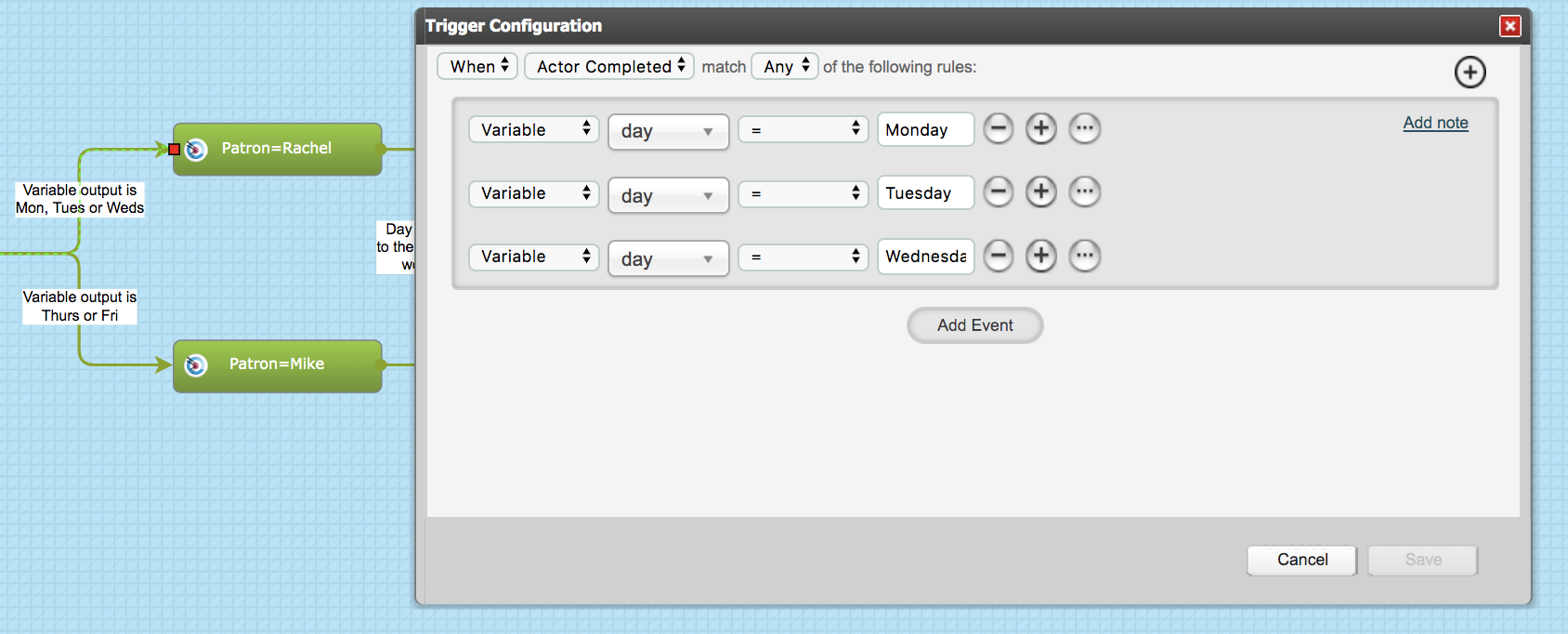
So based on the variable output being Monday or Tuesday or Wednesday, Rachel is made the patron (via a Set Target actor) and is assigned the task.
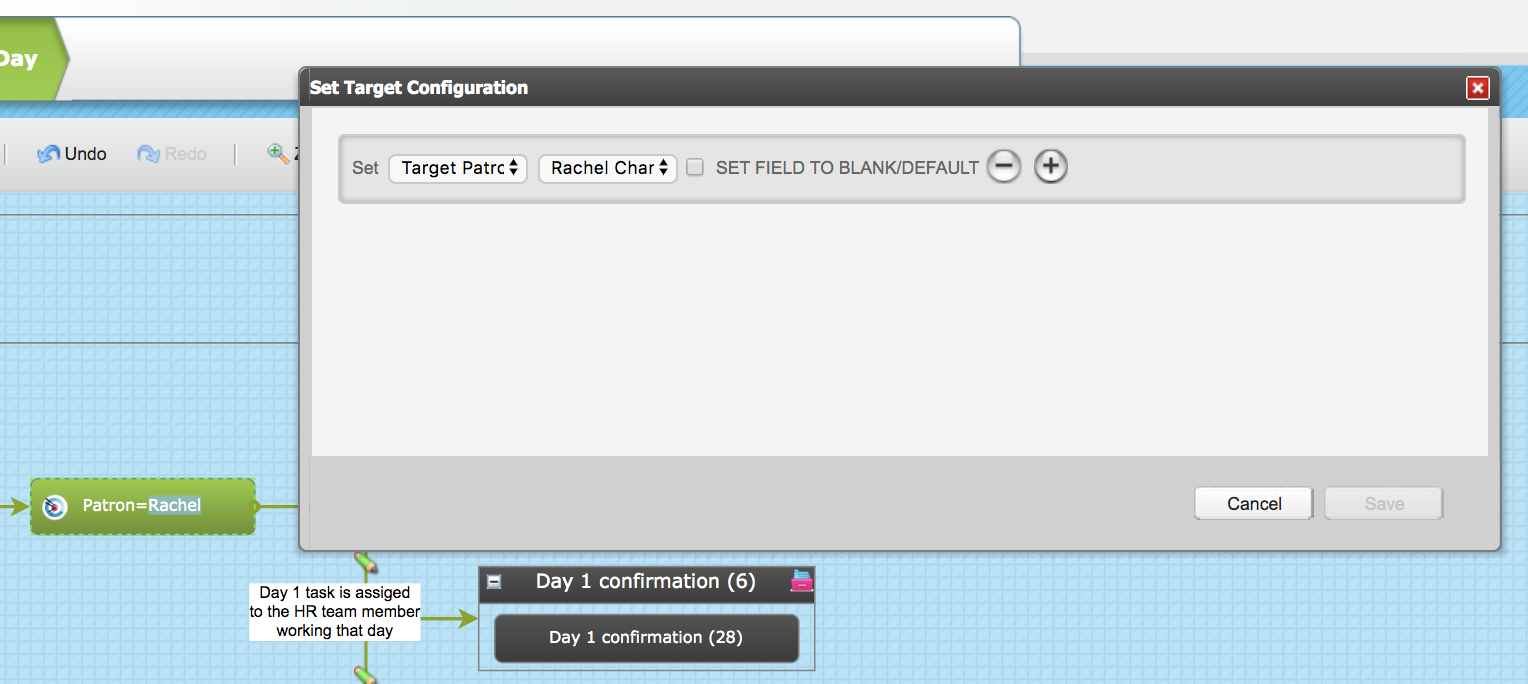
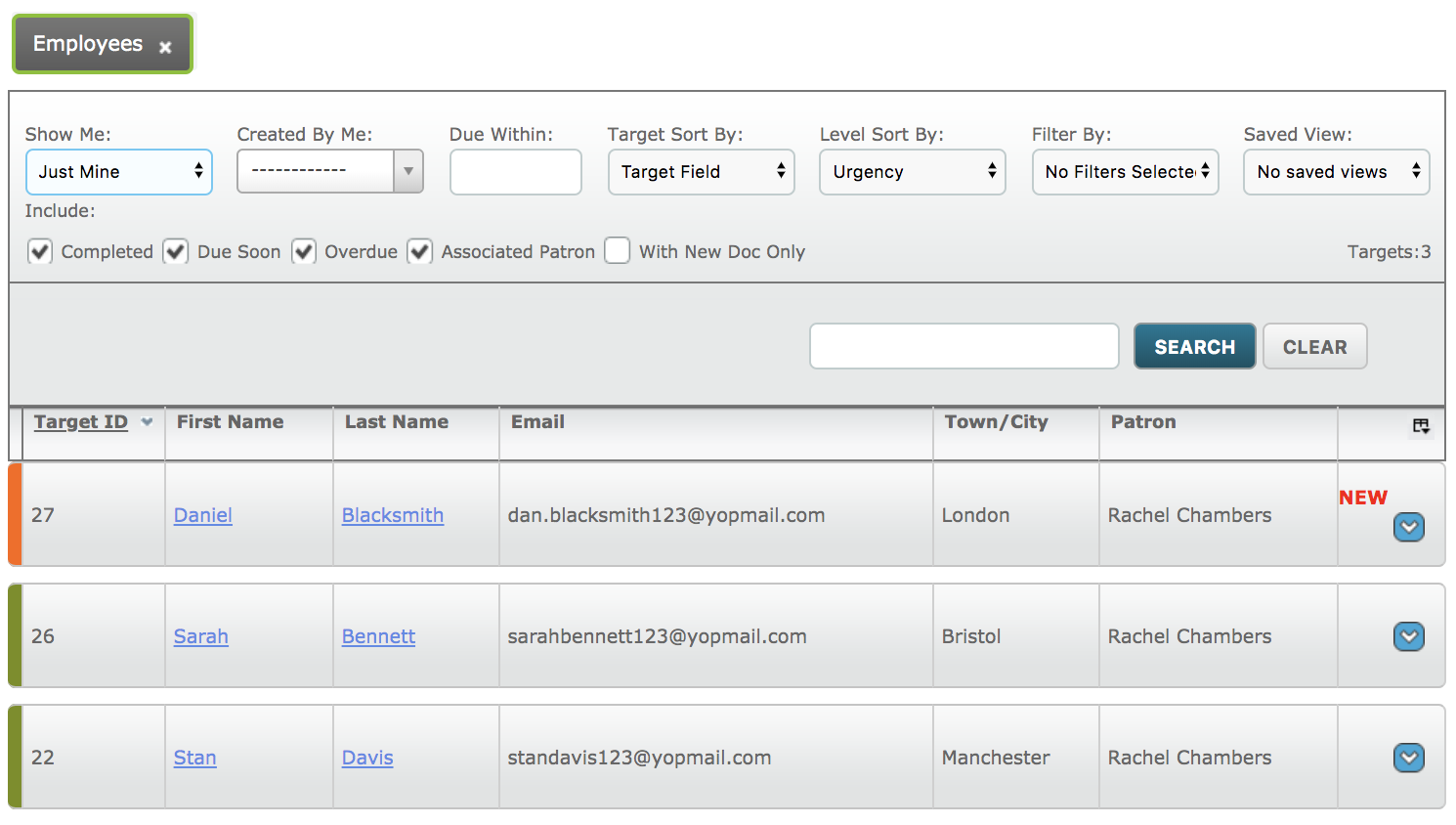
This new feature will mean that a variable output no longer needs to be entered into a target field (via a Set Target actor) before it can be used in the decision making process.
In addition, the output from Super Global Variables can be referenced in any trigger at any stage of the process for any Target Group.
Comments
0 comments
Please sign in to leave a comment.