
The Patron is the owner of a target, the patron is the person responsible for progressing that target through a sequence.
Assign a patron to a target in the sequencer
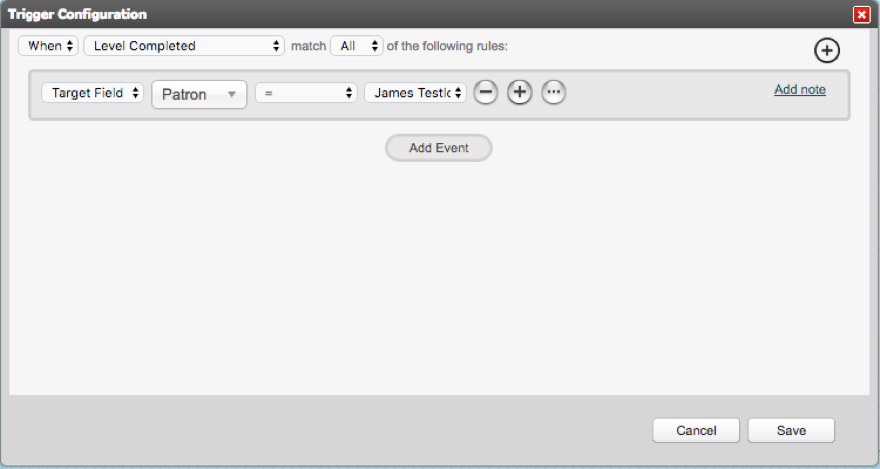
In the Sequencer, right click on a trigger and click Trigger to open the Trigger Configuration screen.
Choose the condition as to when the trigger will execute the rule and then change Target Field, Patron = <name of new Patron>
The Associated Patron is an additional person who holds responsibility for a criteria/level. It's useful to set an Associated Patron when the Patron needs to 'lend responsibility' to another system user.
You can assign the associated patron in the sequencer. In the Dashboard there is a toggle to filter criteria which are associated to the system user who is an associated patron. The Associated Patron will only be associated with the level/criteria that the connector is joining to.
Assign an Associated Patron in the Sequencer
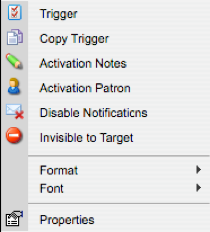
Right click on a trigger and select Activation Patron option.
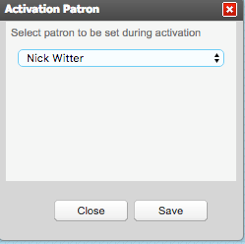
When the Activation Patron screen appears, select the Associated Patron and Save
When an Associate Patron has been set on a trigger, a user icon will display on the trigger as an indicator:

When the Level that has been assigned to an Associated Patron has been completed, that system user will no longer be the Associated Patron of that Target User.
Comments
0 comments
Please sign in to leave a comment.