
WHAT IS SET TARGET?
Set Target is an object within the sequencer which can be dragged onto the workspace and connected to the target group or to a level,
criteria or other sequence object.
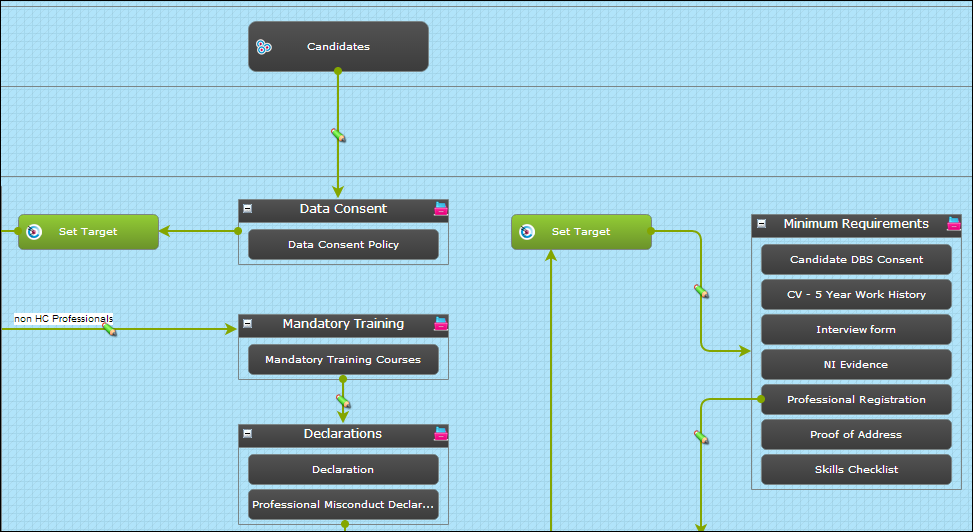
It is found in the "Actors" list on the top of the left hand menu of a sequence.
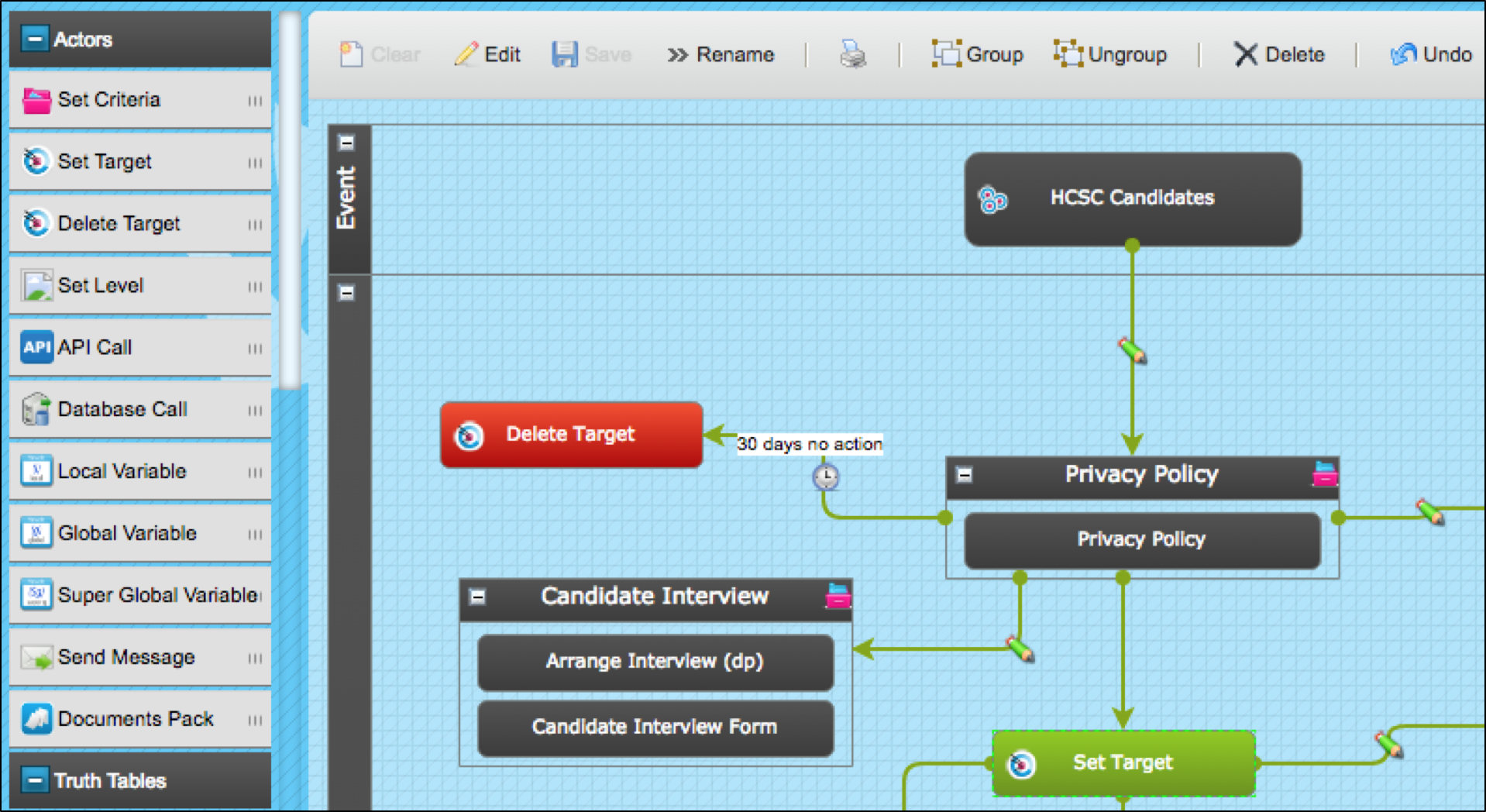
WHAT IS SET TARGET USED FOR?
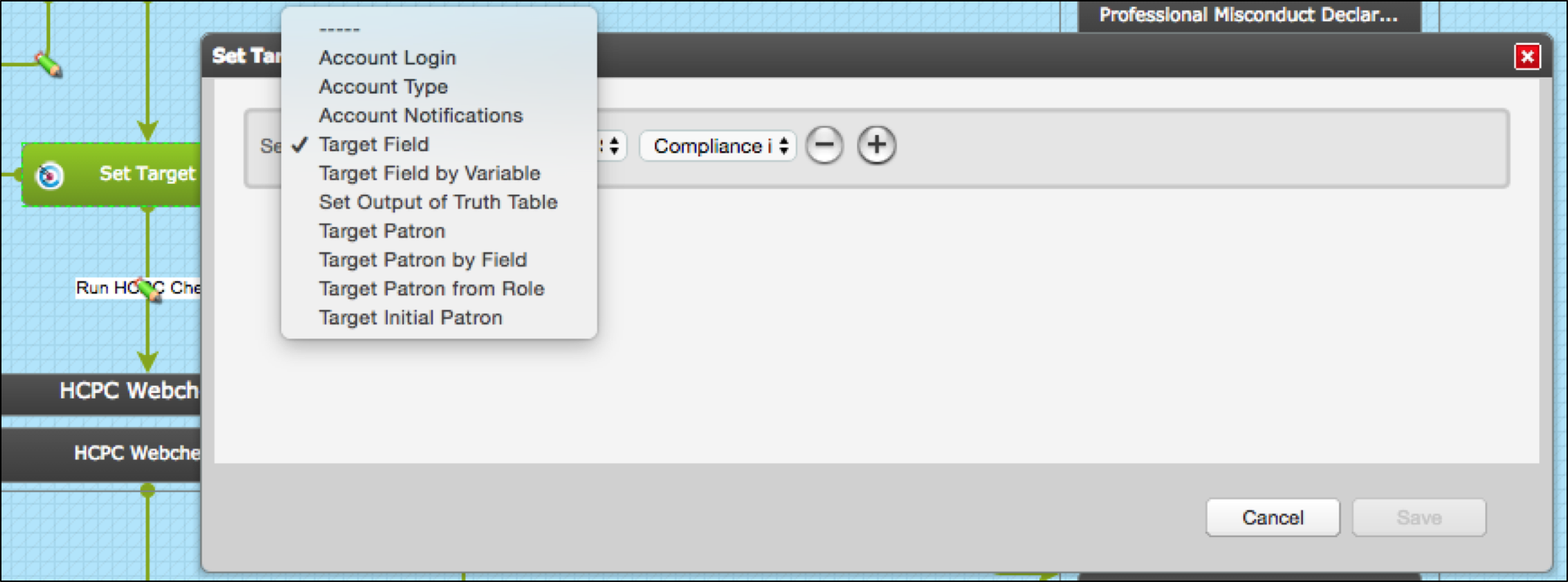
Set Target allows you to:
- Enable/disable target login
- Set the target account to 1-time completion or full account
- Enable/disable notifications (email, SMS)
- Set the value of a field on the target record
- Set the output of a Truth Table to field on the target record
- Set the target's patron
- Set the target's patron from a field in their record
- Set the target’s patron to a system user with a particular role
- Set back to the initial target patron
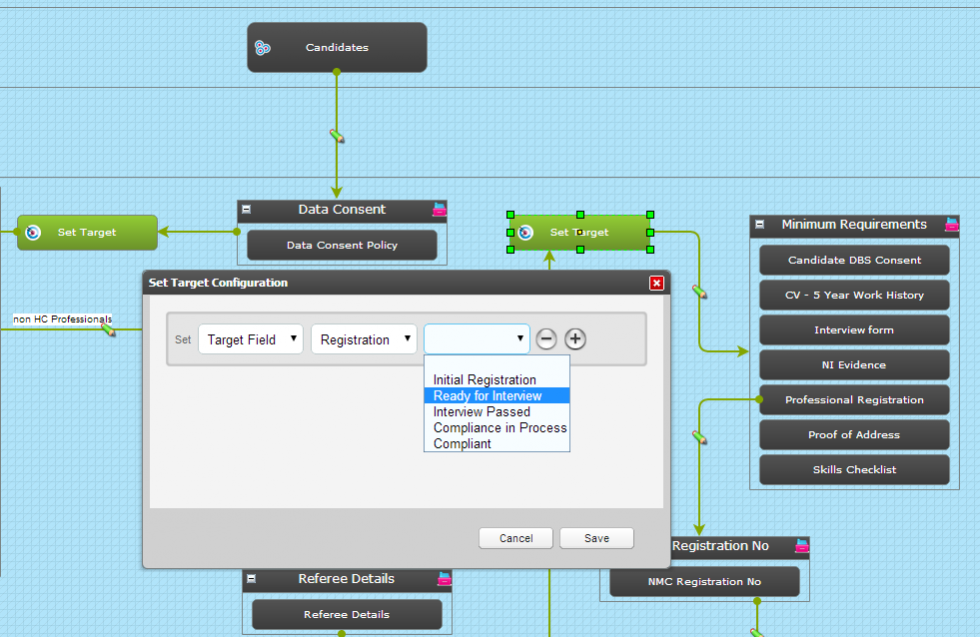
In the example above the Set Target is being used to set the Registration Status field to "Ready for Interview" when the candidate reaches a particular point in the sequence.
This could be used to trigger another route in the sequence and it can be referenced in reporting.
A Set Target can be used to perform one or several actions at the same time.
Comments
0 comments
Please sign in to leave a comment.