
Admin > Sequences > Add a New Sequence
What is a Connector?
A Connector is used to link two objects in the Sequencer. Using Connectors allows you to establish rules for activation of the Sequence itself or for specific Levels or Criteria within your process. Connectors are also used to activate Set Target and Set Criteria objects.
Making Connections
Click the name of the first object you want to connect from and drag and drop onto the second object you wish to connect to - the connection is made when the second object is outlined in green as shown below.
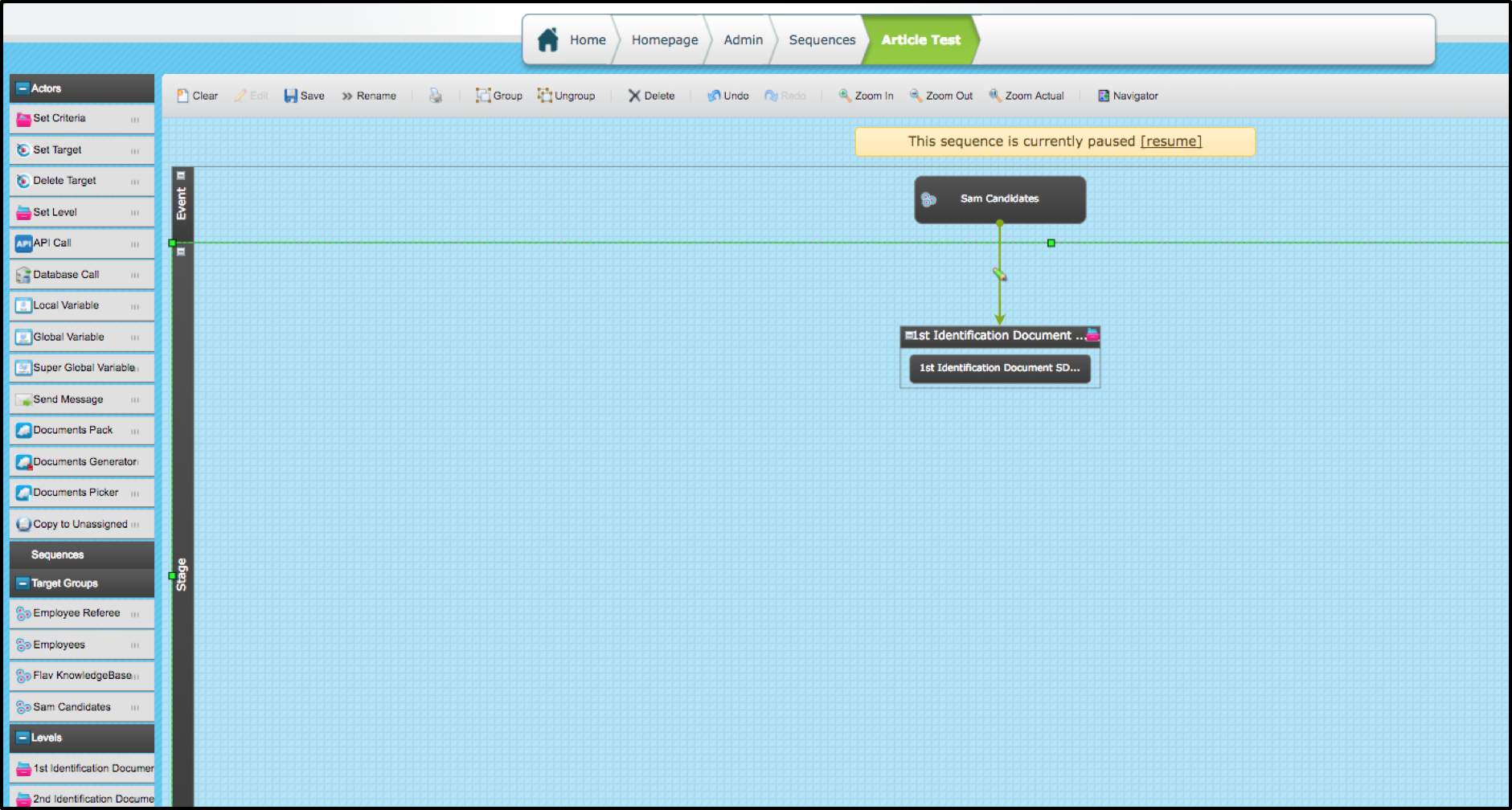
Connecting Level to Level or Level to Criteria
Having made the connection from a level to the next level or to a criteria right click on the connector to be presented with the connector menu as shown below.
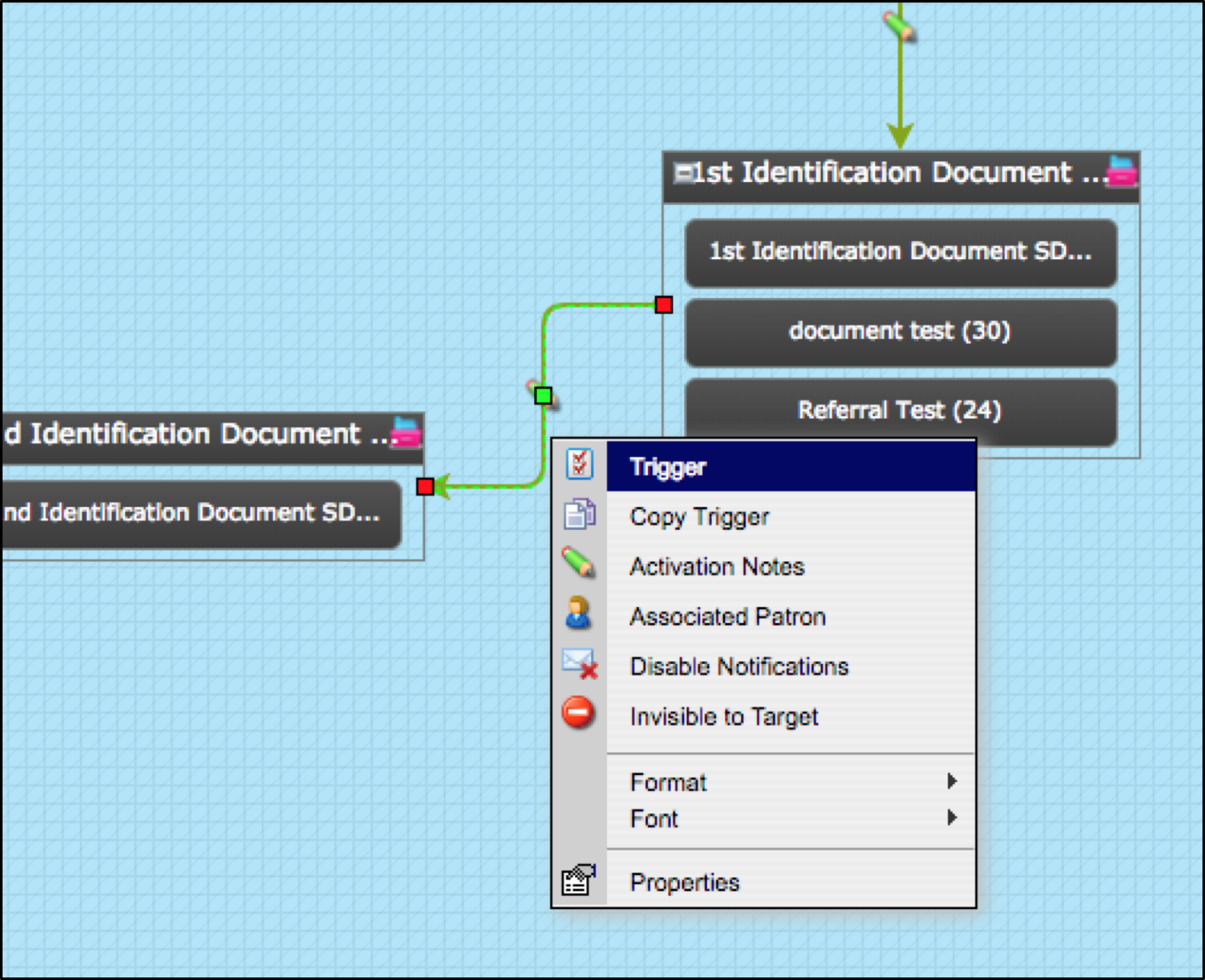
- Select Trigger. This will allow you to enter the conditions for having the next level or criteria assigned to the target
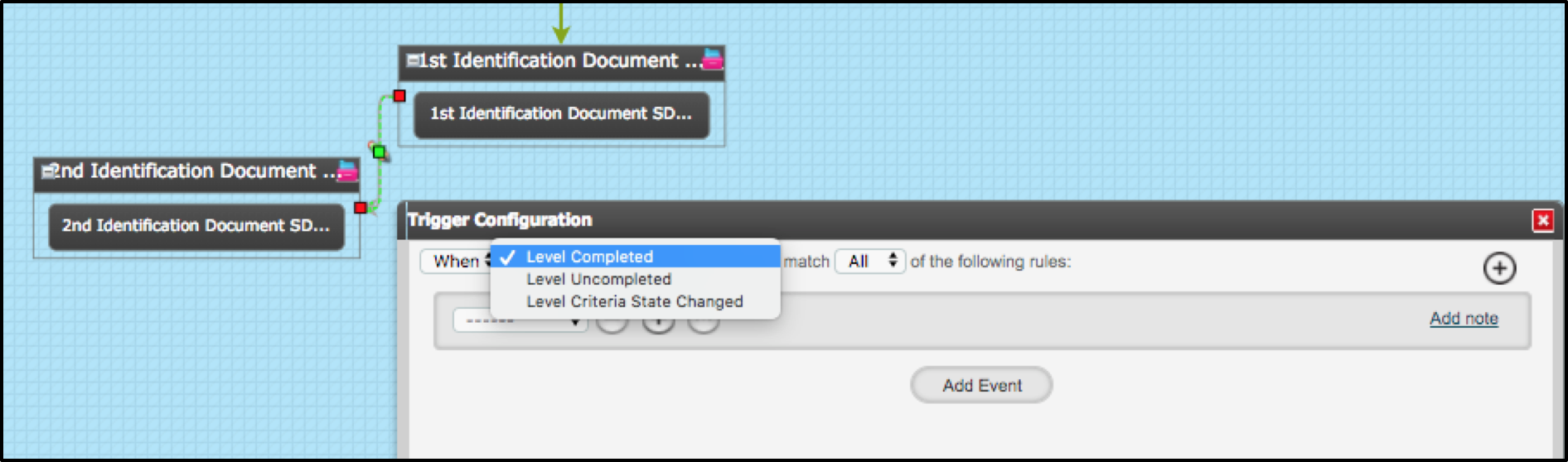
If you click in to the "When" drop down menu you'll see you also have the option "After". Choosing After will allow you to set a delay for the assignment of the next part of the process.
- Select the appropriate option. If you have chosen After enter the required timescale
- Then select the required state of the level you are connecting from; there are 3 options:
• Level Completed – if you use this option the level you are connecting from must be completed
• Level Uncompleted – choosing this option allows the next object to be assigned before all criteria in the level you are connecting from have been completed
• Level Criteria State Changed – this means that once the state of any criteria within the level you are connecting from has changed the next object will be assigned. You can filter further using Level Criteria State (see below)
For any of the above you can add further conditions by clicking into the drop down menu. There are 5 options:
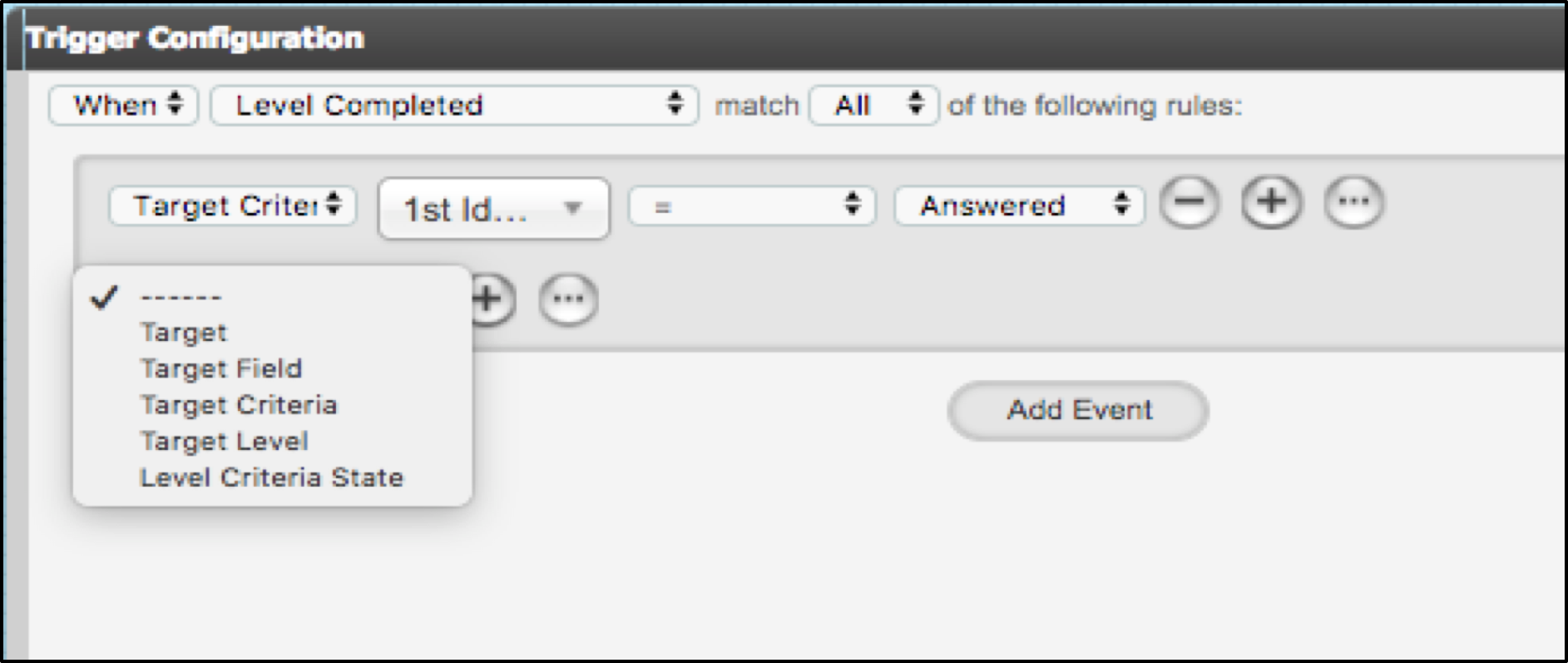
• Target – allows you to filter by a targets account set-up
• Target Field – allows you to reference any field on the target’s record so that you can filter on a specific field value
• Target Criteria – allows you to filter by a criteria
• Target Level – allows you to filter by a level
• Level Criteria State – used with Level Criteria State Changed – allows you to filter on a specific criteria state (answered, not answered, answered related [used with response type Date Range and Activity], rejected, validated, expired)
Comments
0 comments
Please sign in to leave a comment.