
By default, in the target's portal criteria are listed by the date that they are assigned to the target.
A System User now has the ability to order the Criteria/Grouped Levels in a different order.
This can be configured when Creating/Editing a Target Group.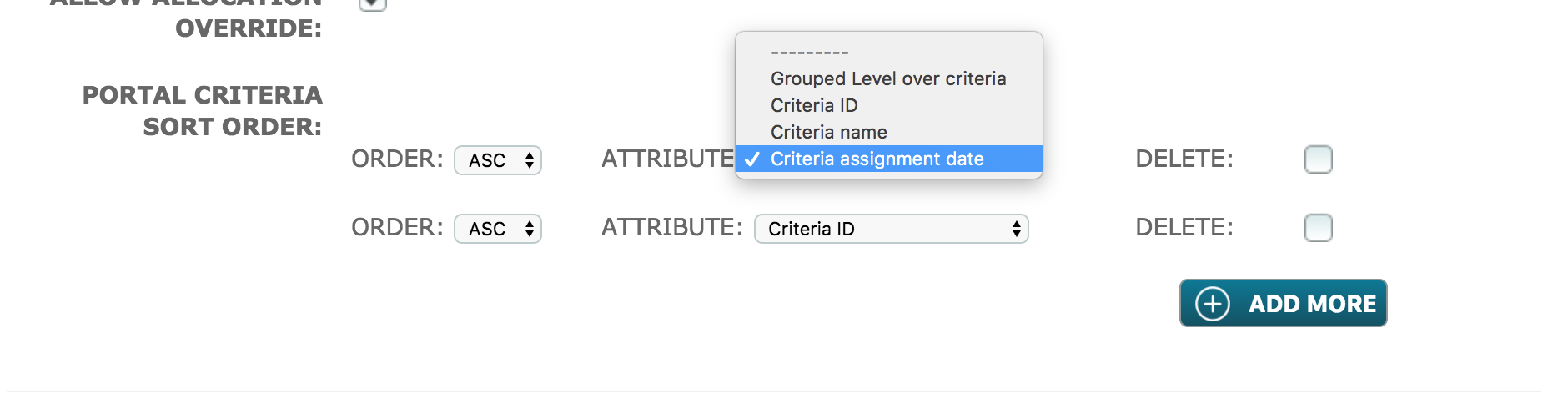
Order - is where the User can select either 'ASC'; ascending, or 'DESC'; descending. Depending on the attribute selected, this is where the User decides on whether the attribute is starting from the top or the bottom.
Attribute - is where the User can select how the Criteria/Grouped Levels are sorted.
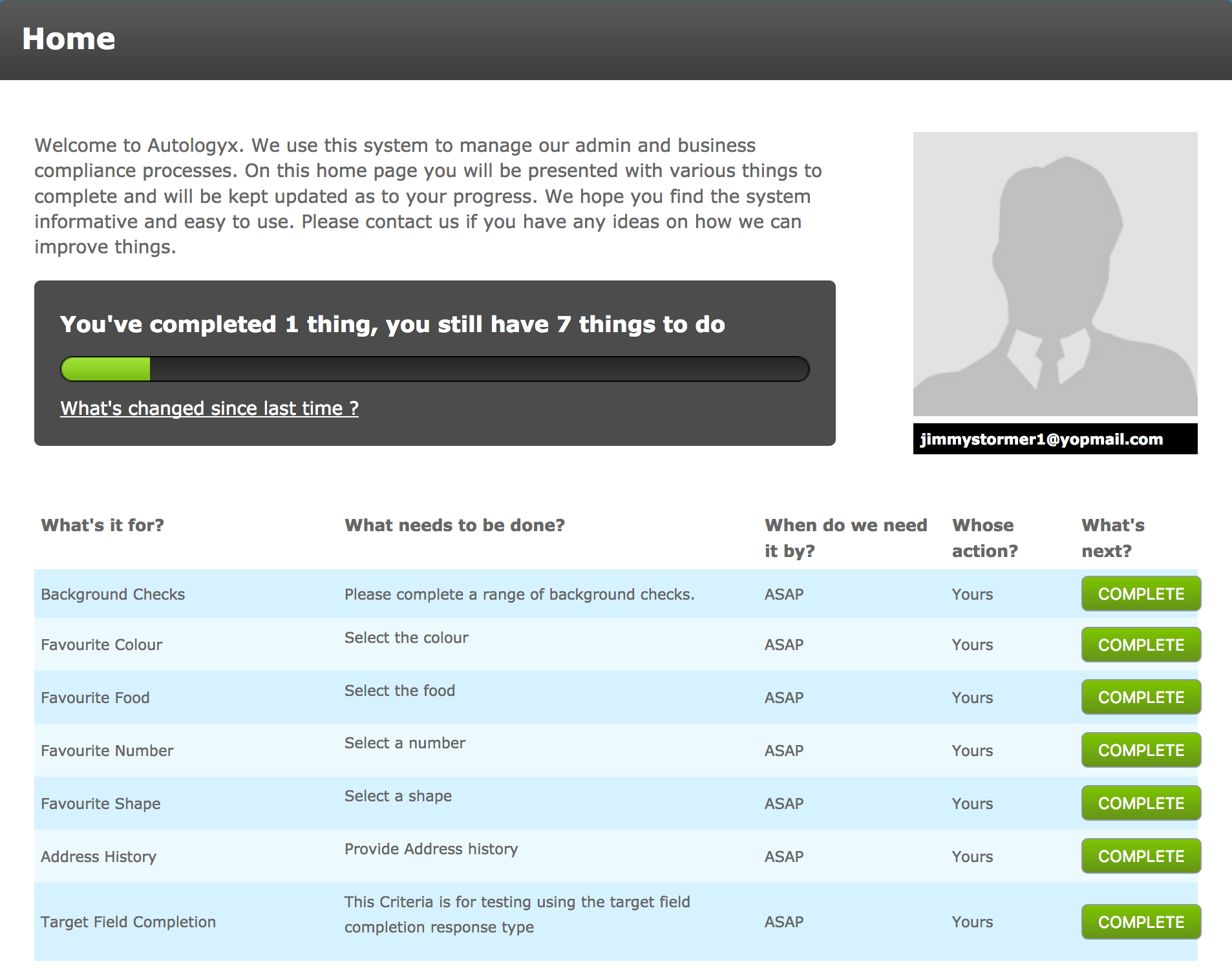
- Grouped Level over Criteria: If selected, any Grouped Level to be completed will be displayed first, either at the top or bottom, depending on the Order selected.
Below, is an example of this configuration with the order as 'Desc'. The first task being 'Background Checks', is a grouped level. Then the following tasks are criteria within non-grouped levels.
- Criteria ID: If selected, the Criteria ID Number will be used to list the tasks in either ascending or descending order.
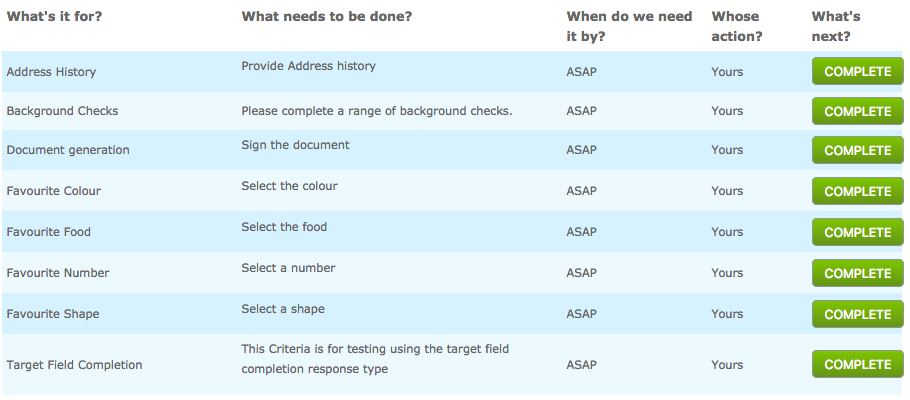
- Criteria name: This is based alphabetically, where the Criteria name nearest 'A' will then be sorted based on the Order selected.
Below, is an example of this configuration with the order as 'ASC'. On the left hand column under 'What's it for?' are all in alphabetically ordered.
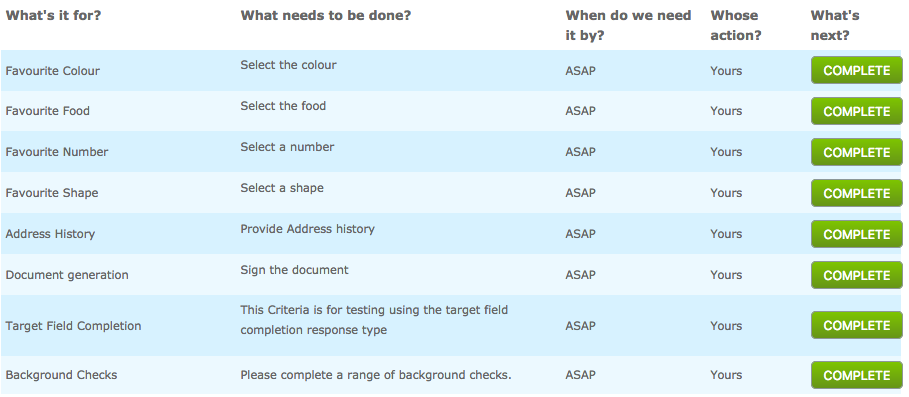
- Criteria assignment date: If selected, the Criteria will be sorted based on when the criteria was assigned. Depending on what Order is selected, newly assigned criteria to the target, can either be shown at the top or bottom.
Below, is an example of this configuration with the oder as 'ASC'. The individual assignment dates can be viewed in the dashboard in the history of the target. The Favourite Colour is at the top of the list, and this criteria was the first to be assigned.
Delete - When selected, the row configured for sorting the Criteria, will be deleted.
Comments
0 comments
Please sign in to leave a comment.