
In Autologyx, person target user accounts can be created and activated immediately or created and only activated when the target reaches a particular stage in a process.
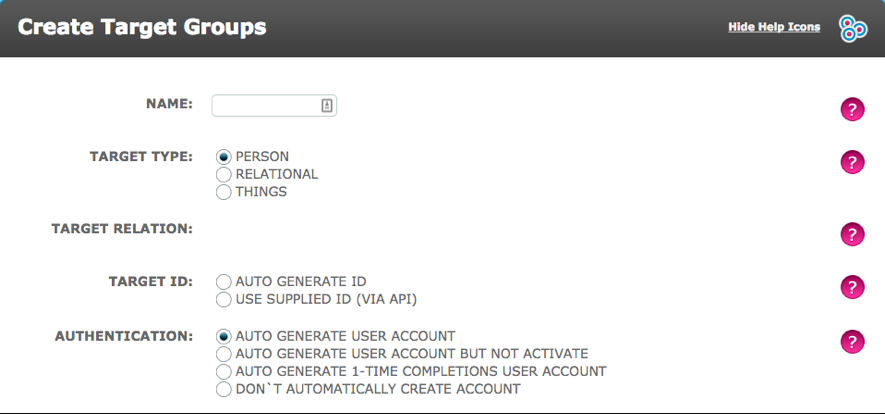
If a target is required to authenticate by logging in immediately on creation of their record, the "Auto Generate User Accounts" option must be selected when the Target Group is created.
This can be accessed by going to Admin > Targets > Create a new Target Group, as shown below.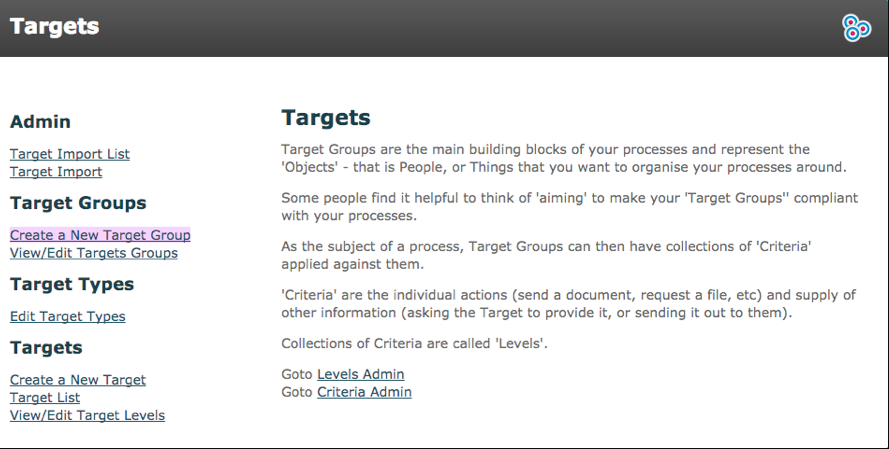
Authentication
There are 4 different types of authentication:
Auto Generate User Accounts
As soon as a target record is created, by whatever means, this option will automatically create an account for the target and send an email with a unique URL to that account. The target will be told that their username is their email address. They are asked to choose a password and choose/answer a secret question. This method requires the target to login to the portal so that they can complete criteria.
Auto Generate User Accounts But Not Activate
This generates the user account but will not send the email until the target has been enabled. This can be done from the Target List (Admin > Targets > Target List) as seen below, or from a sequence using a Set Target Actor.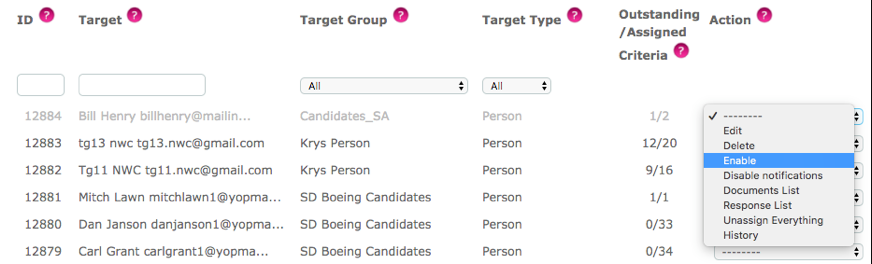
This authentication option is commonly used when importing targets in batch.
Auto Generate 1-Time Completions User Accounts
This option automatically create a Target User account for individuals who will only be required to use the system for a single action.
The Targets that are 1-time Completion do not have a username and password to login to autologyx. They can be assigned criteria for which the New Action Email will include a link directly to a response page where the task can be completed.
Don’t Automatically Create Account
Although a target record will exist the target account will not be created, they will not be aware of their record and will not log in. This method is best used when you want to retain a record of the target but have System Users complete all criteria.
1-Time Completion
One-time completion is an easy way to allows targets that only interact with the system on a one-time basis, or have inconsistent periodic interactions. This allows the target to complete one or more criteria without requiring them to login.
Converting One Time Completions to User Account
A 1-time completion target user can be provided with a full account whereby they will be required to log in. You can do this from their record on the target list (Admin > Targets > Target List).
Right click the action field on the desired target and choose ‘Convert 1-time completion’. This will automatically send an email to the target to activate and create a password for their account.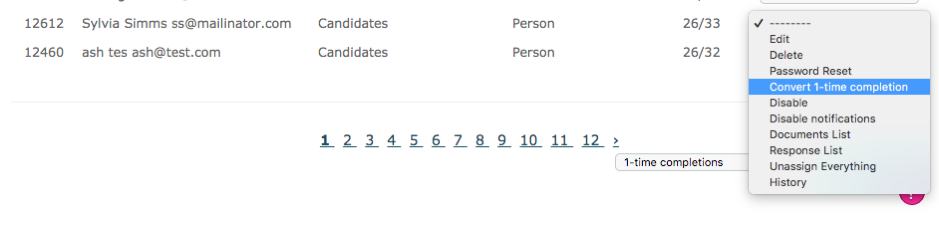
Alternatively, you can do this in a Sequence using a Set Target to change the "Account Type" to a "Full Account" and by enabling the "Account Login".
Comments
0 comments
Please sign in to leave a comment.