
People and Groups
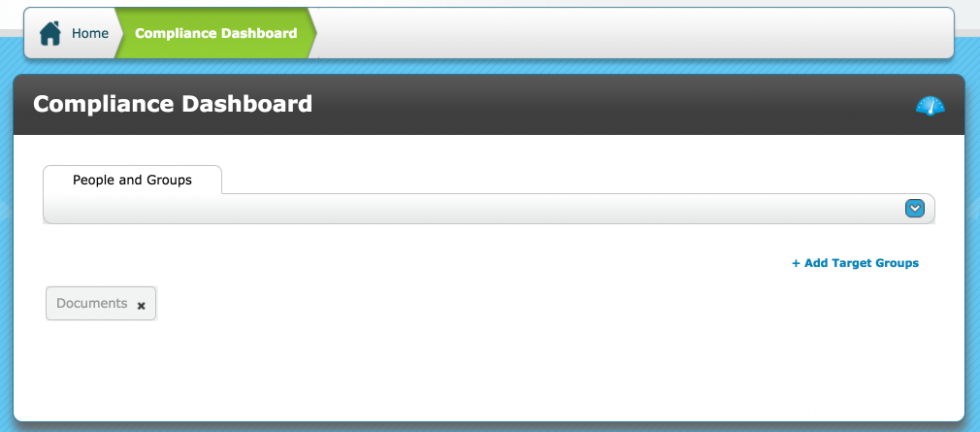
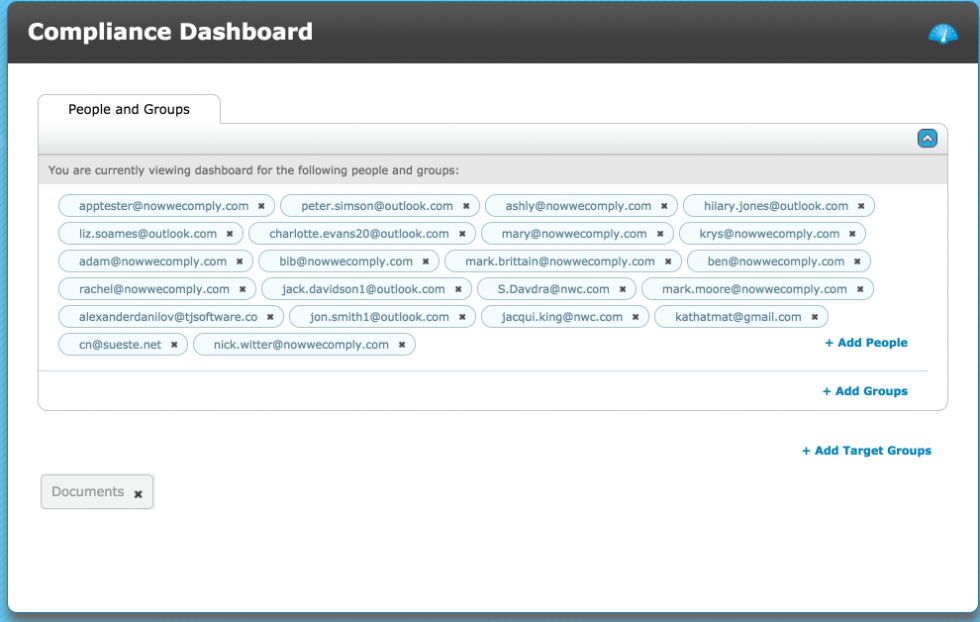
If the Dashboard has not been configured it will be blank. Click the drop down icon on People and Groups to view which system users’ assigned content is currently set up to view.
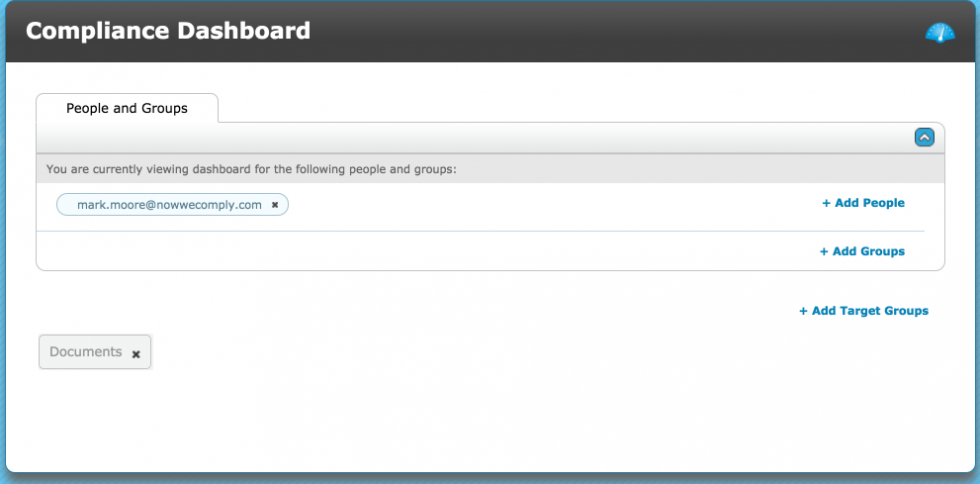
People
To add additional People click +Add People
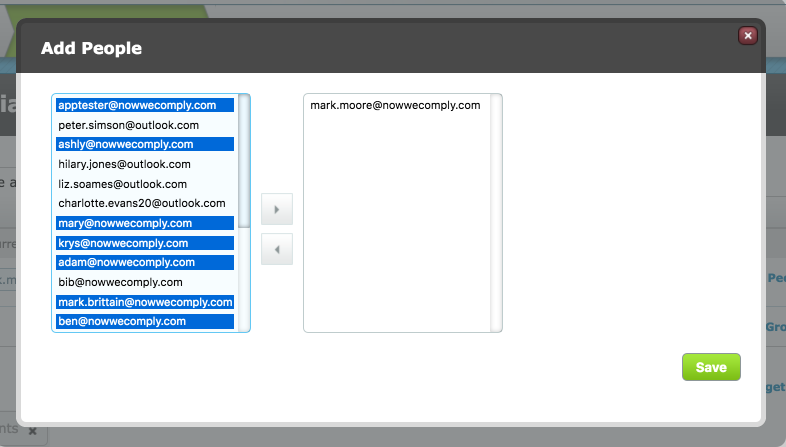
In the pop up modal the left side contains the available system users who are currently not selected and the right side column contains the available system users who are currently selected.
To move a system user from the left to right column, click on their email address once and then click the right facing arrow. To remove a system user, the left arrow is used instead.
Multiple system users can be selected using CTRL+click / ⌘+click / CTRL+A / ⌘+A / shift+click. Ensure to Save any changes.
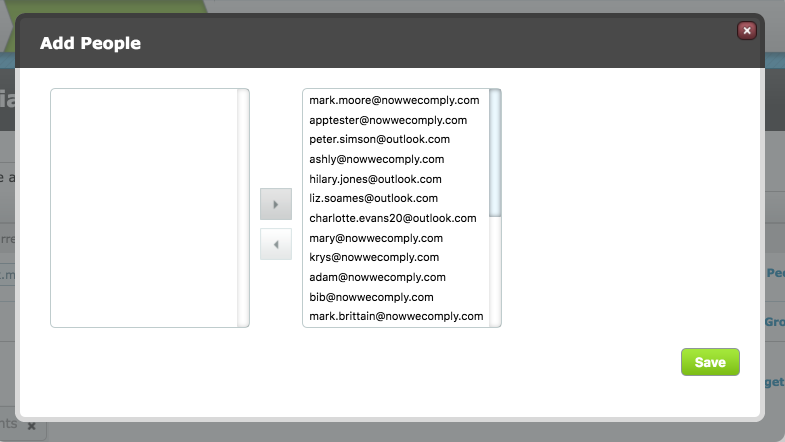
Back at the Dashboard, when clicking the drop down arrow the current system users are displayed.
Groups
To add additional Groups click +Add Groups (Note this is not Target Groups)
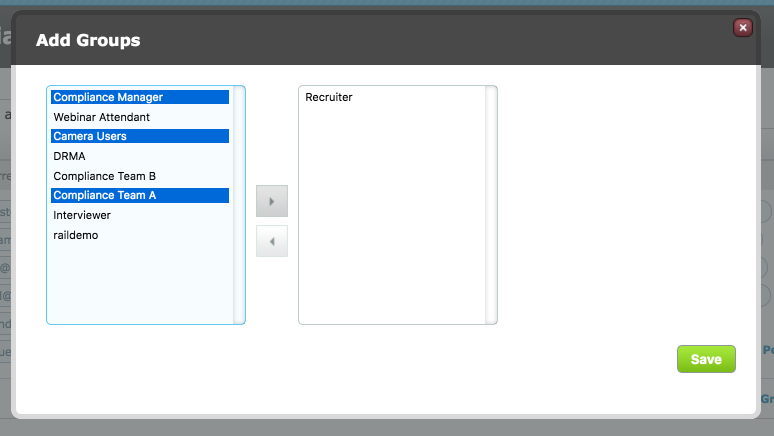
In the pop up modal the left side contains the available system user groups who are currently not selected and the right side column contains the available system user groups who are currently selected.
To move a system user group from the left to right column, click on the group name once and then click the right facing arrow. To remove a system user group, the left arrow is used instead.
Multiple system user groups can be selected using CTRL+click / ⌘+click / CTRL+A / ⌘+A / shift+click. Ensure to Save any changes.
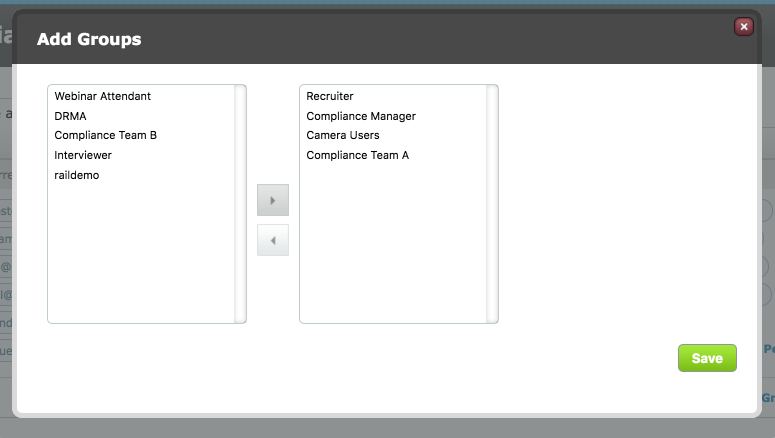
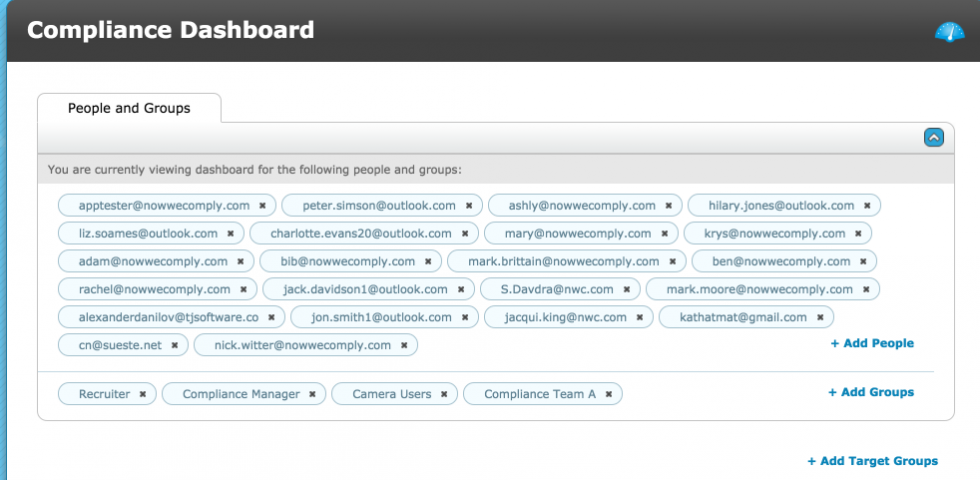
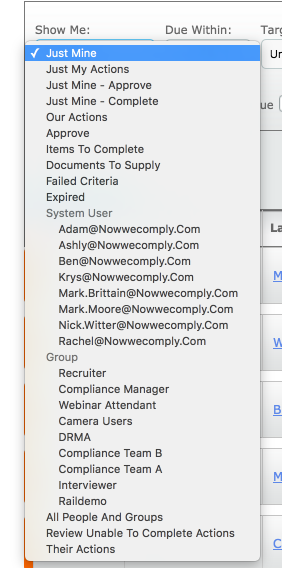
Back at the Dashboard, when clicking the drop down arrow the current system users and system user groups are displayed.
Target Groups
Click +Add Target Groups to see the available Target Groups that can be added to the Dashboard.
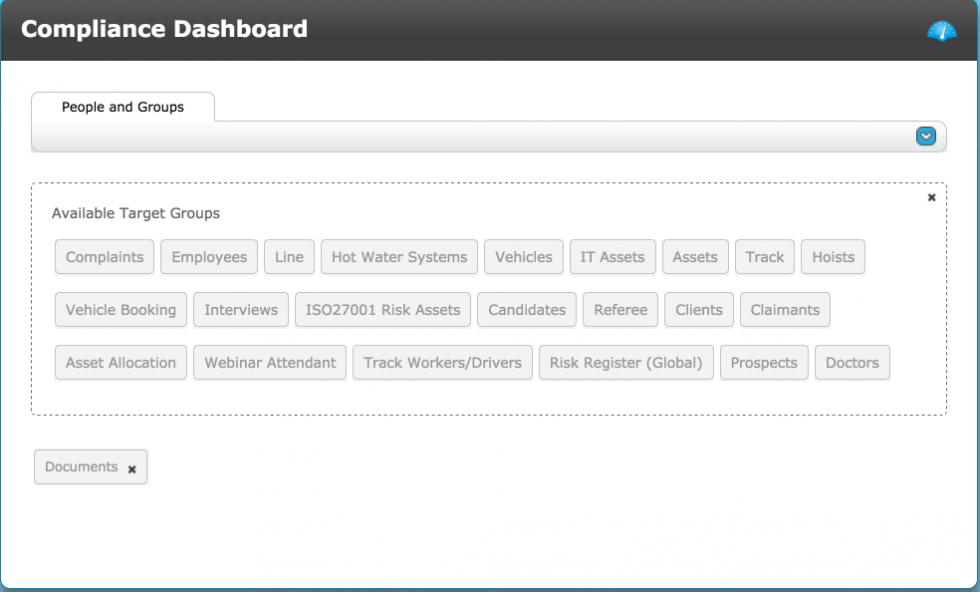
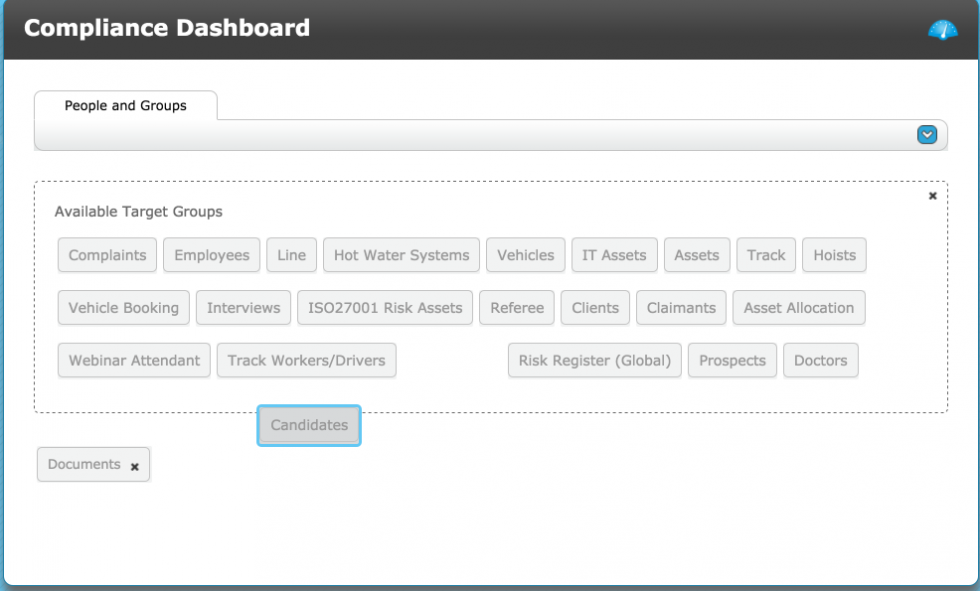
Click and drag a Target Group from the pool to the space below it. This group is now part of the Dashboard. Target Groups can be removed from the Dashboard by dragging an already selected Target Group from the space below the pool, back into the pool.
Data associated with the selected Target Groups will be immediately visible on the Dashboard. Only one target group can be visible on the Dashboard at any given time. Click on the desired Target Group, the active Target Group button turns dark and is highlighted in a green border.
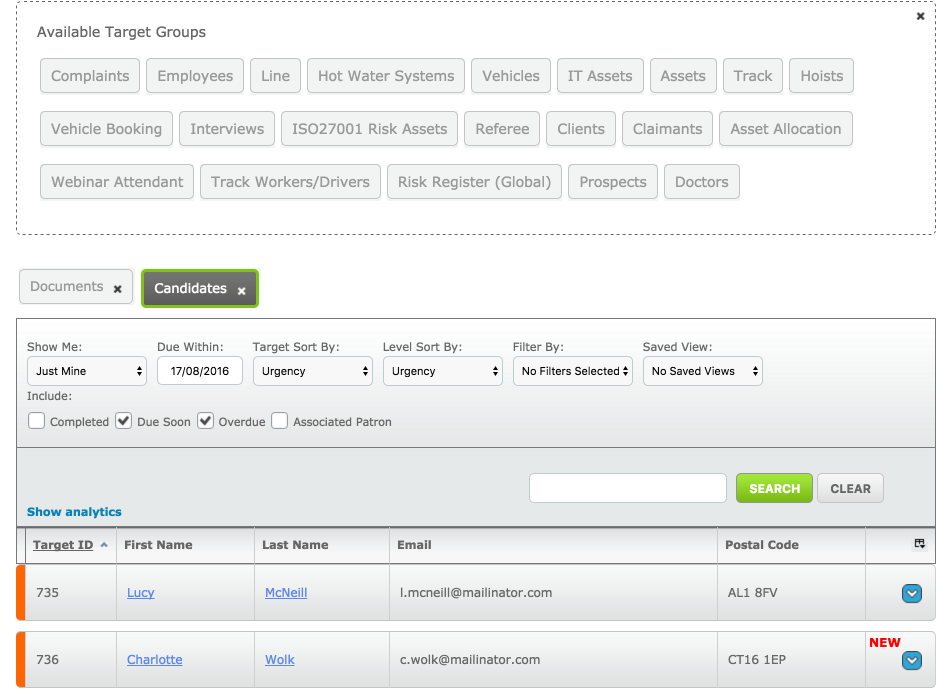
Before People and Groups are added, the show me filter is limited in the available viewing options:
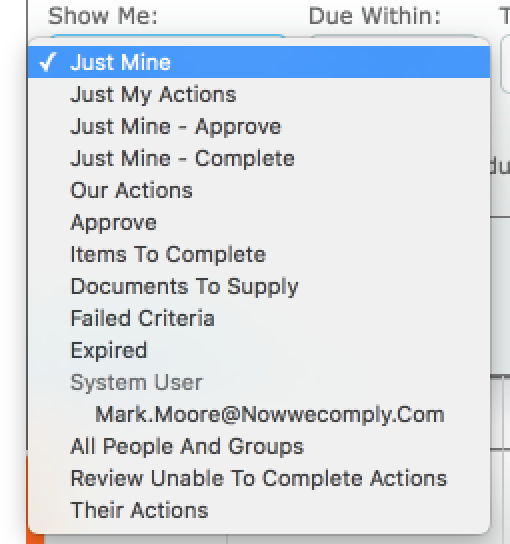
The Show me filter when people and groups have been added includes all those people and groups as options to filter the content on the dashboard.
Comments
0 comments
Please sign in to leave a comment.