
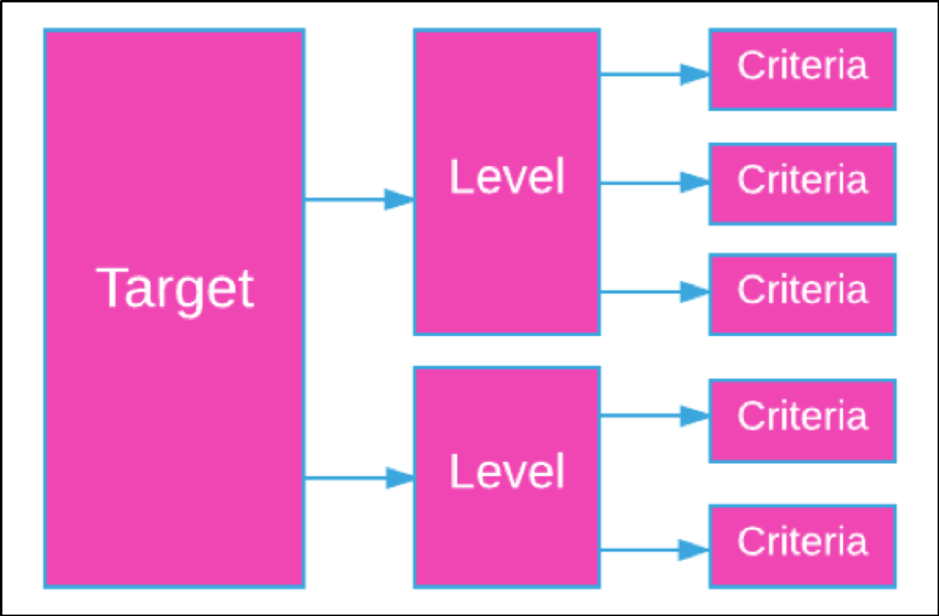
On the Dashboard, a single target can contain multiple levels. A level can contain multiple criteria. This should be remembered when navigating through the Dashboard.

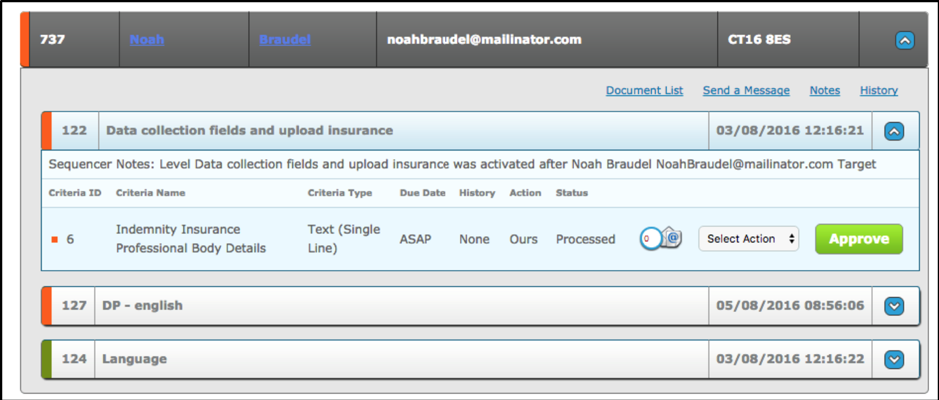
In the below example Row 737 is a Target
122 Data collection fields and upload insurance is a Level
6 Indemnity Insurance Professional Body Details is a Criteria
On the Dashboard, a Target has a one to many relationship with levels and levels have a many to many relationship with criteria. The same criteria can be in different levels.
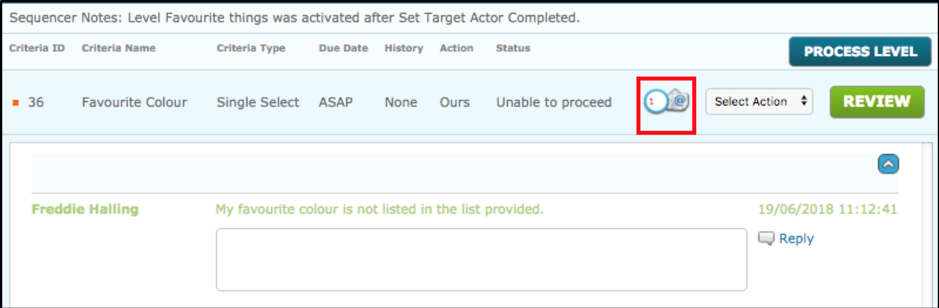
In the criteria section of a target, data can be interacted with directly. Any approvals or other items to complete will be displayed here. The drop down Select Action, contains the list of available options for that particular criteria. The ‘positive’ option is displayed as a green button (Complete, Approve) at the right side of the row.
The small @email icon displays the message history of the target when clicked.
Expand/Collapse
The Dashboard uses an expand/collapse approach to opening and closing records, the down arrow on the right side will expand the record, as a result it changes to an up arrow which can be used to collapse the record. This applies to Targets, Levels and Criteria.
Comments
0 comments
Please sign in to leave a comment.