
Role Permissions – Target Field Access
Admin > System Users and Permissions> Create a New System Role> Target Field Access
Target Field Access allows the user to restrict each role to have different permissions, depending on the target field.
If the role used allows interaction with more than one target group, then the following appears below. Each target group’s target field's can be customized.

When opened, by clicking on the show button in the top right-hand corner, in this case, the Boeing_Candidates_SA, the image below is presented.
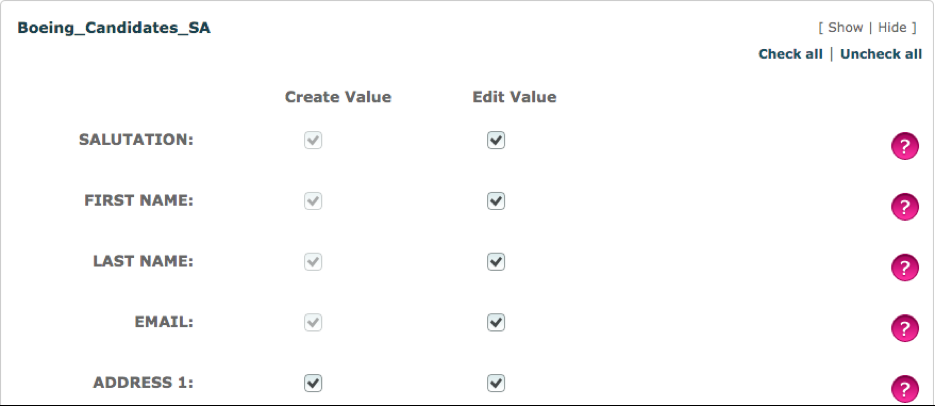
All target fields have the option of being edited and created except the first four. This is because they have been set as a required field within the target group, this will be the case with all the other required fields.
By unticking the appropriate box, it restricts the user’s interaction within the system. For example, if the Address 1 Create value was unticked, the user will be unable to initially type in a response in the Address 1 field through the dynamic form, as the field will be greyed out. However, when viewing the target’s information through the dashboard, it will be available to edit.
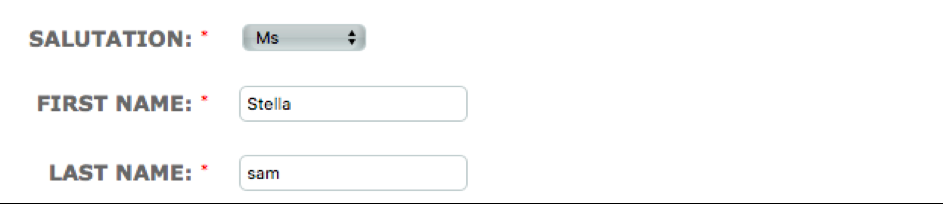
Similarly, when the edit value is unticked. The user will be able to enter the information when first creating the target. But when editing, the image below shows that the field is greyed out.
Comments
0 comments
Please sign in to leave a comment.