
Q. Cannot confirm a returned reference
If a system user if trying to confirm a returned reference, it could be a number of reasons such as missing notes, the Reference Request has not been returned , changed data has not been authorised.
In this example, the returned documents have not been checked, red text will alert the system user as to why they cannot confirm.
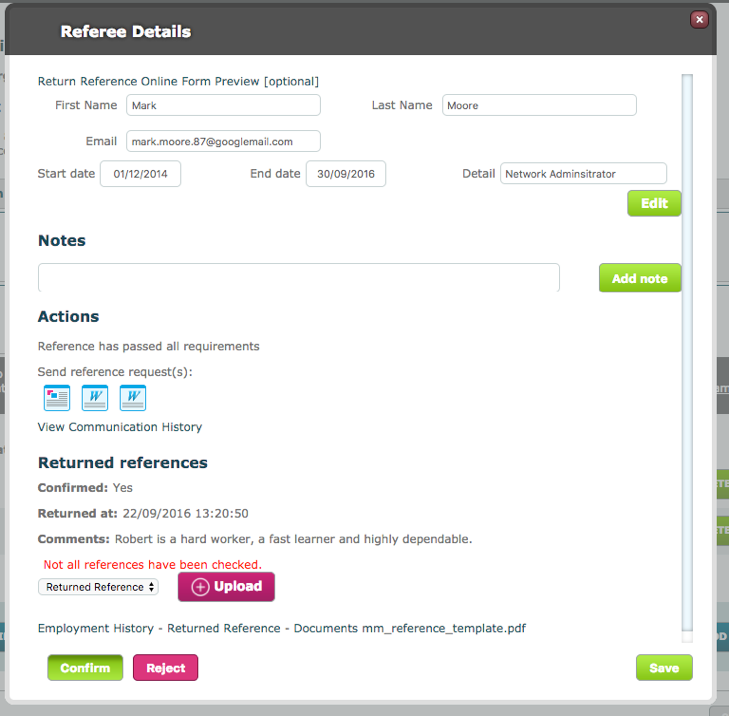
To proceed, click on the document name; in this example the PDF listed at the bottom of the modal.
The document will open in a new Modal. Click Save once finished viewing.
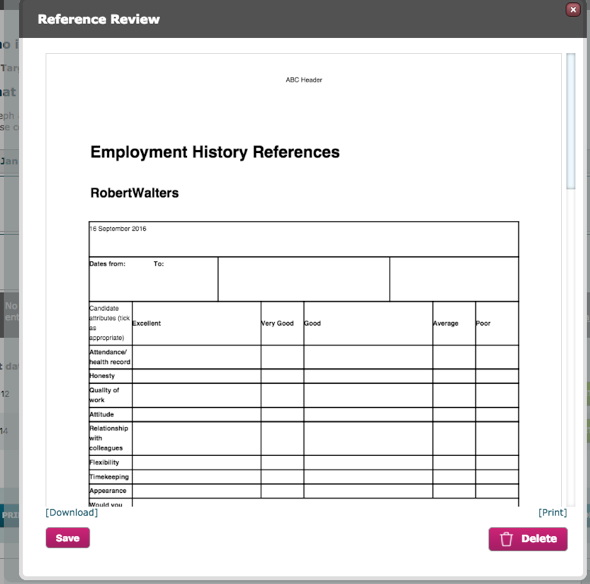
The Confirm button should now be usable.
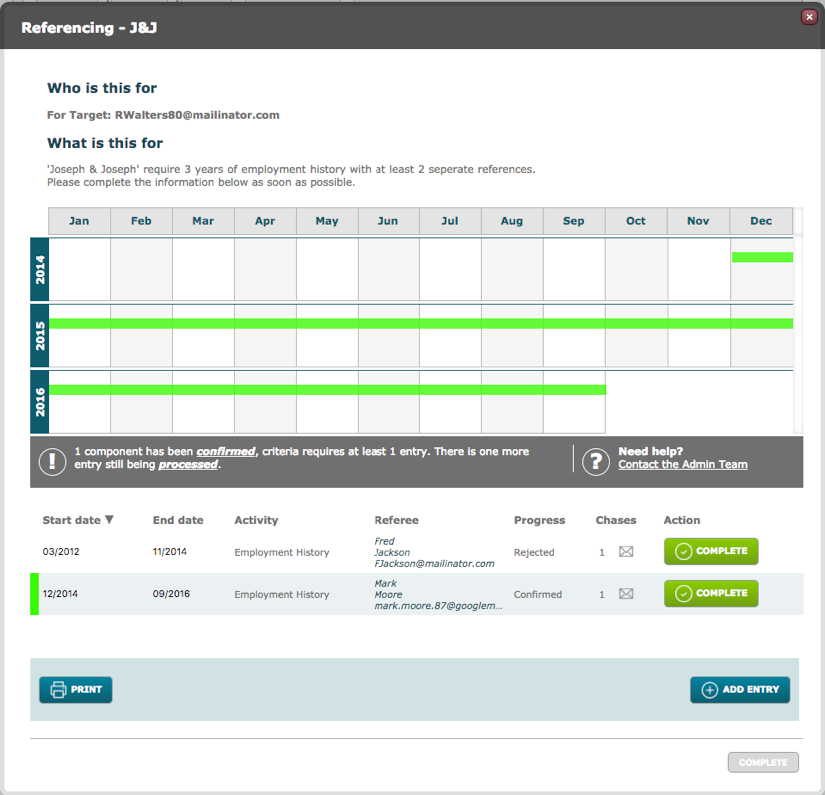
A confirmed, returned reference will display on the date pane like any other confirmed Activity.
Q: System User does not have the ability to send an email
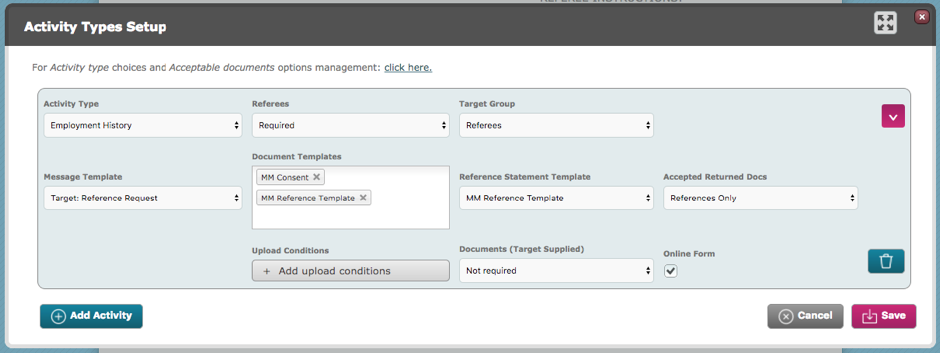
In the Criteria Edit screen, in Activity Types Setup, make sure a message template has been selected.
Q: Why is there no 'confirm' button on the Target Reference request email?
If online form has not being selected in the Criteria Edit, Activity Types Setup screen then the link is removed form the message that the referee receives.
Q: Why do I not have the option to print a document template?
Only certain file types (e.g. png,pdf,jpeg) are printable. If a document is of a Microsoft Office format for example, you will not be able to print it.
Q: How do I re-request target Confirmation email
A: You are unable to re-request the email, however there will be a criteria for the target to complete in their portal
Q: Why can I only see certain Target Groups under referee's
Only those Target Groups that have been mapped in the DRAA2 config will be available. To add more, go to Store> Date Range and Activity 2 > Setup tab
Comments
0 comments
Please sign in to leave a comment.